
So, you’ve decided to sell your old phone. Before you jump online and create a listing, taking a few minutes to give it a really honest look-over can make a huge difference to your final sale price. Think of it as the foundation for a quick, profitable, and drama-free sale. It’s all about setting a realistic price from the get-go.
Your First Step to a Profitable Phone Sale
That old phone tucked away in a drawer is worth more than you think, but getting top dollar for it starts with a clear-eyed assessment. It’s a bit like detailing a car before you sell it; this isn't just about spotting a few scratches. It's about understanding what a potential buyer sees and building the trust you need to make the sale smoothly.
The second-hand phone market is booming. Here in Australia, the market for refurbished and used phones is set to grow by 8.0% each year between 2024 and 2034. It's not uncommon for people to get 30-50% of a phone's original value back, even on models that are a year or two old. This just shows how much people are moving towards more sustainable and affordable tech. You can dig deeper into Australia's growing second-hand phone market trends for more insights.
Inspecting Your Phone Like a Pro
First things first, grab your phone and find a spot with good, bright light. The little details really do matter. Tilt the phone under the light to catch any micro-scratches on the screen. Check the corners and the metal frame for scuffs or tiny dents. These are the small things that separate a phone in 'Like New' condition from one that's just 'Good'.
Once you've done the visual check, it's time to test its performance:
- Battery Health: If you have an iPhone, this is easy. Just head to Settings > Battery > Battery Health & Charging. For Android users, an app like AccuBattery can give you a solid estimate. Anything above 85% capacity is generally seen as pretty healthy.
- Screen Condition: A quick way to check for dead pixels is to pull up a completely white image, then a black one, and look for any spots that don't change colour. You'll also want to look for screen burn-in—faint ghost images that linger on the display.
- Buttons and Ports: Click every single button. Do they feel responsive and 'clicky'? Then, plug in a charger. The connection should feel firm, not loose or wobbly.
A quick and honest look at your phone's condition is the best way to get ahead. Use this simple checklist to grade your device accurately so you can set a fair and attractive price.
Phone Condition Assessment Checklist
| Feature To Check | What to Look For | Impact on Value |
|---|---|---|
| Screen | Scratches (deep vs. micro), cracks, dead pixels, screen burn-in. | High. A pristine screen commands the highest price. Deep scratches or cracks will significantly lower the value. |
| Body/Frame | Dents, scuffs, deep scratches on the back or sides. | Medium. Cosmetic damage makes the phone look worn, reducing its appeal and price, but it's less critical than screen damage. |
| Battery Health | Maximum capacity percentage (ideally 85% or higher). | High. A weak battery is a major deterrent for buyers and a common reason for a lower offer. |
| Ports & Buttons | Wobbly charging port, unresponsive volume/power buttons. | Medium. Functional issues suggest the phone hasn't been well cared for and can lead to costly repairs for the new owner. |
| Camera Lenses | Scratches or cracks on the front or rear camera glass. | Medium-High. Any damage that affects photo quality is a big red flag for many buyers. |
| Functionality | Wi-Fi/Bluetooth connectivity, speaker and microphone performance. | High. Core functions must work perfectly. A non-functional speaker or mic makes the phone almost unsellable. |
Taking the time to run through these checks will give you a clear picture of what you're selling and help you justify your asking price when the time comes.
Understanding Carrier Locks
Here’s a big one that a lot of people overlook: is your phone locked to a carrier like Telstra or Optus? An unlocked phone is a golden ticket because it can be used on any network, which instantly makes it more attractive to way more buyers. This almost always means you can ask for a higher price.
You can usually find this information in your phone's settings, or you can just give your original carrier a quick call to confirm.
Taking just 15 minutes to honestly grade your phone's screen, battery, and carrier status is the highest-leverage activity you can do. It prevents disputes with buyers and empowers you to price your device confidently, ensuring you don’t leave money on the table.
Where to Sell Your Phone for the Best Return
Alright, you've figured out what your phone is worth. Now for the big question: where should you actually sell it? This is where you need to decide what matters more to you—getting the most cash possible or getting the job done with the least amount of fuss.
The platform you choose will make a huge difference to your final payout and how quickly you can move on. In Australia, you’ve got a fair few options, from the instant gratification of a trade-in to the higher earnings of a private sale. Let's walk through them to find the right fit for you.
Carrier Trade-Ins for Ultimate Convenience
If you want fast and ridiculously easy, look no further than the trade-in programs offered by major carriers like Telstra, Optus, and Vodafone. You can usually jump online, get an instant quote, and that value gets knocked off your next phone purchase or credited to your bill. Simple.
These programs are a massive part of the Aussie mobile scene now. As carriers push their 5G networks, they're keen for us to upgrade more often, which keeps the second-hand market ticking. It’s pretty common for people to upgrade every 18-24 months, using these deals to pocket a few hundred dollars for their old device. You can actually read more about how 5G is shaping the used phone market in Australia.
The biggest win with a trade-in is its sheer simplicity. No photos to take, no descriptions to write, and zero back-and-forth with potential buyers. You get a guaranteed price with no haggling, which is perfect if you value your time over squeezing out every last dollar.
Online Marketplaces for Maximum Profit
On the other hand, if your main goal is to get the absolute best price, selling it yourself is the way to go. Platforms like Gumtree, Facebook Marketplace, or eBay let you set the price, putting you in control of the profit. It’s definitely more work, but the financial reward is often much higher.
To nail a private sale, you'll need to:
- Create a killer listing: Good, clear photos and an honest, detailed description are non-negotiable for attracting genuine buyers.
- Handle the comms: Get ready to field questions and be open to a bit of negotiation on the price.
- Seal the deal: This means arranging a safe place to meet up or figuring out secure packaging and postage.
This decision tree gives you a good visual on how your phone's condition—which we talked about earlier—translates to value on different platforms.
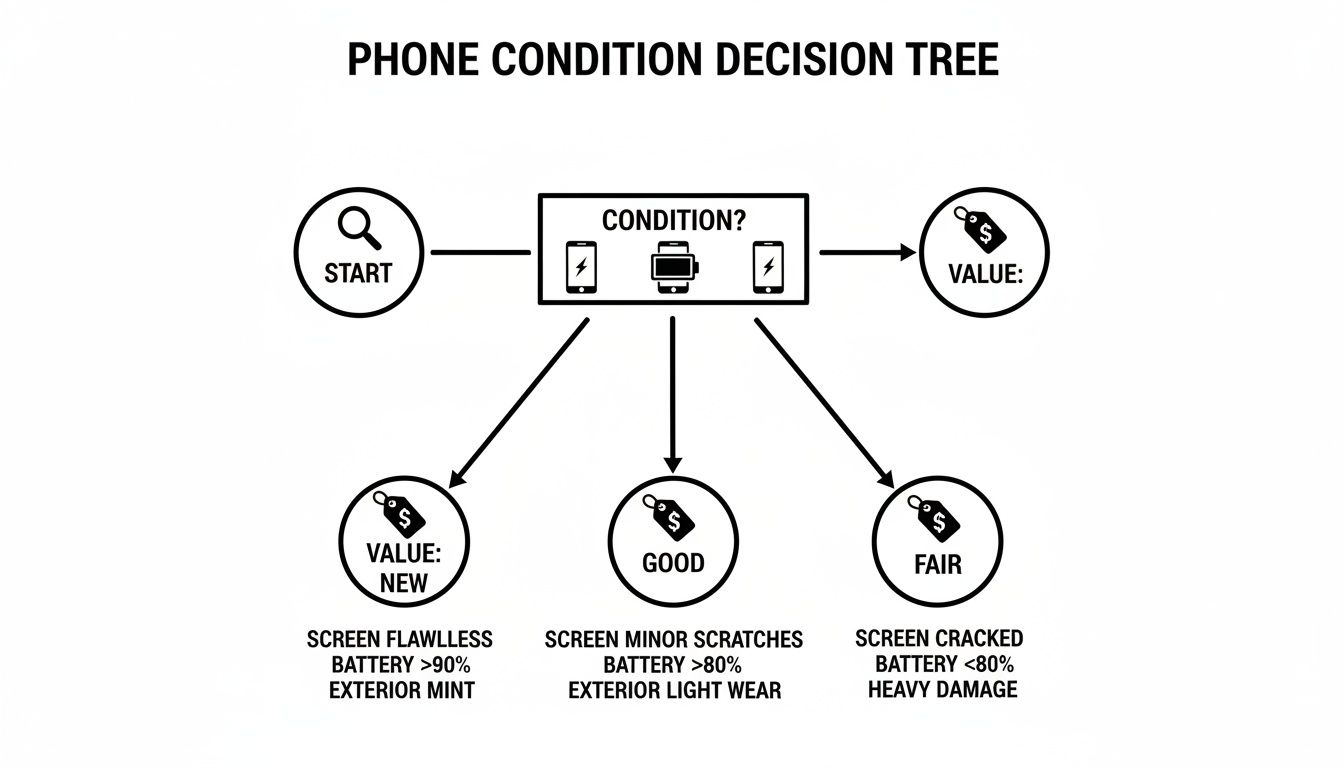
As you can see, a phone in 'New' condition will fetch top dollar on private marketplaces, while a 'Fair' condition device might be a better candidate for a quick and easy trade-in.
Dedicated Tech Buyback Services
There's a third path that strikes a nice balance between convenience and profit: specialised tech buyback services. These can be online sites or local repair shops—like us here at CTF. We give you a straight-up cash offer for your phone.
It’s far simpler than selling privately but often pays better than a carrier trade-in. The process is a breeze: get a quote, send your phone in or drop it off, and get paid. This is a brilliant option if you want a fair cash price without all the legwork of finding a buyer yourself.
Comparing Phone Selling Platforms
Feeling a bit stuck on which path to take? This table breaks it all down, helping you weigh up what's most important for your situation.
| Selling Method | Potential Profit | Speed of Sale | Convenience Level |
|---|---|---|---|
| Carrier Trade-In | Lower | Instant | Very High |
| Online Marketplace | Highest | Varies | Low |
| Tech Buyback Service | Good | Fast | High |
Ultimately, there’s no single "best" way—it all comes down to your personal priorities. Whether you want the highest price, the fastest sale, or the easiest process, one of these options will be the right fit for you.
Getting Your Phone Ready for a New Owner
Before you hand your old phone over, the most critical job is to make sure your personal data is completely wiped. It’s a simple process, but getting it right gives you total peace of mind, knowing your digital life stays yours.
Your first move should always be a full backup. You've got years of photos, messages, and contacts on there you don't want to lose. The easiest way is to use a cloud service – Apple's iCloud or Google Drive are built right in and can save everything automatically.
If you prefer to have a physical copy, you can just plug your phone into a computer and drag all your important files into a folder. It gives you a tangible backup that you control. Once you’re confident everything is saved, it’s time to secure the device itself.
Unlink Your Accounts and Security Locks
This is the one step people forget all the time, and it creates a massive headache for the new owner. You absolutely have to sign out of your main account to turn off security features like Apple’s Find My iPhone or Google's Factory Reset Protection.
- On an iPhone: Head to Settings, tap your name right at the top, then scroll all the way down and hit Sign Out. This officially severs the link between your Apple ID and that specific phone.
- On an Android: Go to Settings > Accounts. Find your Google account in the list, tap on it, and select the Remove account option.
Skipping this can make the phone a paperweight for the next person, as it'll be permanently locked to your account. It’s a tiny action that prevents a world of frustration and stops angry messages coming your way after the sale.
A factory reset is a good start, but it doesn't always make your data 100% unrecoverable with the right tools. Signing out of your accounts before the reset adds a crucial layer of security, effectively telling the phone it no longer belongs to you.
Wiping It Clean with a Factory Reset
With your data safely backed up and your accounts disconnected, it's time to scrub the phone clean. A factory reset will erase all your apps, photos, settings, and personal files, taking the software back to the state it was in when you first opened the box.
You'll find this option in the settings menu, usually tucked away under a heading like "General," "System," or "Reset."
This step is non-negotiable for protecting your privacy. Thankfully, data security in the second-hand market is something Australian Consumer Law (ACL) takes seriously, promoting secure data wiping practices to build consumer trust. You can learn more about how the law supports a safer used phone market in Australia.
Once the reset finishes, there are just a couple of physical things to check. Pop open the SIM tray and take out your SIM card. Don't forget to check for a microSD card if your phone has a slot for one.
Give the device a final wipe-down, and it’s officially ready for its new home. If you want to go the extra mile, fitting a fresh screen protector can make it look much more appealing. For tips on getting a bubble-free finish, our guide on the benefits of a hydrogel screen protector can help.
Creating a Listing That Sells Itself
So, you've wiped your phone and it’s ready for a new home. Now comes the part that really makes a difference: crafting a listing that does the selling for you. This is your chance to make your old device stand out from the crowd, and a bit of extra effort here will almost always lead to a faster sale and more money in your pocket.
Think of your listing as your digital shopfront. It needs to build trust through honesty while creating appeal through great presentation. A blurry photo or a one-line description screams "I don't care," which makes buyers wonder what you might be hiding.
Mastering Your Phone Photography
Good news: you don't need a fancy camera. The phone you're using right now, some natural light, and a simple background are all it takes to make your old device look its best.
Forget trying to snap photos at night under a yellowy kitchen light. The harsh shadows and bad colour will do you no favours. Instead, find a spot near a window during the day where the light is bright but soft. A plain backdrop, like a white sheet of paper or even a clean wooden table, helps the phone pop.
Make sure you get shots of everything a potential buyer would want to inspect. I always follow this checklist:
- Front and Back: Get clear, head-on photos to show the overall state of the phone.
- All Four Corners: Zoom in on the edges. This is where dings and scuffs love to hide, so show them off (or show that they're pristine).
- The Screen Turned On: This is a deal-breaker for most buyers. It proves the display works, has no weird discolouration, and isn't hiding any dead pixels.
- Any Accessories: If you’ve still got the original box, charger, or headphones, lay them out neatly in one shot with the phone.
If you really want to get it right, great photos are your best tool. For some pointers on lighting and composition, check out these tips for taking professional product photos.
Writing a Description That Builds Trust
Your description needs to be three things: clear, concise, and completely honest. People skim online, so put the most critical info right at the top. The first line should always be the exact model, storage size, colour, and its network status.
For example, a perfect title or first sentence is: "iPhone 12 Pro, 128GB, Pacific Blue, Unlocked."
After that, give a quick, truthful summary of its condition. If you found a few minor scratches on the back during your assessment, mention them. This kind of transparency stops any arguments down the line and shows you're a seller people can trust. Finally, list exactly what the buyer will receive.
Being upfront about a tiny scuff on the corner is always better than a buyer finding it themselves. Honesty builds instant credibility and weeds out the time-wasters, leaving you with serious buyers who know exactly what they're getting.
With great photos and an honest description, you've done most of the heavy lifting. Now, the final step is nailing the price to attract the right kind of attention from day one.
Completing the Sale and Staying Safe
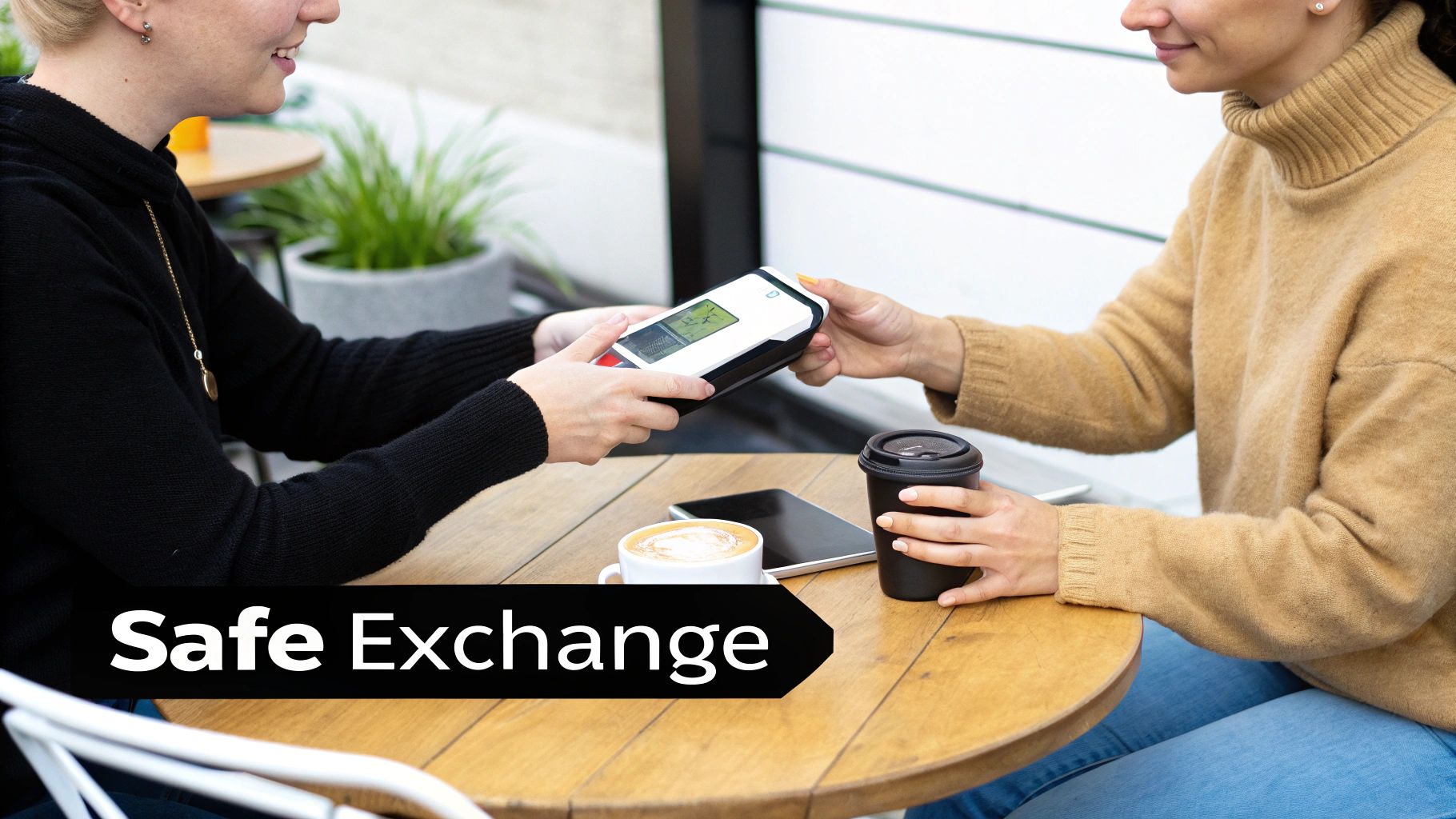
So, you’ve put in the work, created a great listing, and now you have a buyer lined up. Fantastic! But don't celebrate just yet—the final step is closing the deal safely, and this is where you need to be sharp. Good communication and a little bit of street smarts are key to making sure the transaction goes off without a hitch.
When you sell old phones on marketplaces, you’ll inevitably run into some sketchy characters. Keep an eye out for the classic red flags: buyers offering way more than your asking price, pushing to chat on WhatsApp immediately, or suggesting some obscure payment service you've never heard of. Trust your gut. If something feels off, it almost always is.
Arranging a Secure Local Meetup
Meeting up in person? Location is everything. Never, ever invite a buyer to your home or agree to meet somewhere isolated. Always pick a busy, well-lit public space.
Here are a few solid options for a safe exchange:
- Inside a busy shopping centre or a popular cafe.
- The foyer of a public library.
- Many local police stations now have designated "safe exchange zones" under CCTV surveillance—you can't get much safer than that.
Let’s talk money. Cash feels simple, but counterfeit notes are a real risk. A direct bank transfer or PayID is a far better option. The golden rule here is to confirm the funds have landed in your account before you hand over the phone. Don't just take their word for it or accept a screenshot as proof—log into your own banking app and see the money for yourself.
Insist on verifying the payment in your own account before finalising the exchange. This simple step is your single best defence against common payment reversal scams and ensures you get paid for your old phone without any issues.
Shipping Your Phone Safely
If you’re sending the phone by post, proper packaging is crucial. A phone rattling around in a box is a recipe for disaster. Wrap the device securely in bubble wrap, then place it in a sturdy box filled with extra padding so it can’t shift during transit. A damaged phone means a headache, a potential dispute, and maybe even a lost sale.
Always opt for a shipping method that includes tracking and requires a signature on delivery. Something like Australia Post's Express Post with the "Signature on Delivery" add-on is perfect. This gives you undeniable proof that the buyer received the package, protecting you from anyone trying to claim it never showed up.
For a final professional touch, it’s a great idea to provide a record of the transaction. You can use a mobile cell phone receipt template to create a simple document for both you and the buyer. It adds a layer of legitimacy and can help clear up any potential disagreements down the track.
The Smart Reason to Sell Your Old Phone
When you decide to sell old phones, you're doing a lot more than just clearing out a junk drawer and pocketing a bit of cash. It’s a genuinely clever decision for both your wallet and the planet. Every single phone that finds a new home is one less that needs to be manufactured from the ground up.
This simple action puts you right at the heart of the circular economy. You're extending the life of a valuable piece of tech and cutting down on the need for resource-intensive new production. Your old phone is packed with precious materials, and keeping it in use helps conserve them.
More Than Just Pocket Money
From a financial standpoint, it’s all about getting some of your initial investment back. That money can make a real difference, whether you put it towards your next upgrade, cover a few bills, or just tuck it away for a rainy day. Thinking about it this way turns selling your phone from a task into a smart financial win.
You're also tackling a huge problem head-on. As Aussies become more conscious of prices and the environment, more of us are choosing to sell our old devices. This trend is helping to shrink Australia's enormous 250,000-tonne annual e-waste problem. Plus, you’re protected by fair trading rules under Australian Consumer Law (ACL). You can find more details on Australia's evolving smartphone market and see how the landscape is changing.
Selling your old phone is one of the easiest ways to make a positive environmental impact. It keeps a complex piece of electronics out of landfill, reduces carbon emissions from manufacturing, and puts a valuable resource back into the community.
Ultimately, choosing to sell is a decision with multiple upsides. You aren't just offloading an old gadget; you're taking part in a sustainable cycle, reclaiming its value, and making a responsible choice that benefits everyone.
Got Questions About Selling Your Old Phone?
Even with the best plan, a few questions always pop up when it's time to part with an old phone. Let's run through some of the most common queries we hear from sellers here in Australia, so you can move ahead with confidence and get the best price for your device.
Should I Bother Fixing a Cracked Screen Before I Sell?
This is a classic cost-versus-benefit puzzle.
For a recent, high-end phone like a newer iPhone, spending the money on a professional screen repair can seriously boost its resale value and attract a much wider pool of buyers. The key is to get a repair quote before you commit.
If the cost of the fix chews up most of the extra cash you'd make, you're better off selling it as-is. Just be completely upfront about the damage in your listing. For much older phones, the cost of a new screen is almost never worth the small increase you’ll see in the selling price.
It’s worth remembering how popular premium models are here. With iOS holding a whopping 54% of the mobile OS market in Australia, iPhones are always in high demand. They often hold onto 60-80% of their value after just one year. You can dig into more stats about the Australian smartphone market share over at expertmarketresearch.com.au.
Can I Sell a Phone That I'm Still Paying Off?
The short answer here is a definite no. If you’re still making payments on a plan with a carrier like Telstra or Optus, the phone isn't technically yours to sell yet.
If you sell it and then stop making payments, the carrier will blacklist the phone's IMEI number. This turns it into a useless brick for the poor person who bought it from you.
To do this the right way, you absolutely must pay off the remaining balance first. Once it's paid, give your carrier a call to confirm the device is clear of any financial ties and has been unlocked for use on other networks. Only then should you list it for sale.
Here at CTF Mobile Phones & Computer Repairs, we're all about helping you get the most cash for your old device. Whether it's a same-day repair to boost its value or a secure data wipe to protect your privacy, our Perth-based team has you covered. Pop over to https://www.ctf.com.au to see how we can make selling your old phone easy and profitable.