
We've all felt that jolt of panic when you plug in your iPhone and… nothing happens. That little charging icon refuses to appear. While your mind might jump to an expensive repair, the fix for a dodgy charging port is often surprisingly simple. Most of the time, the problem is just some stubborn debris, a frayed cable, or a minor hiccup inside the port itself.
Before you book a repair, let's play detective. A few quick checks can usually tell you exactly what’s going on.
Finding the Culprit: Is It Really Your Charging Port?
When your iPhone gives you the silent treatment at charging time, the port is a prime suspect, but it's rarely the only one in the lineup. Working out whether you're dealing with a faulty port, a bad cable, or a dying battery is the first crucial step. The signs often tell a clear story if you know what to look for.
For instance, does your charging cable feel loose or wobbly when you plug it in? That's a classic. Or maybe you have to prop it up at a weird angle just to get a connection? Those are dead giveaways for a worn-out or damaged port. Another tell-tale sign is intermittent charging—where the little lightning bolt icon flickers on and off as you move the phone.
Charging Problem Symptom Checker
Not sure what your iPhone is trying to tell you? This quick table should help you narrow down the possibilities based on the symptoms you're seeing.
| Symptom | Likely Cause Is Charging Port | Likely Cause Is Cable or Charger | Likely Cause Is Battery |
|---|---|---|---|
| Loose or wobbly connection | Yes | No | No |
| Charges only at an angle | Yes | Maybe | No |
| No charging with multiple cables | Yes | No | Maybe |
| Charges with one cable but not others | No | Yes | No |
| Visible debris or corrosion in port | Yes | No | No |
| Phone dies suddenly at >10% | No | No | Yes |
| Phone feels unusually hot when charging | Maybe | Maybe | Yes |
| Phone won't turn on at all | Maybe | Maybe | Yes |
Remember, these are just the most likely culprits. Sometimes, you can have a combination of issues, but this is a great starting point for your diagnosis.
Top 3 Reasons Your Charging Port Gives Up
Understanding why a port fails is half the battle. In our experience, it almost always comes down to one of three things:
Pocket Lint and Gunk: Think about it—your iPhone's charging port is basically a tiny, open cave that collects everything from your pockets or bag. Over time, dust, dirt, and lint get packed in there every time you plug in your cable. Eventually, it forms a solid barrier that stops the connector from making proper contact.
Moisture and Corrosion: Even a little exposure to moisture can be a big problem. A splash of rain, a spill, or even just high humidity can cause the port's delicate metal contacts to corrode. You might even see a bit of green or black residue inside, which is a sure sign that corrosion is blocking the flow of electricity.
Good Old-Fashioned Wear and Tear: Plugging and unplugging your cable every day adds up. Over the years, this repetition can wear down the internal pins. Add in a few accidental drops or the strain from using cheap, poorly-fitting third-party chargers, and you've got a recipe for a bent or broken port. It’s also worth noting that a failing battery can sometimes mimic charging issues, so it's good to rule that out. You can learn more about the signs of a faulty iPhone battery in our detailed guide.
This flowchart is a great visual guide to walk you through the first few troubleshooting steps.
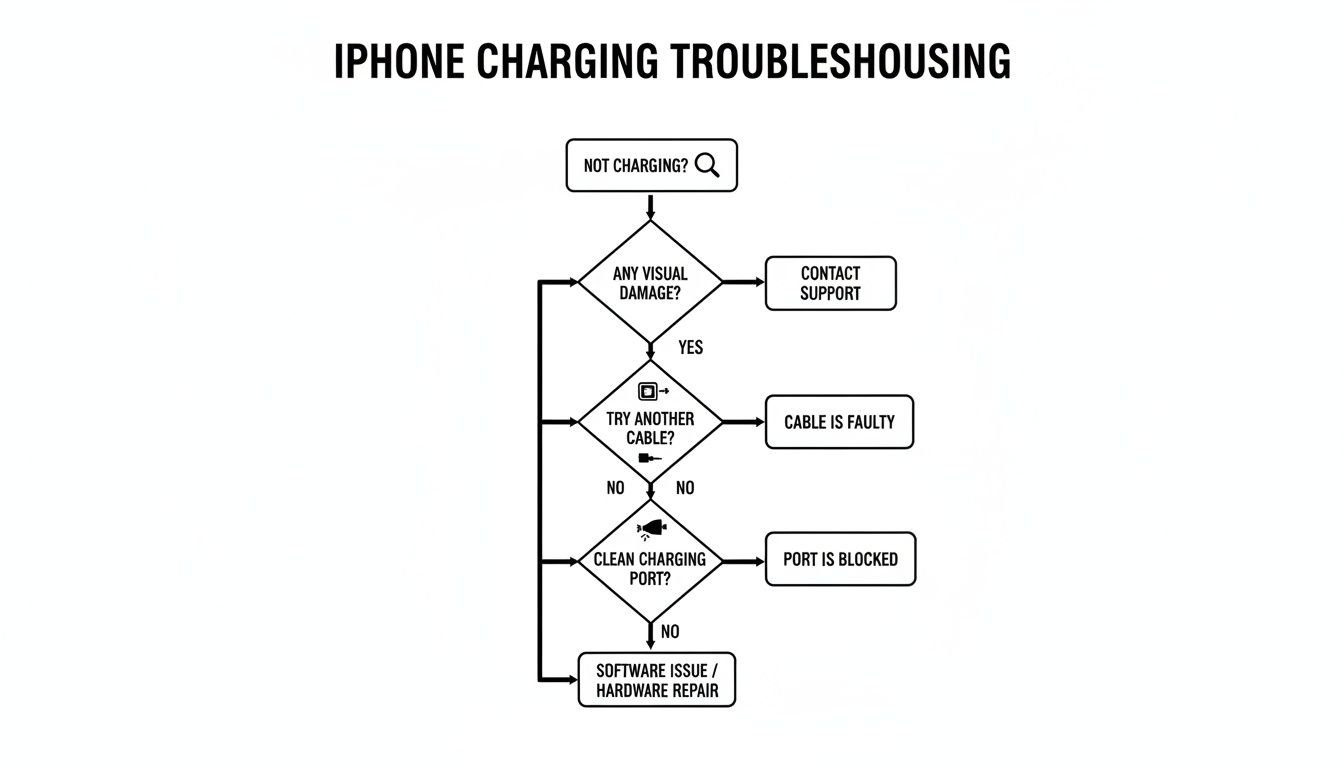
As you can see, checking your cable and giving the port a gentle clean are the two most important things to do before you even start thinking about a hardware repair. More often than not, one of these will solve the problem.
How to Safely Clean Your iPhone Charging Port
More often than not, the fix for your iPhone’s charging problems is surprisingly simple. Nine times out of ten, it’s just compacted lint from your pocket or dust from your bag hiding inside the charging port, stopping the cable from making a clean connection. Before you assume the worst, a careful clean is your best first move.
The whole game here is about using the right tools and a gentle touch. Getting aggressive can quickly turn a minor annoyance into a major repair bill, so a bit of patience goes a long way.
Gathering Your Tools
You don't need a special kit, but you do need to be smart about what you use. Steer clear of anything metal—no paper clips, safety pins, or staples. They’re a surefire way to scratch the delicate contact pins inside the port or, even worse, cause an electrical short.
Instead, grab one of these much safer alternatives:
- A wooden or plastic toothpick: These are your best bet for gently scraping out stubborn, packed-in gunk. The soft material won't cause damage to the internal parts.
- A can of compressed air: Perfect for blowing out loose dust and lint. The trick is to use it in short, sharp bursts and not too close to the phone.
- A small, soft-bristled brush: An old, clean toothbrush or a small anti-static brush works well to dislodge particles without being too harsh.
Whatever you do, don't use your own breath to blow into the port. The moisture can create a whole new set of problems, like corrosion.
The Gentle Cleaning Process
Got your tools? Great. Now, find a well-lit spot to work. The most important step comes first: power your iPhone completely off. Don't skip this.
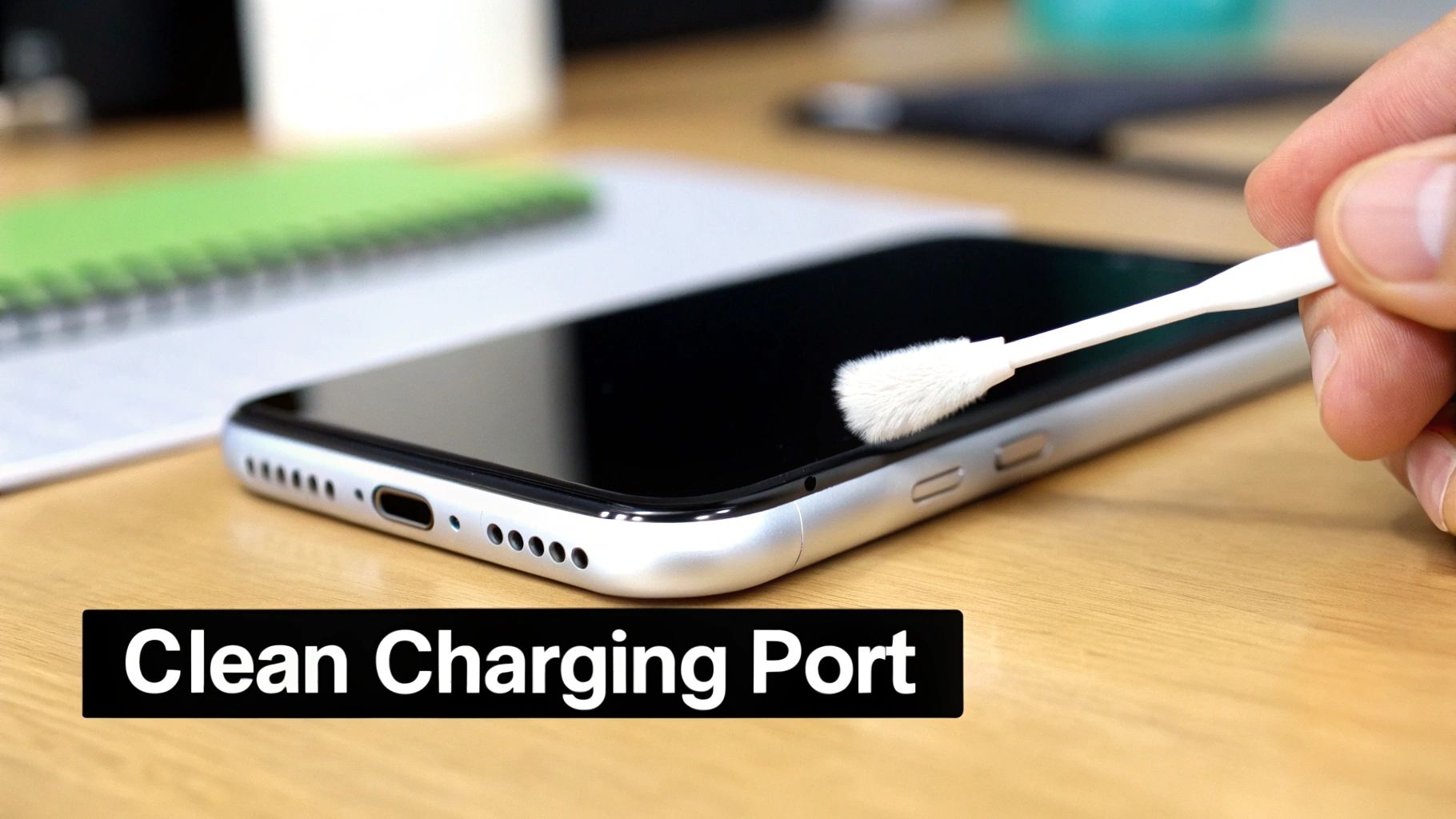
Hold your phone so the port is facing the ground and give it a couple of quick blasts with the compressed air. This often dislodges any loose fluff right away. If the problem persists, grab your toothpick and very gently trace along the inside walls of the port. You’re not trying to scrub or dig; think of it more like hooking the debris and carefully pulling it out.
You’ll probably be shocked at how much lint and fluff comes out of there. It's an incredibly common issue, and cleaning it out solves a massive number of charging faults. In fact, national survey data shows that 85% of charging repairs are actually fixed by cleaning alone, saving people from a more expensive parts replacement. You can discover more about these repair statistics and see how humid Perth conditions can speed up port failure.
Important Takeaway: The goal is finesse, not force. If you feel like you have to really push or jam anything in there, stop. Something else is wrong, and you risk permanently damaging the charging pins.
After you've removed the visible debris, give it one last quick puff of compressed air to clear out any leftover dust. Now you can power your phone back on and plug it in. For most people, this simple routine is all it takes to hear that satisfying charging chime again.
Knowing When to Put Down the Toothpick: DIY vs. Professional Repair
While a good clean can often be the hero of the hour, some charging problems point to deeper trouble. It's crucial to know the limits of any DIY fix—this is what separates a successful quick-fix from a costly mistake. Pushing on when there's a serious hardware fault can cause irreversible damage.
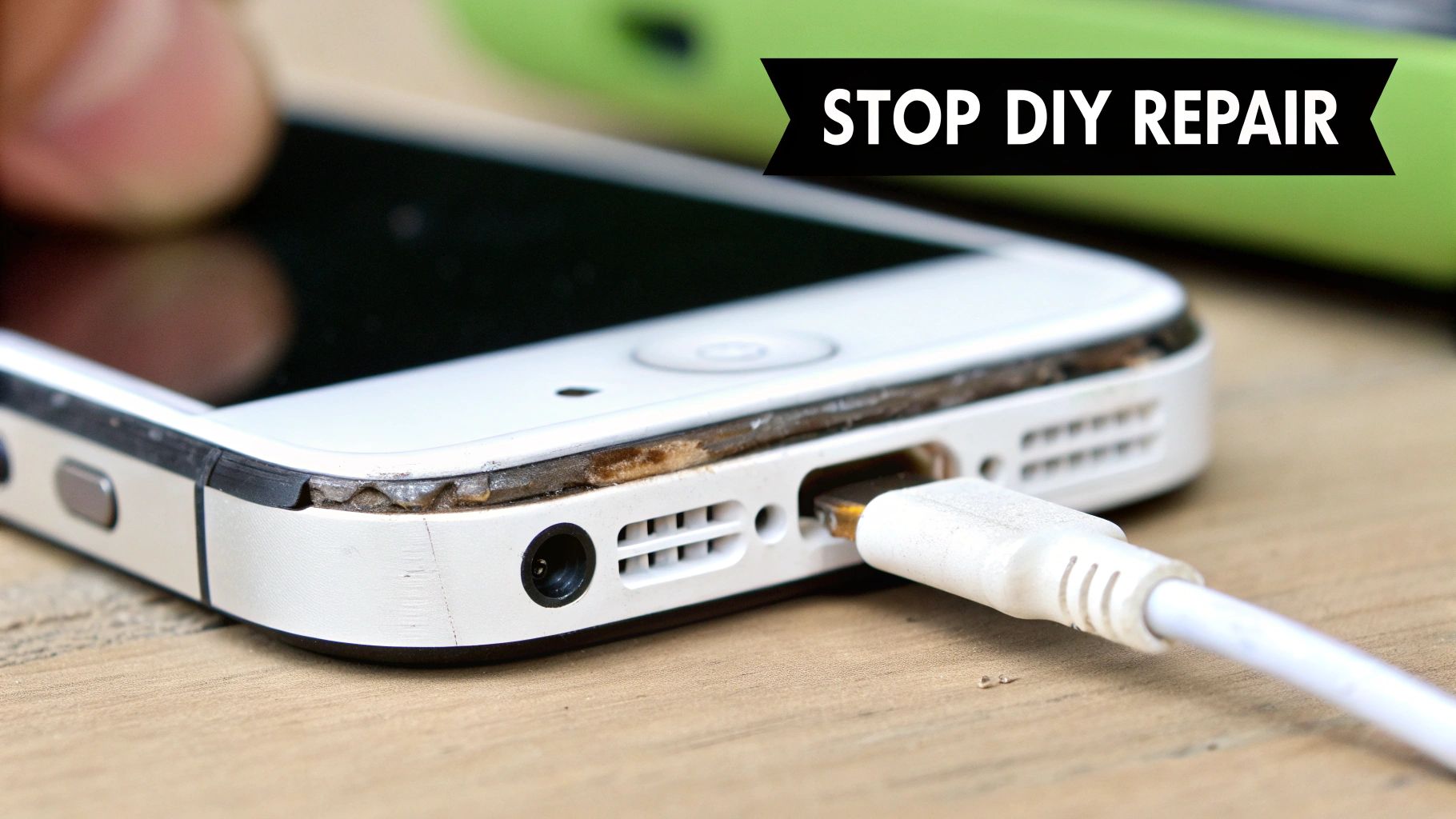
Sometimes the signs are pretty obvious. Grab a torch and have a look inside the port. See any green or black gunk on the metal pins? That’s corrosion. It’s a dead giveaway that moisture has snuck in, and no amount of cleaning is going to fix that. The only real solution here is a professional iphone charger port repair.
Red Flags That Mean It's Time to Stop
Beyond visible corrosion, there are other clear signs you’re dealing with more than just a bit of lint. If you've already tried a careful clean and tested a couple of different (and genuine!) Apple cables with no luck, the problem is almost certainly internal.
Keep an eye out for these tell-tale symptoms:
- The Wiggle Test Fails: If the whole port assembly moves or feels loose when you plug in the cable, it's a sign the internal connections are broken. This isn’t a cleaning job; a technician needs to get inside and replace the component.
- Bent or Missing Pins: A close look might reveal one of the tiny gold pins inside the port is bent out of shape, snapped, or gone completely. Any physical damage like this will prevent a solid electrical connection.
- Still Fussy After a Clean: You’ve cleaned the port meticulously, but your iPhone still only charges when you hold the cable at that perfect angle. This classic symptom points to a failing internal connection that cleaning just can't touch.
These are all signs of hardware failure, not a simple blockage. Trying to force a connection or poke around any further is a recipe for disaster.
The Real Risks of Pushing Your Luck
I get it—the urge to fix it yourself is strong. But the inside of an iPhone is a minefield of delicate electronics. Going beyond a basic clean without the proper tools and experience is asking for trouble.
A simple slip of a tool can tear a tiny, paper-thin flex cable that connects the charging port to the main board. Suddenly, what started as a charging issue has now taken out your microphone or speakers, because they’re often part of the same assembly.
An even bigger risk is short-circuiting the logic board. Poking around with a metal tool can accidentally bridge two power lines, creating a short that can permanently fry your phone's brain.
Another thing people forget is the water-resistant seal. As soon as you open the phone, that seal is compromised. Your device is now far more vulnerable to liquid damage. You can find out more about what to do if the worst happens in our guide on how to fix a water-damaged iPhone.
At the end of the day, recognising these red flags is about protecting your device. If you spot any of these signs, it's time to step away and hand it over to a professional who can sort it out safely.
Why Professional Repair Is a Smarter Choice
So, you’ve tried the cleaning tricks, and your iPhone still won’t charge. It’s tempting to grab a DIY kit and dive in, but trust me, attempting a complex iphone charger port repair at home is a massive gamble. This isn't just about convenience; it’s about saving your phone from a very expensive, and potentially permanent, mistake.
An experienced technician has seen it all. They come equipped with specialised tools and the know-how to pinpoint the real problem. Is it just the port? Or could it be the delicate flex cable that connects it to the logic board? In some cases, it might even be a much deeper motherboard fault. Getting that diagnosis right from the start saves you from replacing parts that weren't even broken.
The Value of Expertise and Quality Parts
Those cheap DIY repair kits you see online? They're often packed with low-grade tools and parts that are notorious for failing just a few weeks down the track. Professional repair services, on the other hand, source high-quality components designed to meet or even exceed Apple's original specs. This is absolutely critical for newer iPhones, where the charging port assembly is often bundled with microphones and other vital bits and pieces.
Another thing that’s almost always missed in at-home repairs is restoring the phone’s water-resistant seal. A proper repair job includes replacing this, which helps protect your iPhone from future dust and moisture damage. Before any major repair, it's also a great idea to make sure your data is secure. Our guide on how to properly back up your computer files has some handy tips you can apply to your phone.
Ultimately, what you're paying for is peace of mind. A reputable repair shop backs their work with a warranty. If that new part fails or something isn't right after the repair, you’re covered. You just don't get that safety net when you go it alone.
Understanding the True Cost
The demand for these fixes is huge. Here in Australia, iPhone charging port repairs are consistently one of the top five most common jobs we see. In fact, charging port issues make up roughly 20-25% of all iPhone repairs we handle each year. To put that in perspective, there were over 150,000 such cases reported across the country in 2023 alone.
A transparent, professional service will always give you a clear breakdown of the work. You should always get a proper receipt that details the parts used and the labour involved. You can see what goes into a flawless itemized receipt template to know what to expect. This protects both you and the technician. While a DIY kit might look like a bargain at first, the potential cost of accidentally frying your phone's logic board just isn't worth the risk.
Fast and Trusted iPhone Repair in North Perth
When you’re in Perth’s northern suburbs, from Karrinyup to Balga, a dead phone isn’t just an annoyance—it’s a genuine disruption. You need a fix that’s not only reliable but also seriously fast. That’s exactly what we deliver at CTF Mobile Phones & Computer Repairs.
We get it. You can't be disconnected for long. That's why we've built our entire service around a simple promise: same-day repairs for most common issues, especially the all-too-common iPhone charger port repair. Our mission is to get your device back into your hands, working perfectly, before the day is done.
Your Local Experts in Balga
Our workshop is perfectly placed for anyone in Westminster, Balcatta, or Girrawheen. It's staffed by technicians who truly live and breathe this stuff. We’ve seen it all when it comes to charging ports—from ones completely clogged with red dust after a trip up north to ports wrecked by a cheap, dodgy cable.
That kind of hands-on experience means we diagnose problems quickly and accurately, getting straight to the real solution. We don't guess; we test. We only use high-quality replacement parts to make sure your repair holds up, so you can be confident your iPhone will charge just like it did straight out of the box.
We are all about getting you back online, fast. For most iPhone charging port replacements, as long as we have the part in stock, our technicians can get the entire job done in under 60 minutes.
And this speed never comes at the expense of quality. Every repair is done with precision. That includes carefully reapplying your phone’s water-resistant seals—a crucial step that less experienced repairers often skip.
Clear Pricing and a Rock-Solid Warranty
Nobody likes surprise bills. We believe in being completely upfront, which is why we give you a clear quote before we even pick up a tool. You’ll know the exact cost of the repair from the get-go, with no hidden fees or nasty surprises.
Better yet, every iPhone charger port repair we perform is backed by our comprehensive service warranty. This covers both the new part we install and the labour it took to fit it. It’s our way of showing that we stand behind our work, giving you total peace of mind long after you’ve left our store.
Repair Cost and Time Comparison: Apple vs. Local Expert
Once you're out of Apple's warranty, going through official channels for a repair can get seriously expensive. A simple port issue often gets lumped into a much higher "other damage" fee. Let’s see how a trusted local expert like CTF stacks up.
| iPhone Model | Typical Apple 'Other Damage' Cost (AUD) | CTF Mobile Repairs Estimated Cost (AUD) | Typical Turnaround Time |
|---|---|---|---|
| iPhone 11 | ~$629 | $90 – $140 | Same Day (1-2 hours) |
| iPhone 12 | ~$699 | $120 – $180 | Same Day (1-2 hours) |
| iPhone 13 | ~$859 | $150 – $220 | Same Day (1-2 hours) |
| iPhone 14 | ~$929 | $180 – $250 | Same Day (1-2 hours) |
Note: Prices are estimates as of late 2023 and can vary. Always request a firm quote for your specific device.
For anyone in areas like Greenwood, Kingsley, and Marangaroo, the choice is pretty clear. You get a much faster, more affordable repair without having to compromise on quality or reliability.
Ready to get your iPhone charging perfectly again? Don’t let a faulty port slow you down. Contact CTF Mobile Phones & Computer Repairs today for a free quote or book your repair online. We’re here to help.
Common Questions About Charging Port Repairs

When your phone's charging port starts acting up, it’s natural to have a bunch of questions. It's a critical part of your device, and you want to be sure you're making the right call. We get asked these things all the time, so we’ve put together some straightforward answers based on our experience.
Getting the right info is the first step to a good repair, so let's clear up some of the most common queries we hear about an iPhone charger port repair.
Can I Use a Wireless Charger If My Port Is Broken?
Yes, absolutely. If your iPhone supports it (any model from the iPhone 8 onwards), switching to a Qi or MagSafe wireless charger is a fantastic temporary workaround. It's a lifesaver for keeping your battery topped up while you decide on a permanent fix.
But it really should be a short-term plan. When you rely only on wireless charging, you lose out on other functions. You can't plug into a computer to do a backup or a software restore, and things like Apple CarPlay that need that physical connection are off the table. To get your phone back to 100%, a repair is the only real long-term solution.
Will a Repair Affect My Phone's Water Resistance?
This is a great question, and a really important one. Any time an iPhone is opened up for a repair, the original factory seal that helps keep water out is compromised. A professional technician will always replace this with a new adhesive seal when putting your phone back together.
It's crucial to know that while a new seal restores a high level of protection, no third-party repair can officially guarantee the phone’s original factory IP rating. We always recommend being extra cautious around water after any repair has been done.
How Long Does the Repair Usually Take?
We get it—being without your phone is a huge hassle. For most iPhone models, a charging port repair is a pretty standard job for our technicians, so we always aim for a same-day service.
If we have the right part for your model in stock, the actual work often takes just 30 to 60 minutes. Our goal is to get your phone back in your hands, fully working, as fast as humanly possible.
Does Your Repair Service Come with a Warranty?
Of course. We stand by our work and the quality of the parts we use. Every single iPhone charger port repair we do at CTF Mobile Phones & Computer Repairs is backed by our comprehensive warranty.
This covers both the new part we install and the labour it took to fit it. It’s our promise to you, giving you peace of mind that if anything goes wrong with our repair, you’re completely covered.
Don't let a faulty charging port slow you down. For a fast, reliable, and warrantied iPhone repair in North Perth, trust the team at CTF Mobile Phones & Computer Repairs. You can get a free quote online or book your repair right away.