

That gut-wrenching moment your phone takes a dive is something most of us have experienced. Whether it's a splash in the pool, a tumble into the sink, or a classic drop down the loo, your next few seconds are absolutely crucial. What you do right away can mean the difference between a simple dry-out and a very expensive paperweight.
The absolute first rule: power the phone off completely. Resist every urge to press buttons or plug it in to "check if it still works." This is the single biggest mistake people make.
Your Immediate First-Aid Plan
When your phone gets wet, you're not just fighting the water; you're fighting the electricity. The combination of live current and liquid is what causes the real damage, frying the delicate logic board and potentially corrupting your data for good. Acting fast in that first minute dramatically boosts your phone's chance of survival.
Power Down Instantly and Completely
If the phone is still on, hold down the power button and shut it down. If it's already off, perfect – leave it that way. This is non-negotiable. Cutting the power stops the electrical current that, when mixed with water, creates irreversible short circuits. Honestly, this one simple action is the most important step you can take.
This flow chart breaks down the critical first-aid sequence.
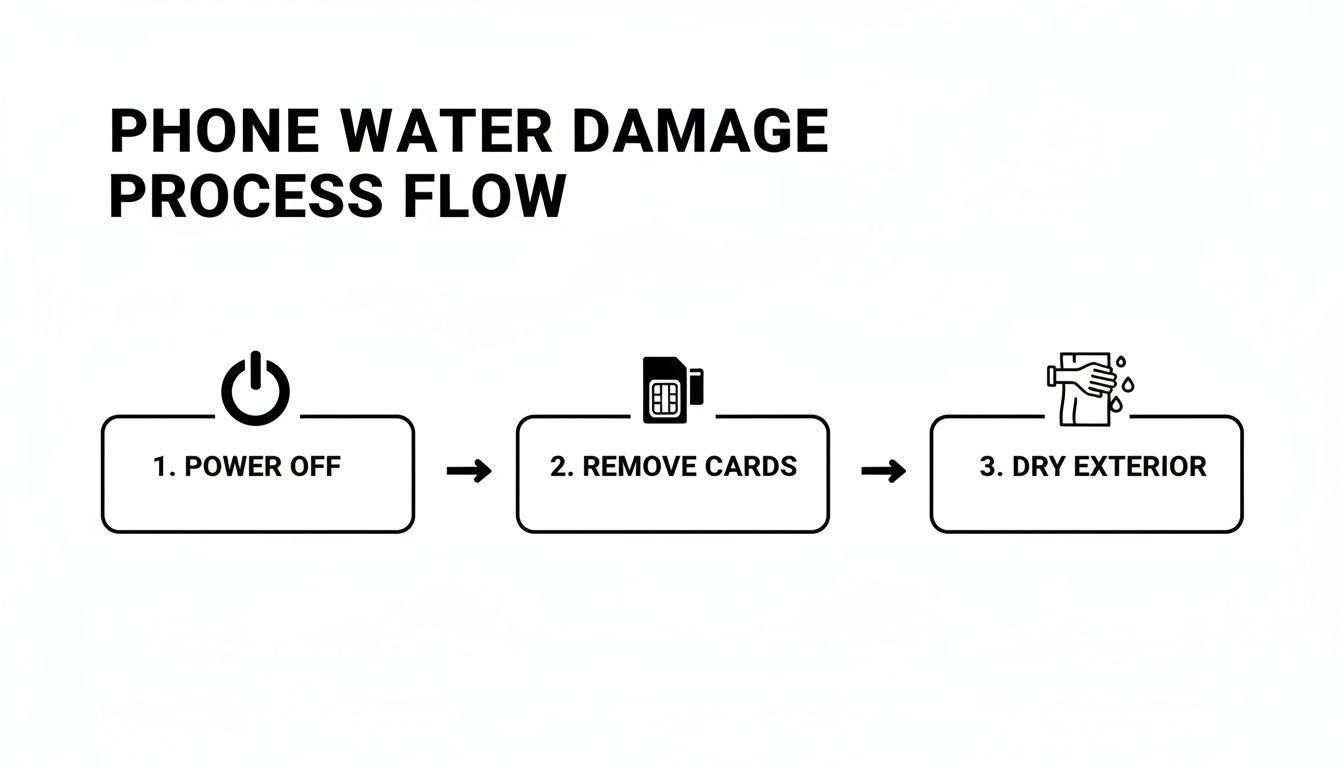
As you can see, getting the power off, removing cards, and drying the outside are the foundational moves for any successful recovery.
Eject Cards and Accessories
With the power off, your next job is to open up any and all escape routes for the trapped moisture. Find a SIM ejector tool (a paperclip works in a pinch) and carefully pop out the SIM card tray. If your phone has a microSD card, get that out too.
And don't forget to remove the case! It’s a classic mistake. Cases are notorious for trapping a surprising amount of liquid right up against the phone's body, ports, and seams.
Think of these initial steps as triage. You're isolating the sensitive internal components from both electricity and trapped moisture, giving your phone its best fighting chance before you even think about the drying process.
Gently Dry the Exterior
Now, grab a soft, lint-free cloth. A microfibre cloth for cleaning glasses is ideal. Carefully pat the outside of your phone dry. Try to avoid paper towels or tissues, as they tend to shred and can leave tiny fibres lodged in the ports.
Gently tilt the phone to let any water drip out of the charging port, speaker grilles, and microphone holes. Whatever you do, do not shake the phone vigorously. It’s a natural reaction, but it can actually force water deeper inside, making the problem much worse.
When your phone takes an unexpected dip, panic can set in, leading to some common but costly mistakes. Here’s a quick-reference guide to what you should—and absolutely shouldn’t—do in those first critical moments.
Immediate Actions for a Water Damaged Phone
| Do Immediately | Don't Even Think About It |
|---|---|
| ✅ Power it off right away. | ❌ Turn it on to "see if it works." |
| ✅ Remove the case, SIM, and memory cards. | ❌ Plug it into a charger. |
| ✅ Pat the exterior dry with a microfibre cloth. | ❌ Shake it or tap it vigorously. |
| ✅ Let water drip out by tilting it gently. | ❌ Use a hairdryer or other heat source. |
| ✅ Place it in a dry, ventilated area. | ❌ Put it in rice. (It's a myth and can cause more harm!) |
Following the "Do" column gives your device the best possible chance of survival before you move on to more thorough drying methods or seek professional help.
Insights from Australian repair shops really back this up. Local pros have told us that an immediate power-off can prevent up to 80% of the electrical shorts that kill storage chips and make data unrecoverable. In Australia, where our phones are constantly exposed to everything from beach splashes to sudden downpours, a quick response often decides whether a wet phone can be fixed without losing any precious photos or contacts. You can learn more from the team at iRepair Experts on their blog.
That Old Rice Trick? Here's Why It'll Wreck Your Phone
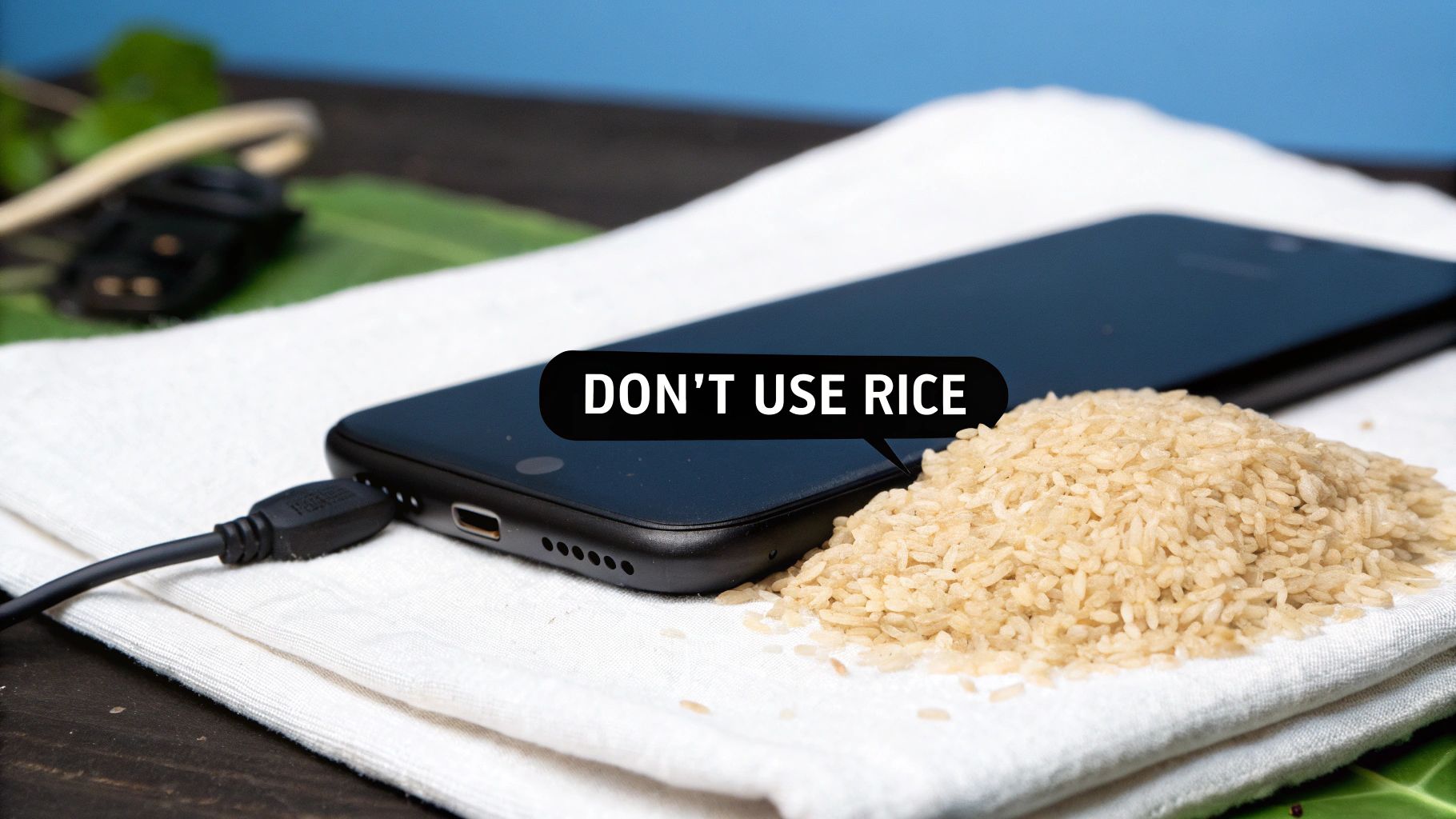
When your phone takes an unexpected swim, panic sets in. It’s completely natural to grasp for the first bit of advice you remember hearing, and for most people, that’s the infamous bag of rice. But I’m here to tell you, as someone who has seen the aftermath of this "fix" countless times, it's one of the worst things you can do.
The idea that uncooked rice will magically draw moisture from your phone's inner workings is a persistent myth. The truth is, rice is terrible at absorbing water from the air, let alone from the sealed-up nooks and crannies of a modern smartphone. If you want a deeper dive, you can understand the dangers of using the rice trick from technicians who have to deal with the consequences.
The Real Harm Rice Can Cause
It's not just that rice doesn't work; it actively makes the situation worse. The real problem is the fine, starchy dust that covers every single grain. When you bury your damp phone in rice, that powder gets everywhere. It works its way into the charging port, the speaker holes, the microphone grille—every tiny opening is a target.
This starchy dust introduces a whole new set of problems:
- Blocked Ports: The powder quickly clogs up your charging port and headphone jack, which can make it impossible to get a proper connection later on.
- Gummy Corrosion: When that starch mixes with the water still inside your phone, it forms a sticky, corrosive paste. This gunk is a nightmare for technicians to clean and can accelerate damage to the delicate circuitry.
- Trapped Moisture: Instead of removing moisture, the starchy residue can actually trap it against the logic board, speeding up the corrosion that will ultimately kill your device.
Here's the takeaway: Rice is for dinner, not for device repair. It doesn’t solve the water problem and introduces a starchy mess that can turn a fixable phone into a lost cause.
Other DIY 'Fixes' That Only Make Things Worse
Rice is the most famous offender, but it’s not the only well-intentioned but disastrous "fix" people try in a moment of desperation. Please, for the sake of your phone, avoid these at all costs.
- Don't Use a Hairdryer: Blasting your phone with hot air might seem like a logical way to dry it out, but it’s incredibly damaging. The force of the air can push water droplets even deeper inside, and the heat can melt adhesives, warp plastic components, and even damage the solder on the mainboard.
- Stay Out of the Sun: Leaving your phone to bake on a car dashboard or a sunny windowsill is just as bad as using a hairdryer. The concentrated heat can destroy the battery, permanently damage the display, and fry the internal circuits.
- Never Use a Microwave or Oven: This might sound obvious, but it has to be said. Putting any electronic device in a microwave or oven is a guaranteed way to destroy it instantly. Beyond that, it's an extreme fire hazard. Just don't.
Alright, you’ve pulled your phone from the brink and powered it down. Take a breath. Now, it's time to put on your detective hat and figure out just how bad the situation is.
What you find in the next few minutes will guide your next steps, so a calm, methodical look is key. We're not talking about cracking the phone open just yet, but rather looking for external clues that tell us what's happening on the inside.
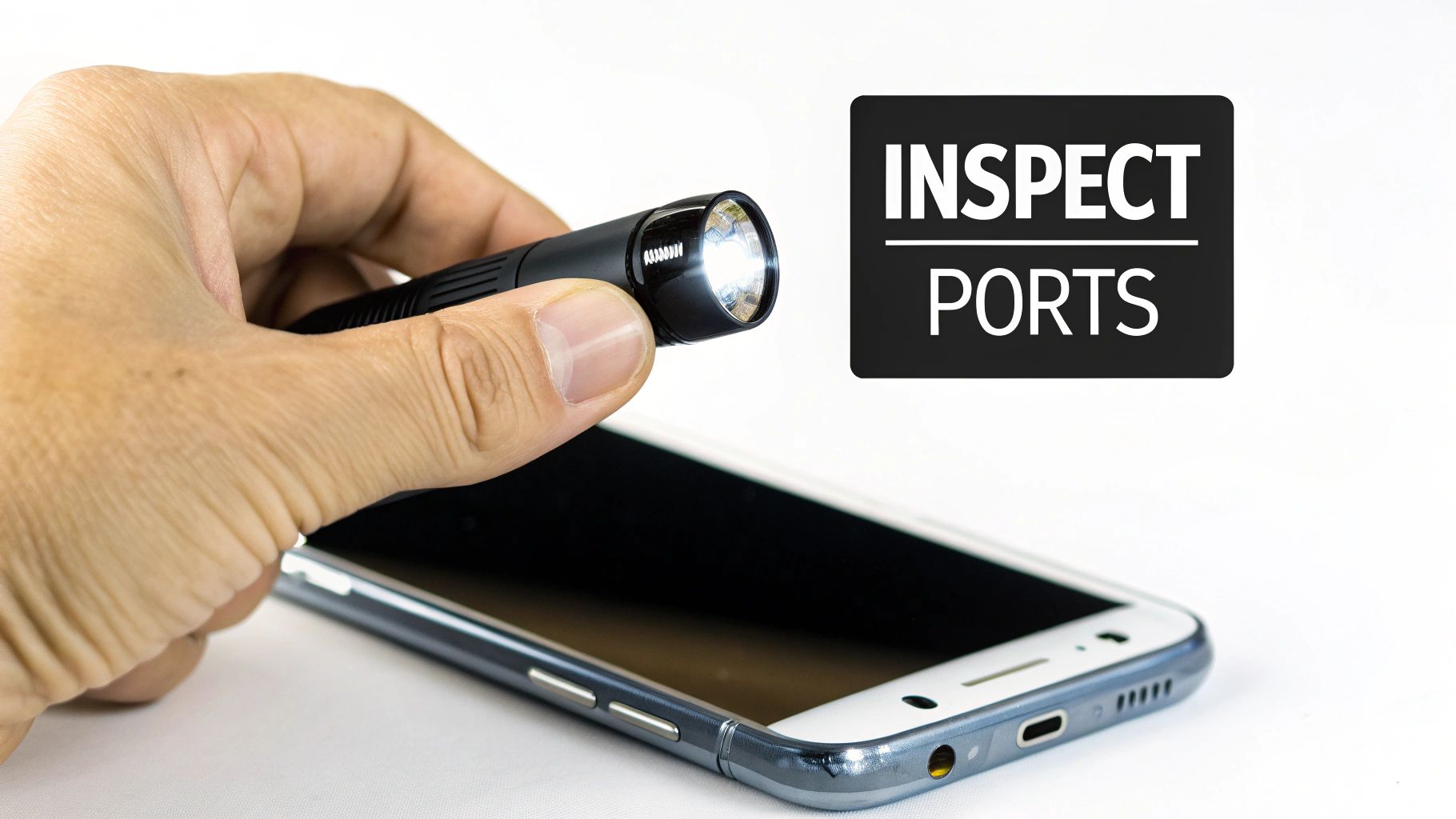
Start with the ports. Grab a small torch and have a good, close look inside the charging port, speaker grilles, and headphone jack (if your phone still has one). You’re obviously looking for any signs of water, but keep an eye out for corrosion too. It often looks like a faint white or greenish crusty substance. If you see that, it means the water is already starting to react with the metal inside.
Find the Secret Telltale: The Liquid Damage Indicator
Most modern phones have a little snitch hidden inside them called a Liquid Damage Indicator (LDI). It’s a small white sticker that turns red or pink the moment it touches liquid.
To find it, pop out the SIM card tray. Shine your torch into the now-empty slot. If you see a bright red or pink dot staring back at you instead of a white one, that’s your confirmation: water got inside.
An activated LDI is the smoking gun for manufacturers. Once it’s changed colour, your warranty is almost certainly void. It's good to know this before you even think about sending it in for an official repair.
Was It Saltwater or Tap Water? It Matters. A Lot.
Believe it or not, the type of liquid your phone went swimming in makes a massive difference to its chances of survival. A quick splash in the kitchen sink is one thing; a full-on dive into the ocean is a whole other level of crisis.
Think about it. You're enjoying a day at Bondi Beach, and your phone tumbles into the surf. That saltwater is the absolute worst-case scenario. It’s highly conductive, meaning it can short-circuit components instantly, and it's incredibly corrosive.
Down Under, water damage is a huge cause of phone death, and saltwater is public enemy number one. Just ask the experts at Payam Data Recovery in Sydney; they've seen over 150,000 of these cases since 2010. It’s a seriously common problem.
Here’s a quick rundown of the culprits, from bad to catastrophic:
- Tap Water: The least corrosive, but still more than capable of killing your phone.
- Pool Water: The chlorine adds a corrosive kick that speeds up the damage.
- Saltwater: The final boss. Its conductivity and corrosive nature create a race against time.
If your phone met its fate in a pool or the ocean, the urgency just shot through the roof. Corrosion can start eating away at the delicate internals within hours. In these cases, just letting it dry at home probably won't be enough to stop permanent damage. Your call here—freshwater vs. saltwater—is what decides whether you can continue the DIY route or need to get it to a professional, fast.
When You Need to Call a Professional
Let's be honest, sometimes the DIY approach just isn't enough. There comes a point where you need to know when to throw in the towel and hand your phone over to a professional. Making that call can be the difference between getting your device (and your data) back and turning it into a very expensive paperweight.
If your phone took a plunge into saltwater or a chlorinated pool, the situation is far more serious. The corrosive nature of salt and chlorine means the clock is ticking much, much faster. In these cases, professional help should be your immediate next step.

Other tell-tale signs that it's time to call in the experts include a flickering screen, muffled or distorted audio, or the phone getting strangely hot to the touch. And if you’ve patiently waited 48 hours and it's still completely dead? Stop trying to turn it on. Every failed attempt to power it up risks a final, fatal short circuit on the logic board.
What Professionals Do Differently
When you take your phone to a specialist, they do a lot more than just let it air dry. They’re equipped with specialised tools and have years of experience fighting corrosion and repairing damage you can't even see.
Here's a glimpse into what happens behind the scenes:
- Ultrasonic Cleaning: This is the gold standard. The phone's logic board is submerged in a specific cleaning solution, and ultrasonic vibrations gently but effectively shake loose every bit of corrosion and mineral gunk left behind by the water. It’s a deep clean that a simple wipe-down could never achieve.
- Microsoldering: If a critical chip or connection on the logic board has been fried, it's not always game over. A skilled technician can perform microsoldering, which involves repairing or replacing tiny components under a microscope. It’s a delicate, precise process that can bring a seemingly dead phone back to life.
- Component Isolation and Testing: Instead of guessing, professionals can systematically test individual parts—the battery, the screen, the charging port—to pinpoint exactly what has failed. This targeted approach saves you from the cost of replacing the entire device unnecessarily.
The real value of professional repair often isn’t just about saving the phone itself; it's about data recovery. For most of us, losing years of photos, contacts, and messages is far more devastating than the cost of a new handset. Experts have sophisticated tools to pull that data off the internal memory, even if the phone can't be fully restored to working order.
Understanding the Costs in Australia
Professional repair does come at a cost, but it's often a fraction of what you'd pay for a new flagship phone. The final bill for fixing a water-damaged phone in Australia really depends on the severity of the damage and what needs to be done.
Here’s a general idea of what you might expect to pay for professional help.
Australian Phone Repair and Data Recovery Costs
| Service Tier | Estimated Cost (AUD) | Typical Turnaround Time |
|---|---|---|
| Diagnostic & Cleaning | $80 – $150 | 1-2 Business Days |
| Minor Part Replacement | $150 – $350 | 1-3 Business Days |
| Logic Board Repair | $300 – $600+ | 3-7 Business Days |
| Emergency Data Recovery | $500 – $1,200+ | 24-48 Hours |
Remember, these are just estimates, and a proper quote will be given after a technician assesses the device.
It's also worth noting that these advanced diagnostic skills aren't just for phones. Many of the same principles apply to other electronics, which is handy to know if you're ever searching for a https://ctf.com.au/wp-sitemap-posts-post-1.xml/console-repair-near-me after a gaming system has an unfortunate encounter with a spilled drink.
Ultimately, investing in a professional repair technician gives you the absolute best chance of a successful outcome for your valuable device and its even more valuable data.
Protecting Your Phone From Future Damage
After the stress and hassle of fixing a water-damaged phone, you really don't want to go through that all over again. A few proactive steps can save you from that sinking feeling next time your phone takes an unexpected dip.
Your first and best line of defence is a high-quality waterproof or water-resistant case. It sounds simple, but it’s amazing how many people choose a flimsy case for looks and then wonder why it offered zero protection. Always check for an IP rating (Ingress Protection) – it's a clear indicator of how well the case can stand up to dust and water.
What Do IP Ratings Actually Mean?
An IP rating like IP68 gives you two important pieces of information. The first number (6) means it’s completely sealed against dust. The second number (8) means it can survive being submerged in water deeper than one metre.
But here’s the catch: "water-resistant" is not the same as "waterproof."
These ratings come from lab tests done in pristine, controlled conditions with fresh water. Real life is a lot messier. The ratings don't account for things like:
- Pressure: A powerful jet from a hose or a fast-moving wave can easily force water past the seals.
- Chemicals: The chlorine in a swimming pool or the salt in the ocean are incredibly corrosive and will eat away at your phone's protective seals over time.
- Time and Depth: Pushing past the manufacturer's specified time or depth limits is a surefire way to let water in.
Think of an IP rating as your safety net for an accidental drop in the sink or a sudden rain shower, not as a license to go snorkelling with your phone. If you're heading to the beach or pool, a dedicated waterproof pouch is a much safer bet.
The Big Secret: Your Phone Is Never the Same After a Repair
This is something most people don't realise. Once your phone has been opened up for a repair – any repair – its original factory-installed water resistance is almost certainly compromised. The special adhesive seals that keep everything dry are incredibly tricky to replace perfectly outside of a factory.
This is a massive issue in Australia. Some shocking local analysis shows that post-repair phones can lose their waterproofing in up to 90% of cases if they aren’t resealed by a skilled technician using the right gear. This makes choosing a reputable repairer absolutely crucial. You should always insist on genuine parts and ask specifically if their warranty covers the new seals. You can find out more about the complexities of phone water resistance after a repair at Phone-Expert.com.au.
When you take your phone in for a fix, ask the technician point-blank: "Will you be replacing the water-resistant adhesive, and does your warranty cover the new seal?" A trustworthy shop will give you a straight answer.
Beyond a good case, it's also worth looking into gadget insurance. It can be a real financial lifesaver if an accident happens, no matter how careful you've been. It's also interesting to see how AI is transforming gadget insurance claims to make the process smoother. Ultimately, protecting your phone is about having both physical barriers and a smart backup plan.
Got Questions? We've Got Answers
When your phone takes an unexpected dip, it’s natural to feel a wave of panic and have a million questions. Here are the answers to the most common things we get asked by people in Australia, based on years of hands-on experience.
How Long Should I Wait Before Turning My Phone Back On?
This is a big one, and the answer requires some serious self-control. We always tell people to wait an absolute minimum of 48 to 72 hours after they think the phone is dry.
Trying to power it on too early is the number one way a salvageable phone becomes a permanent brick. The outside might feel fine, but there's almost certainly still moisture hiding inside, ready to fry the logic board the second you introduce a current.
Your best bet is to leave it in a dry spot with good air circulation. A fan blowing near it (not directly on it) can help, but never use a hairdryer. Honestly, the safest move is not to turn it on at all. Bring it to a professional who can open it up and be 100% sure it’s dry inside before even attempting to power it up.
Will My Phone Warranty Cover Water Damage In Australia?
Unfortunately, the answer is almost always a hard no. Big brands like Apple and Samsung are very clear in their policies: liquid damage is not covered by their standard warranty.
And while Australian Consumer Law is fantastic for protecting you against faulty products, it generally doesn't cover accidental damage that you've caused. Most phones have a little secret inside called a Liquid Damage Indicator (LDI) – a small sticker that changes colour for good when it gets wet.
That tiny dot is the first thing a technician looks for. Once it’s triggered (usually going from white to pink or red), your warranty is gone. The only way you’d be covered is if you took out a separate insurance policy that specifically includes accidental damage.
Is Repairing A Water Damaged Phone Worth It?
This really comes down to a few things: the age and value of your phone, how bad the damage is, and how much your data means to you.
If you have a newer, top-of-the-line phone that just had a quick splash of fresh water, a professional clean-up is often much cheaper than buying a new one. But if your phone went for a deep swim, especially in saltwater, the repair costs for the logic board can start climbing fast.
For a lot of people, the data is the deciding factor. If you've got years of photos, contacts, and messages that aren't backed up, paying for a data recovery service can be worth every penny, even if the phone itself doesn't make a full comeback. The goal shifts from saving the device to saving your memories. Of course, if the repair bill looks too steep, you could always sell old phones to get a bit of cash towards a replacement.
What Is The Difference Between Saltwater And Freshwater Damage?
The kind of water your phone met makes a massive difference. Make no mistake: saltwater is the ultimate enemy of electronics.
The salt and minerals in seawater are incredibly corrosive and conductive. This deadly duo speeds up the rust and decay inside your phone and makes a catastrophic short-circuit almost inevitable.
- Freshwater: Still very bad news, but the corrosion is a much slower burn.
- Saltwater: Acts like acid on the internal parts and its conductive nature means the risk of immediate, unfixable electrical damage is huge.
A phone dropped in the surf at Cottesloe needs much more urgent professional help than one that fell in the sink. Repair techs across Australia will tell you the same thing: the chance of successfully reviving a saltwater-damaged phone plummets with every hour you wait.
If you're dealing with a water-damaged phone and need an expert opinion, CTF Mobile Phones & Computer Repairs provides professional diagnostics and repairs right here in Perth. Don't leave your data to chance—get a free quote today.