

When your iPhone stubbornly refuses to charge, the fix is often surprisingly simple. More often than not, the culprit isn't a broken socket but compacted pocket lint blocking the connection or just a dodgy charging cable. Before you jump to conclusions about needing a full iPhone charging socket repair, a few basic checks can often get you powered up again.
Why Is My iPhone Not Charging?
We’ve all been there: you plug in your iPhone, and… nothing. That little lightning bolt icon is nowhere to be seen. It's easy to assume the worst, thinking it’s a serious internal fault that’s going to cost a fortune. But thankfully, the cause is usually far less dramatic.
Think of your iPhone's charging port as a tiny garage that goes everywhere you do. Day in and day out, it's exposed to microscopic bits of debris. Lint from your jeans, dust from your handbag, and even fine sand from a day down at Cottesloe Beach can sneak its way in.
Each time you plug in your charging cable, you're unintentionally pushing this gunk deeper into the port, tamping it down like coffee grounds in an espresso machine. Over time, this builds up into a dense, obstructive layer at the very bottom, preventing the cable from making a solid connection with the internal pins. The result? Your phone might charge intermittently, charge incredibly slowly, or just give up altogether.
Before deciding the port itself is broken, it’s crucial to rule out these common—and easily fixable—culprits.
Your First Diagnostic Steps
Figuring out if you're dealing with a simple blockage or a genuine hardware failure is the first step. Here’s a quick mental checklist to run through:
- Cable and Adapter Check: Have you tried a different charging cable and power adapter that you know works? Cables are notorious for failing on the inside, even when they look perfectly fine.
- Port Inspection: Grab a torch and have a good look inside the charging port. Can you see any obvious lint or debris packed in there?
- Connection Feel: When you plug the cable in, does it "click" into place with a satisfying, firm connection? Or does it feel a bit mushy and loose? A spongy feeling is a dead giveaway that the port is clogged.
This straightforward process of elimination helps you follow a logical path before you need to think about calling in a professional.
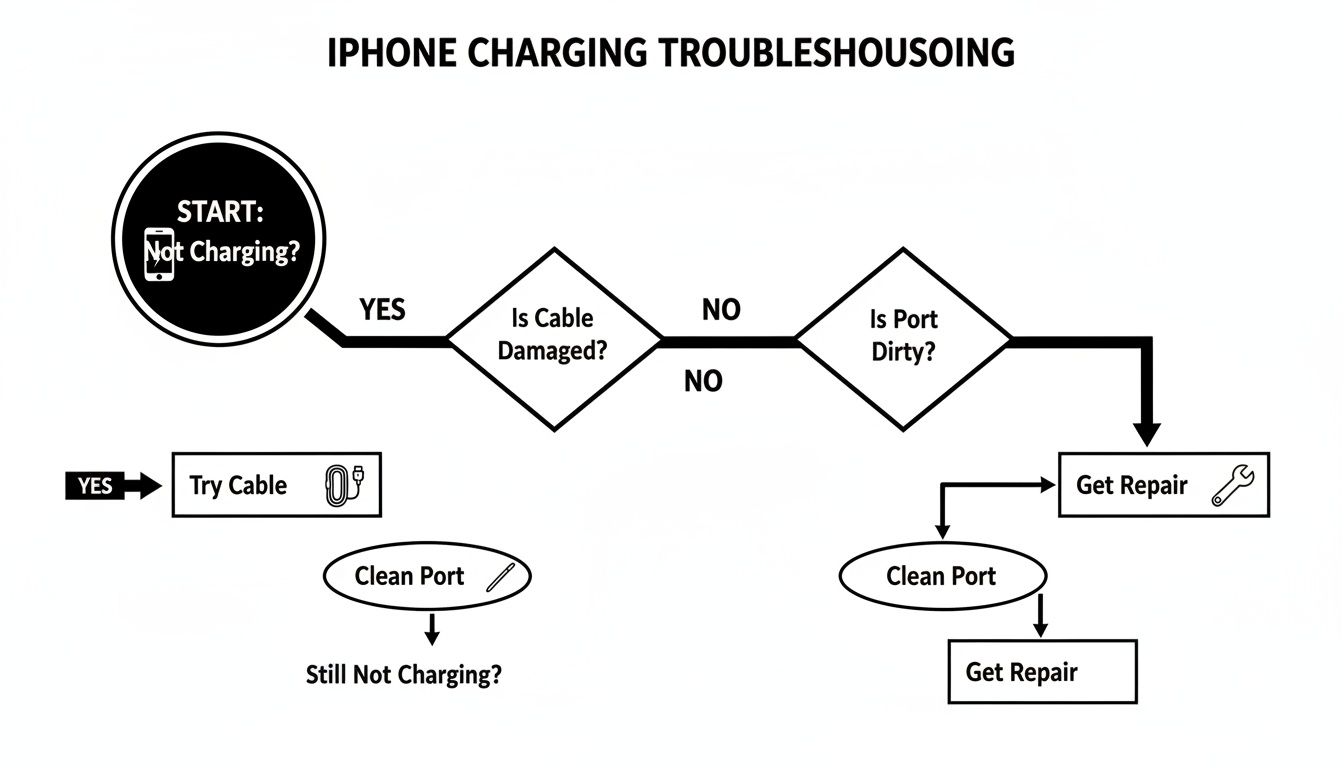
As you can see, a professional repair is the final option, saved for after you’ve tried all the simpler, no-cost solutions first.
Sometimes, a quick reference is all you need. Use this table to quickly identify if your charging port is the likely culprit behind your iPhone's power issues.
Quick Diagnosis for a Failing iPhone Charging Port
| Symptom | Common Cause | What to Try First |
|---|---|---|
| No Charging at All | Blocked port or faulty cable/adapter. | Try a different cable and wall adapter. Inspect the port for debris. |
| Intermittent Charging | Loose connection due to debris or a damaged cable. | Clean the port carefully; wiggle the cable to see if it affects charging. |
| Cable Won't Go In All the Way | Compacted lint or debris at the bottom of the port. | Gently clean the port with a non-metallic tool like a toothpick. |
| Have to Wiggle Cable to Charge | Damaged internal pins or a faulty cable. | Test with another cable. If the problem persists, the port is likely damaged. |
Running through these checks gives you a much clearer idea of what you're dealing with, helping you avoid paying for a repair you might not even need.
What's Really Behind a Faulty Charging Port?
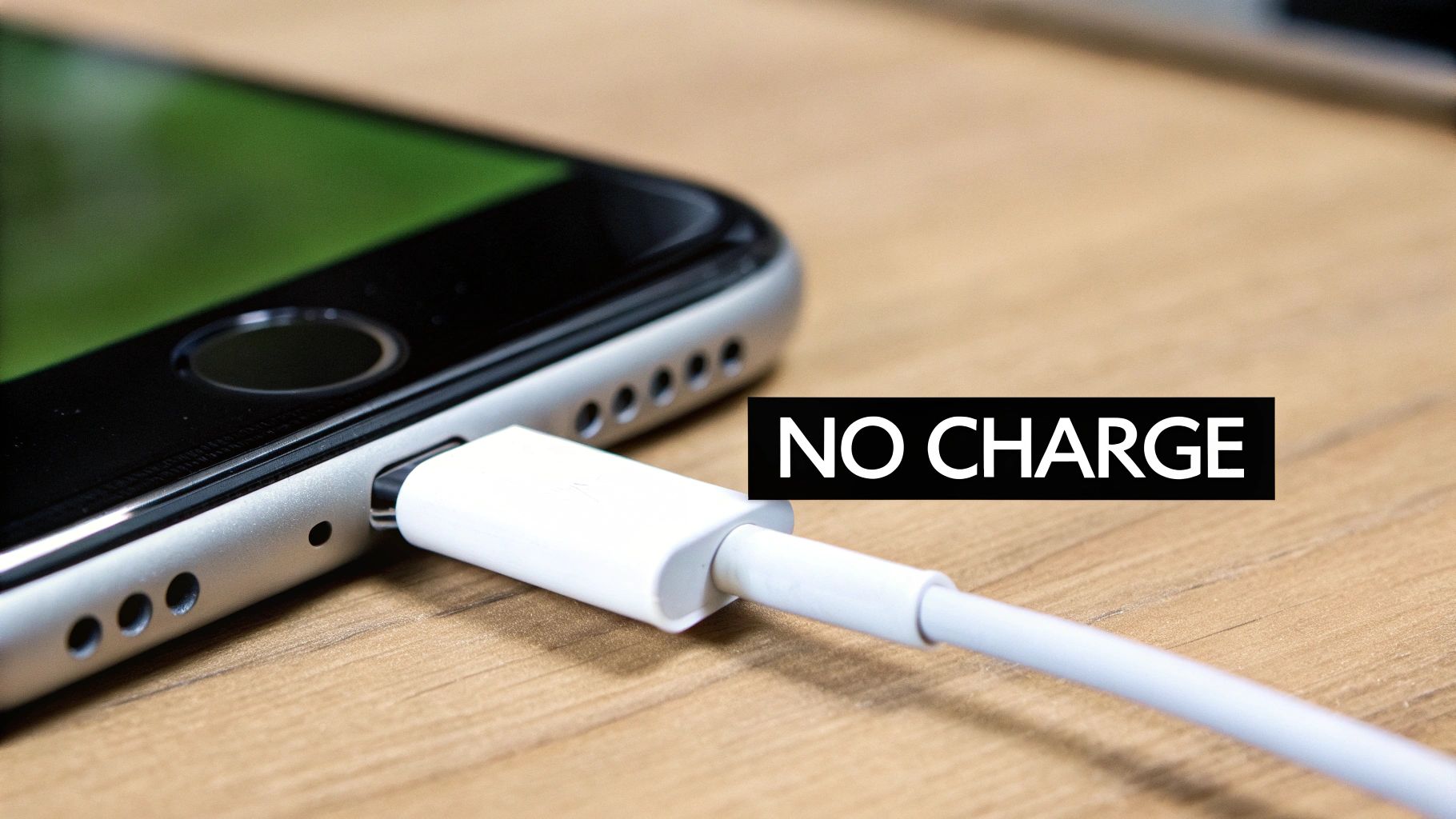
Before you jump to conclusions about a major hardware failure, it's worth knowing what usually causes an iPhone charging port to act up. Most of the time, the culprit is something surprisingly simple, born from everyday habits and a bit of bad luck. Knowing the common causes is the first step to preventing it from happening again.
The number one reason we see for charging issues is compacted debris. Think about it: your phone lives in your pocket, your bag, or your purse. These are prime spots for lint, dust, and tiny crumbs to hang out. Every single time you plug in your charger, you're essentially using the cable as a tiny trash compactor, ramming that gunk deeper into the port.
After a few months, all that fluff and dirt becomes a solid, packed-in layer at the bottom. This stubborn blockage physically stops the Lightning cable from clicking in properly, resulting in a wobbly connection or, eventually, no charge at all. For those of us in Perth, fine sand from a day at Cottesloe or City Beach is a notorious offender.
Physical Wear and Environmental Damage
Beyond a simple blockage, direct physical stress is another common cause of failure. We’ve all done it—yanking the cable out sideways in a hurry. But doing that repeatedly can bend or even snap the tiny, delicate pins inside the port. It only takes one bad pull to misalign the contacts and make a solid connection impossible.
Accidental drops are another major hazard. Even if your screen survives the fall without a scratch, the internal shockwave can do serious damage. That jolt can dislodge the entire charging port assembly from the logic board or crack the fragile solder points holding it all together.
The iPhone charging port is a surprisingly delicate piece of engineering. It's built to handle thousands of plug-in cycles, but it's just not designed to fight against constant sideways yanking, hard impacts, or a day at the beach.
The Sneaky Threat of Liquid Damage
Liquid is one of the most insidious killers of charging ports because the damage often creeps up on you. You don't need to drop your phone in the Swan River for problems to start. Even a little bit of moisture from rain, high humidity, or sweat from a workout can be enough to start corrosion on the port’s metal contacts.
This corrosion is like rust, slowly eating away at the electrical connections and blocking the flow of power. Since it all happens out of sight, you probably won't notice a thing until the port gives up completely. If you think your phone has had a run-in with liquids, you can learn more about how to fix a water-damaged phone to see what’s involved.
Understanding these common failure points helps you look after your device and know when it’s time to call in a professional for an iPhone charging socket repair.
So, Can I Just Clean It Myself? Safe DIY Tips (and When to Stop)
Before you rush off to a repair shop, it's worth trying a few safe and simple things at home. More often than not, a bit of careful cleaning is all it takes to get your iPhone charging properly again. The whole process is about using the right tools and, crucially, knowing when to put them down to avoid making a small problem a big one.
The idea is to gently fish out any compacted gunk without touching the delicate electronic contacts inside. Think of it like trying to get a splinter out with a pair of tweezers – you need a delicate touch, not a sledgehammer.
You'd be surprised how common this is. Here in Australia, charging port issues account for a massive 20-25% of all iPhone repairs we see. In fact, research shows that 35% of Australian iPhone owners will run into charging problems within two years. But here's the good news: a professional clean fixes the issue 90-95% of the time, no replacement part needed. You can find more details on these iPhone repair trends on totalmac.com.au.
The Right Way to Clean Your iPhone's Charging Port
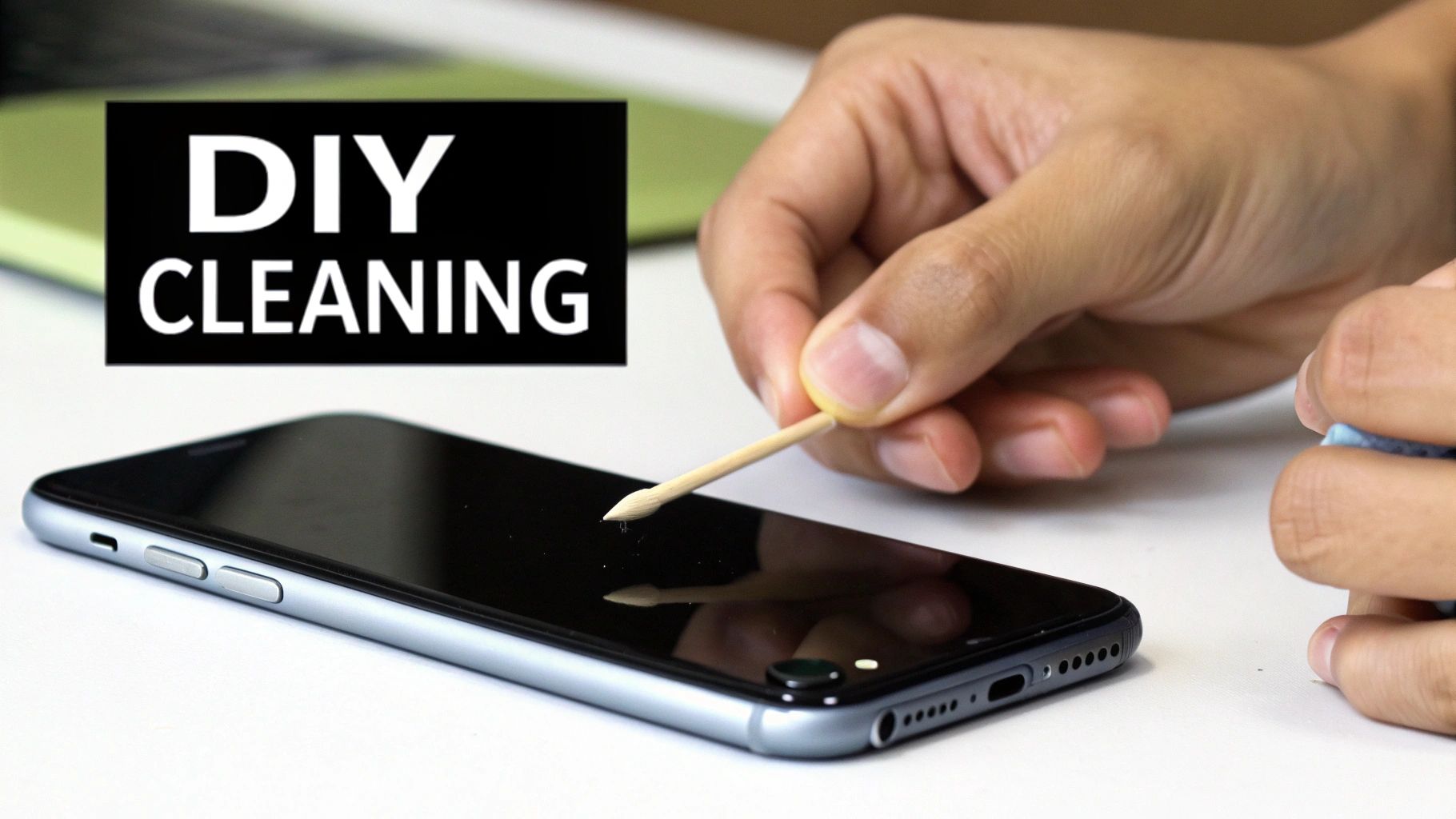
For this job, your best friend is something thin and non-metallic. A simple wooden or plastic toothpick is perfect. It's soft enough that it won't scratch the sensitive internal pins, but it’s still firm enough to scrape out that stubborn pocket lint.
Here’s how to do it safely:
- Power Down Your iPhone: Before you do anything, turn your device completely off. This is a non-negotiable step to prevent any chance of short-circuiting the components.
- Get a Good Look: Find a brightly lit spot or grab a torch so you can see right inside the port. You need to know what you're dealing with.
- Gently Scrape and Hook: Carefully insert your toothpick and gently scrape along the back wall of the port (the side furthest from the screen). Use a soft hooking motion to pull debris out, not push it further in.
- Tackle the Corners: Pay extra attention to the far corners. This is where fluff and dust love to get compressed into a solid little brick.
- Test Your Work: After a few gentle attempts, try plugging your charging cable back in. If you've been successful, you should feel a much more solid and satisfying "click" as it connects properly.
This same principle of gentle, regular cleaning applies to other electronics too. For more tips, check out our guide on how to clean your computer from dust.
Crucial Reminder: The golden rule here is to never use metal. Paper clips, needles, or SIM-eject tools are a huge no-no. They're conductive and can easily short out the pins, turning a simple cleaning job into a much more expensive logic board repair.
Knowing Your Limits: When to Call in a Pro
A DIY clean isn't a magic bullet for every problem. It's really important to recognise the signs that you’ve done all you can and that continuing to poke around will only make things worse.
You should stop immediately and get professional help if:
- It Looks Spotless: You’ve had a good look inside the port and it’s completely clear, but your phone still won't charge. This points to an internal fault.
- The Problem Doesn't Go Away: After a thorough, careful clean, the charging is still intermittent or not working at all. The port itself is probably damaged.
- You Feel Any Resistance: Never, ever force a tool or the charging cable into the port. If something feels stuck, pushing harder will only snap the delicate pins inside.
And one more thing – don't use compressed air. It seems like a good idea, but the powerful blast can actually force moisture and tiny dust particles deeper into your iPhone. The propellants in the can might also cause damage. A humble toothpick is genuinely the safest and most effective tool for a quick iPhone charging socket repair check at home.
What a Professional iPhone Charging Port Repair Actually Involves
So, you’ve given cleaning the port a go, but your iPhone is still refusing to charge. What’s next? When you bring your device to a professional for an iPhone charging socket repair, you're getting a service that goes miles beyond what a toothpick at home can do. It’s a precise operation that calls for specialised tools, steady hands, and real-world experience to nail the fix.
Unlike a hopeful DIY attempt, our process starts with a proper diagnostic assessment. We aren't just looking for a bit of lint; we're hunting down the true root of the problem. It could be stubborn debris, yes, but it could also be physical damage or something more serious on the motherboard.
Microscopic Inspection and A Proper Deep Clean
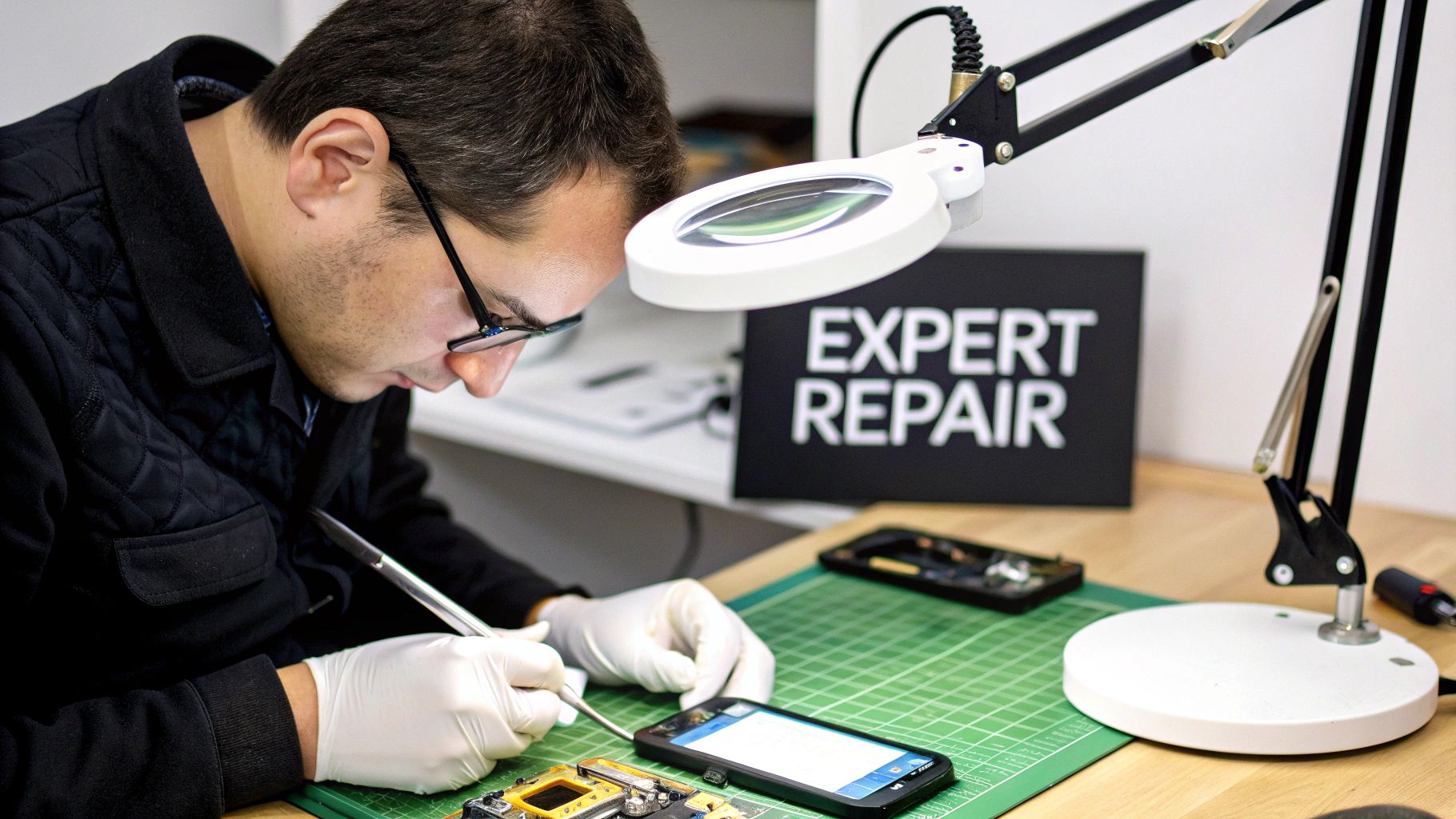
First things first, we put the port under the microscope. Using high-powered magnification, our technicians can get a close-up look at the tiny pins and contacts buried deep inside. This is where we spot the subtle signs of damage or corrosion that are totally invisible to the naked eye.
Once we’ve assessed it, we move on to a professional-grade clean. At a workshop like CTF Mobile, we use specialised, anti-static tools—not household objects. These little brushes and picks are designed for delicate electronics, ensuring we can safely clear out every speck of dirt without creating static discharge, which can fry your iPhone’s sensitive internals. It’s a far safer and more thorough approach.
Think of it like a dental check-up for your phone. You can brush your teeth at home, but only a dentist has the specialised tools to see and remove the deep, compacted plaque that causes real issues. We do the same for your charging port, restoring a perfect connection.
The Full Port Replacement Procedure
If a deep clean doesn't do the trick, it's a clear sign the port itself is physically damaged and needs to be replaced. This is where things get serious. It’s a delicate operation that involves carefully disassembling the iPhone, a process that changes quite a bit from one model to the next.
Here’s a simplified rundown of the steps we take:
- Careful Disassembly: The technician starts by gently lifting the screen with suction cups and specialised prying tools. This is a nerve-wracking step because one wrong move can damage the fragile display cables.
- Getting Inside: Once the screen is off, we need to carefully disconnect and remove other parts like the battery and the Taptic Engine just to get clear access to the charging port assembly.
- Removing the Old Part: The old charging port isn't just a single piece. It's part of a larger flexible cable that often includes microphones and antenna connections. We have to meticulously unscrew it and detach it from the main logic board.
- Installing the New Part: A brand-new, high-quality replacement port assembly is then fitted. Using premium parts here is crucial—it’s the only way to guarantee reliable charging speeds and long-term performance.
- Reassembly and Final Testing: With the new part in, the iPhone is painstakingly put back together. Every screw, bracket, and connector has to go back exactly where it came from. Finally, we run the device through a whole battery of tests to make sure it charges, syncs data, and that all the other functions on that cable (like the microphones) work perfectly.
This intricate process really shows why a DIY replacement is so risky. A single misplaced screw or a tiny tear in a cable can cause a cascade of new, more expensive problems. These components are incredibly complex, which is why it's always best to find experts who handle reliable electronic board repairs in Balcatta and can get the job done right the first time.
How Much Does iPhone Charging Socket Repair Cost in Perth?
Let's cut right to the chase: how much is this going to set you back? When your iPhone won't charge, the thought of a huge repair bill is often just as stressful as the dead battery itself.
The good news for Perth locals is that an iPhone charging socket repair is one of the most affordable and straightforward fixes you can get. It’s certainly a lot cheaper than buying a whole new phone.
The final price tag really comes down to your specific iPhone model. As you'd expect, parts for a newer iPhone 14 or 15 are a little pricier than for a trusty old iPhone 8 or X. The complexity of the phone's design also factors in, as newer models can be trickier to work on.
But the key thing to remember is that a good local repair shop in Perth will almost always be your most cost-effective option.
Estimated iPhone Charging Port Repair Costs in Perth
To help you get a clearer idea of what you might pay, we've put together a comparative guide. This table breaks down the typical costs at independent repair shops across Perth, giving you a solid starting point for budgeting.
| iPhone Model Group | Estimated Cost at Independent Shops | Key Considerations |
|---|---|---|
| Older Models (iPhone 8, X, 11 series) | $79 – $129 | These are the most budget-friendly repairs. Parts are common and the job is very quick for an experienced tech. |
| Mid-Range Models (iPhone 12, 13 series) | $129 – $189 | Prices for these models are still very reasonable. It's a routine fix that any professional shop knows inside and out. |
| Newer Models (iPhone 14, 15 series) | $189 – $279+ | These models sit at the higher end. The components, especially the newer USB-C ports, are more expensive to source. |
Keep in mind these are estimates, but they reflect the significant savings you can find by avoiding the premium charged for official Apple service.
The real value isn't just in the lower price tag. It's in the speed, convenience, and personalised service you get from a local expert who can often complete the repair while you wait.
Data on Australian repair costs really drives this point home. The national average for this exact fix ranges from $79 to $279. By choosing a good independent shop, you can often cut your expenses by 40-60% compared to Apple's official fees. Plus, with 92% of professionally repaired ports lasting over two years with proper care, it’s a smart investment in your device's future. You can find more data on Australian iPhone repair pricing on airtasker.com.
Ultimately, a professional iPhone charging socket repair in Perth is a no-brainer. For anyone in suburbs like Balga, Karrinyup, or Mirrabooka, it’s a fast, local solution that saves you from the unnecessary expense of buying a brand-new phone.
Finding the Right Repair Service in Perth
So, you’ve tried all the DIY tricks and your iPhone still won’t charge. It’s time to call in the experts. When it comes to something as vital as your phone, you don't just want a quick fix; you need a reliable, fast, and guaranteed iPhone charging socket repair. For Perth locals, this is where a professional team really proves its worth, getting you back up and running without missing a beat.
What you're looking for is a service that thinks about the whole experience. That means no-nonsense pricing, technicians who genuinely know their way around an iPhone, and a strong warranty that gives you real peace of mind.
Why a Local Expert Makes All the Difference
There’s a huge advantage to choosing a local Perth repairer like us at CTF Mobile Phones & Computer Repairs instead of mailing your device off to who-knows-where. If you live in nearby suburbs like Balga, Westminster, or Girrawheen, you can simply drop your phone off and, more often than not, have it back in your hands within the hour.
That’s not just convenient; it’s the industry standard. Most iPhone charging socket repairs in Australia take only 15-30 minutes. That's because the charging ports are designed as modular parts, making them straightforward to replace for a skilled technician. In fact, data shows 85% of these jobs are wrapped up in under an hour. We’re proud to meet that benchmark, offering a same-day service that gets you reconnected fast. You can read more about these charging repair insights on mobile-experts.com.au.
At its heart, a great repair shop is a problem-solving hub. It’s not just about fixing one issue but being the reliable one-stop shop for all your tech troubles, from a cracked screen to a complex computer issue.
And it’s rarely just about an iPhone charging socket repair. A shop that can handle a wide range of issues is a good sign you’re dealing with true professionals. Whether it’s a computer that’s given up the ghost, a misbehaving gaming console, or critical data you thought was lost forever, having one trusted local contact makes life so much simpler.
If your iPhone is giving you charging grief or you're facing any other tech headache, the best first step is to get a clear, no-obligation quote. A quick chat with an expert can diagnose the problem, explain the solution, and give you the confidence that your device is in safe hands.
Your Questions, Answered
Can a Bad Charging Port Actually Drain My Battery?
It’s a common question we hear. While a faulty port doesn't actively drain your battery like an app running in the background, it can definitely make it seem that way.
What’s really happening is the connection is unstable. Your iPhone keeps flip-flopping between charging and not charging, and that constant stop-start process uses up a surprising amount of power. So, you're left with a battery that seems to be failing, when the real culprit is just a bad connection.
What Happens to My iPhone’s Water Resistance After a Repair?
This is a great question and something you should always ask. Any time an iPhone is opened, the original factory seals are compromised. It's an unavoidable part of the process.
Here at CTF Mobile, our technicians are trained to carefully replace these crucial adhesive seals when putting your phone back together. We get the water resistance as close as we can to the original factory standard. That said, we always advise being a bit more careful around water after any kind of repair.
How Long Will I Be Without My Phone for a Charging Socket Repair?
You won’t be without it for long! For most iPhone models, we can get this sorted out on the same day you bring it in. We keep a good stock of parts for all the common models right here in Perth, specifically so we can get you back up and running quickly.
In fact, the repair itself is incredibly fast for our experienced techs. Most of the time, we can have the entire job done in just 30 to 60 minutes. You can pop in, have a coffee, and we’ll have it ready for you.
Don't let a dodgy charging port throw a spanner in your day. For a fast, reliable, and affordable fix from CTF Mobile Phones & Computer Repairs, swing by our store or get in touch online. You can get a free, no-obligation quote today at our website: CTF Mobile Repairs Perth.