
You’re probably here because your phone is on a wireless charging pad right now, and nothing much is happening. Maybe the battery icon flashes on and off. Maybe it charges, but so slowly that you wake up with less power than you expected. Or maybe you’re quite tired of hunting for a cable in the dark, especially when your desk, bedside table, or kitchen counter already feels cluttered.
That’s why the wireless charging pad has become so popular. You set your phone down, and charging starts without plugging anything in. It feels tidy, modern, and easier on your charging port. If you’ve also been trying to keep your workspace neater, ideas like these Blu Monaco desk solutions can help make a charging setup feel less chaotic and more intentional.
Some people still prefer a cable for speed, and that’s fair. If you’re comparing options for your iPhone, a practical reference point is this guide to a fast charging cable for iPhone, because wired and wireless charging solve slightly different problems.
Tired of Tangled Cables? An Introduction to Wireless Charging
Late at night, cables always seem to disappear. You reach behind the bedside table, find the connector, flip it the wrong way twice, and then realise the cable is frayed near the tip. A wireless charging pad removes that little daily annoyance. You place the phone down, line it up properly, and let it charge.
For plenty of Perth users, that convenience is the whole point. The pad lives on a desk, kitchen bench, or side table and becomes part of the routine. Earbuds often join in too, and some stands charge more than one device in the same footprint. It’s cleaner than loose leads, and for people who constantly plug in and unplug, it can also mean less wear on the port.
Still, wireless charging isn’t magic, and it isn’t foolproof. A pad can be perfectly fine while the phone is sitting a few millimetres off centre and charging badly. A thick case can get in the way. A weak wall adaptor can make a good pad feel defective.
Wireless charging works best when the whole setup works together. The pad, the power adaptor, the phone, the case, and the way you place the device all matter.
That’s where people usually get stuck. They buy a pad, expect instant results, and then assume the charger is faulty when the issue is alignment, heat, compatibility, or the power brick feeding the pad.
The Magic Behind How Wireless Charging Pads Work
A wireless charging pad looks simple from the outside, but under that surface there’s a very specific job happening. The easiest way to think about it is this. The pad sends energy through a magnetic field, and your phone catches that energy with a matching coil inside.
It’s a bit like two parts of a conversation. One side speaks, the other side has to be close enough and tuned well enough to hear it clearly. If they’re out of position, the message still gets through poorly, or not at all.
The pad and the phone each have a coil
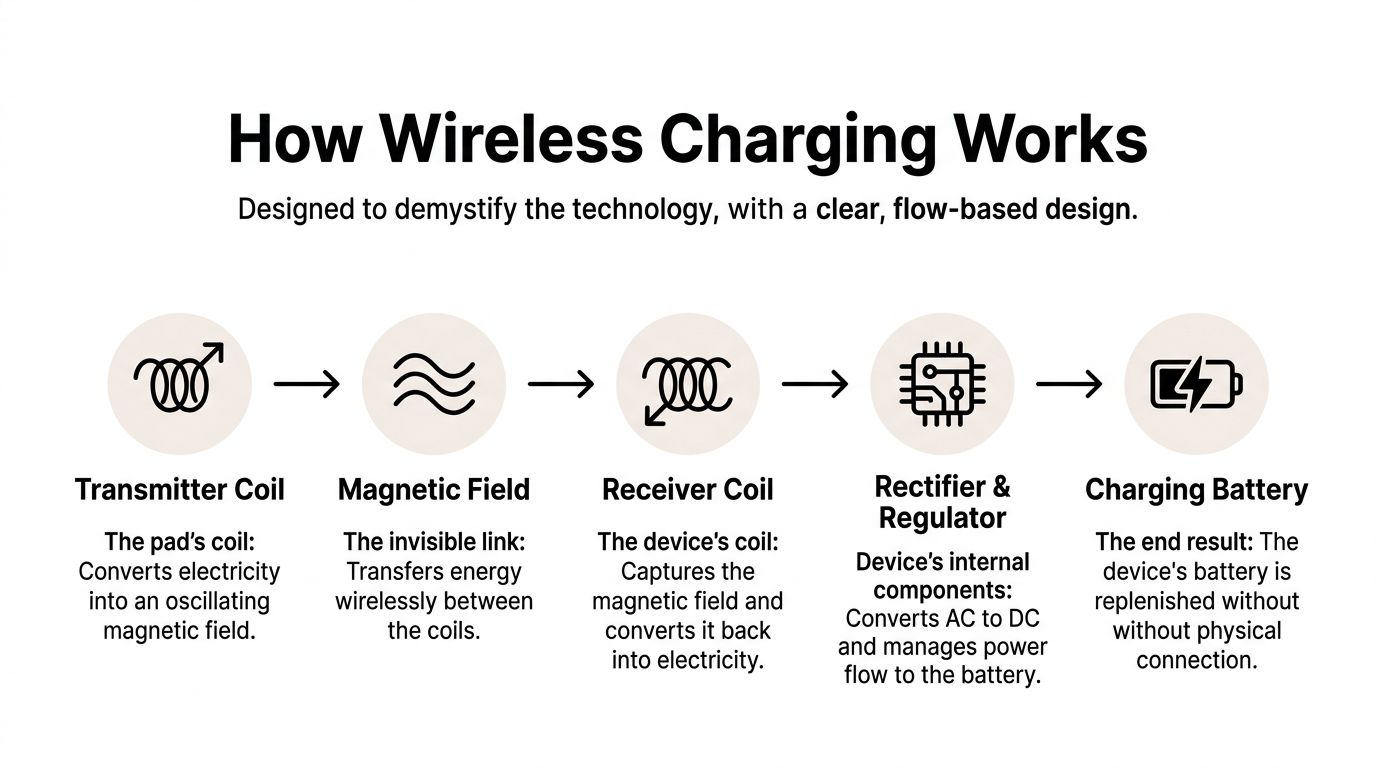
Inside the wireless charging pad is a transmitter coil. Inside your phone is a receiver coil. When electricity enters the pad, that transmitter coil creates an oscillating magnetic field. The receiver coil in the phone picks it up, and the phone’s internal components convert it into usable power for the battery.
If you’ve ever used an electric toothbrush that charges on a base, you’ve already used the same general idea. No exposed metal pins are needed on the charging surface itself. That’s why the whole system feels neat and low fuss.
Here’s the chain in plain language:
- Power enters the pad from a wall adaptor.
- The transmitter coil creates a magnetic field.
- The phone’s receiver coil captures that field.
- Internal circuits convert and regulate the power.
- The battery charges.
That’s all happening without a cable physically plugging into the phone.
Why Qi matters so much
The most important word to know is Qi. It’s pronounced “chee”. Qi is the charging standard introduced by the Wireless Power Consortium in 2008, and it’s the reason one brand’s charger can often work with another brand’s phone. In Australia, adoption surged after that standard was introduced, then accelerated after Apple added Qi to the iPhone 8 series in 2017. Australian Bureau of Statistics data also showed a 25% year-on-year increase in wireless charging accessory imports from 2018 to 2022 according to this overview of the evolution of wireless charging in Australia.
Without a shared standard, wireless charging would be messy. Every manufacturer could use different power rules, different communication methods, and different safety limits. Qi gives devices a common language.
Practical rule: If a charger isn’t clearly described as Qi or Qi2 compatible for your device, treat it cautiously.
That’s why cheap no-name accessories can be frustrating. They may still pass power, but they often do it inconsistently. If charging cuts in and out, the issue may be poor communication between the phone and the pad rather than a broken battery.
Why placement matters more than people expect
People often assume wireless charging should work anywhere on the pad. In reality, the internal coils need to sit close to each other and line up well. If they don’t, charging becomes slower, less efficient, or unreliable.
That’s why you can place the same phone on the same pad twice and get two different outcomes. One placement lands the receiver coil right over the transmitter. The other placement is just off enough to reduce performance.
If you want another plain-English explanation, FoldifyCase's wireless charging guide gives a useful overview of the basic principle.
For people comparing accessories, this collection of wireless charger fast charging options is also a practical way to see how different charger types are positioned.
Device Compatibility Pros and Cons
A wireless charging pad can be brilliant for one person and annoying for another. The difference usually comes down to compatibility, habits, and expectations. If you know what your devices support and what trade-offs come with wireless charging, you’re much less likely to waste money on the wrong setup.
Which devices usually work
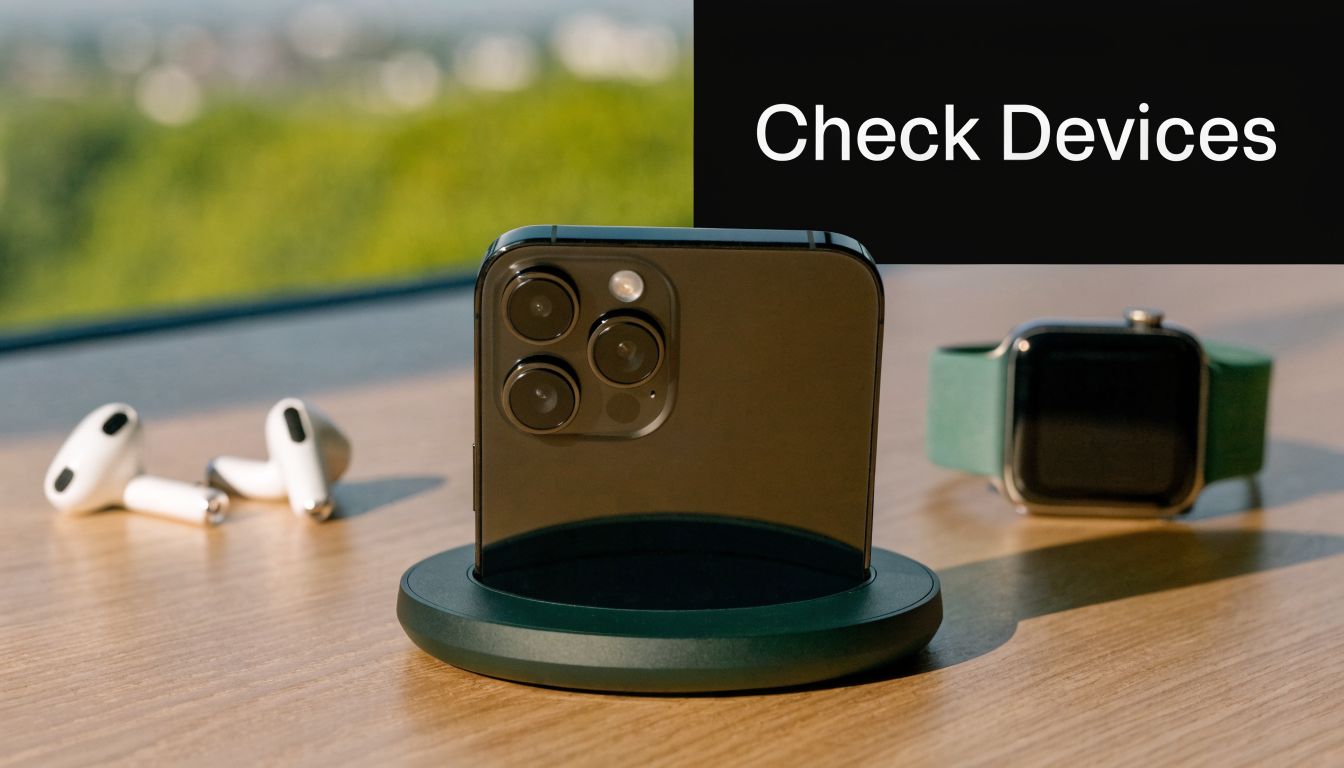
Phones are often the initial consideration, but a wireless charging pad may also support:
- Smartphones with built-in Qi support
- Wireless earbuds cases that charge wirelessly
- Smartwatches on models designed for them, usually with a dedicated charging spot
- Multi-device setups that combine phone, earbuds, and watch charging in one stand
The key point is that “wireless charging” isn’t always universal across every device. A phone may support Qi, while a smartwatch may need its own specific charging puck or magnet layout. That’s where buyers often get caught out.
If you’re unsure, check your device settings, product manual, or the manufacturer’s specifications. Don’t rely on the box art alone.
The upside in everyday use
The biggest benefit is convenience. You don’t need to plug in every time. On a desk, it’s easy to set the phone down between calls or messages and pick it up again without fuss. On a bedside table, it feels simpler than managing cables.
There’s also the issue of physical wear. Charging ports don’t last forever if they’re constantly used, especially when lint, pocket dust, bent connectors, or rough handling get involved. Wireless charging reduces that repeated plug-in strain.
Some users also like the cleaner look. A stand or pad can make a workspace feel organised, especially if you’re charging several small devices in one area.
The trade-offs people should know
Wireless charging is convenient, but it has compromises. One of the most important is heat. Improper pad usage can cause 20% higher heat buildup, and that can contribute to more battery failure repairs. At the same time, Roy Morgan research from 2023 reported that 42% of smartphone owners in Western Australia use wireless pads, up from 12% in 2018, which shows how mainstream they’ve become despite those risks. That trend and heat warning are discussed in this summary of wireless charging adoption and repair patterns.
Here’s the honest pros-and-cons view:
| Aspect | What’s good | What to watch |
|---|---|---|
| Convenience | Just place the device down | Placement has to be correct |
| Charging port wear | Less plugging in and out | You may still need cable charging at times |
| Desk setup | Cleaner and tidier look | Extra accessories can still create clutter |
| Charging speed | Fine for routine top-ups | Often feels slower than wired fast charging |
| Heat | Normal warmth can happen | Poor alignment or bad accessories can make it worse |
If your priority is overnight charging and desk convenience, wireless often makes sense. If your priority is the fastest possible refill before heading out, a cable still has a strong case.
Who tends to like it most
Wireless charging usually suits people who charge in short bursts during the day, keep a pad on a desk, or want less strain on a charging port. It’s also handy for anyone who frequently picks the phone up and puts it back down.
It’s less ideal for users who run navigation, hotspot, gaming, or video calls while trying to charge. Those tasks generate heat already, and adding wireless charging can compound the issue.
In other words, a wireless charging pad is not automatically better. It’s better for certain habits.
How to Choose the Perfect Wireless Charging Pad
Buying the first pad you see can work, but it often leads to the complaints repair shops hear every week. “It only charges if I place it just right.” “It gets warm.” “It says fast charge, but it doesn’t feel fast.” The smarter move is to match the pad to how you use your phone.
Start with power output
Power rating matters, but only up to the point your phone can use it. Some chargers are built for basic top-ups, while others aim for faster wireless charging when paired with the right phone and adaptor.
A simple comparison helps:
| Power (Watts) | Typical Use Case | Charging Speed | Compatibility Note |
|---|---|---|---|
| 5W | Overnight charging, occasional desk use | Slower | Often fine for older or basic Qi charging |
| 15W | Faster smartphone wireless charging | Faster, if device and charger both support it | Stronger option for compatible Qi or Qi2 phones |
A common mistake is blaming the pad when the wall adaptor is the bottleneck. If the adaptor can’t provide enough power, the pad won’t perform as expected.
Look closely at alignment
Alignment is where many charging problems begin. A pad may have enough power on paper but still charge poorly if the phone doesn’t land in the right spot. That’s one reason newer magnetic systems feel more reliable.
The newer Qi2 certification standard enables 15W fast charging through precise magnetic alignment, similar to MagSafe. That matters because better alignment reduces the classic problem of a phone sitting slightly off-centre and charging badly. Apple’s product information for a Qi2-certified charger explains this in the context of Qi2 magnetic alignment and 15W smartphone charging.
Flat pad, stand, or multi-device dock
Shape affects convenience more than people realise.
A flat pad is simple. You drop the phone down and leave it there. It suits a bedside table or a minimalist desk, but it’s not ideal if you want to see notifications or access the phone while charging.
A stand props the phone up. That makes it easier for facial recognition, video calls, or checking messages at a glance. It’s a good desk option for office workers, students, and anyone using the phone throughout the day.
A multi-device charger is useful if you carry several gadgets. If your earbuds and watch also need charging, combining them can reduce cable mess. The catch is that these systems are less forgiving if one device area is fussy or proprietary.
Don’t ignore your case
Cases are one of the biggest hidden causes of poor wireless charging.
These usually work well:
- Slim plastic cases
- Silicone cases
- Magnetic cases designed for compatible wireless charging systems
These often cause trouble:
- Very thick rugged cases
- Wallet cases with extra layers
- Cases with metal plates or metal rings not designed for charging
- Cases holding cards between the phone and charger
If a customer tells me, “It worked without the case but not with it,” I don’t assume the charger is broken. I assume the case is interfering until proven otherwise.
A charger can only send power through what’s between the pad and the phone. The thicker and more disruptive that barrier is, the more fussy the setup becomes.
Build quality matters even when the specs sound similar
Two pads can both claim wireless charging and still behave very differently. The better-made one usually manages heat more steadily, maintains contact more consistently, and communicates with the device more cleanly.
When comparing models, pay attention to:
- Qi or Qi2 certification
- Ventilation and heat handling
- Stable base design
- Cable quality
- Whether the included or recommended adaptor matches the charger’s needs
If you’re a heavy user, a stand or Qi2 magnetic option usually feels less frustrating than a basic flat puck. If you only need simple overnight charging, a straightforward pad may be enough.
Solving Common Wireless Charging Issues Step by Step
Most wireless charging problems aren’t mysterious. They usually come down to power, placement, heat, or compatibility. The trick is checking the simple things in the right order instead of replacing accessories at random.
A 2025 Choice Australia report found that 28% of wireless chargers sold in the country malfunction due to heat-related coil damage, and Perth repair inquiries for these issues are up 35% year-on-year. That combination is one reason so many people assume their phone is failing when the actual fault may be in the charger or setup, as noted in this discussion of wireless charger heat-related failures and repairability.
The phone isn’t charging at all
Start with the basics. Wireless charging has more moving parts than people think.
Try this in order:
- Check the wall power. Make sure the power adaptor is firmly plugged in and the pad is receiving power.
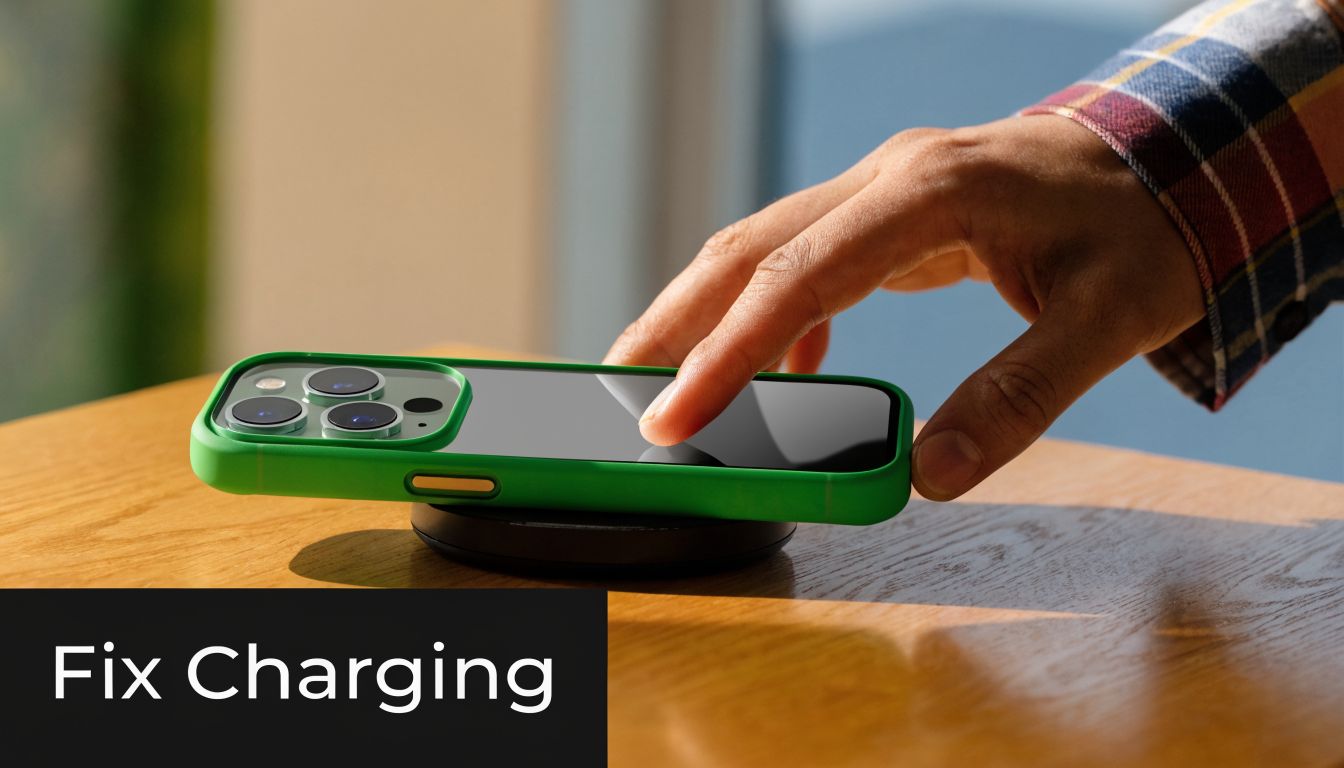
- Reposition the phone. Lift it fully, then place it back in the centre instead of sliding it around.
- Remove the case. Thick or poorly fitted cases can block charging.
- Test another device. If a second compatible phone also fails, the pad or adaptor becomes more suspicious.
- Inspect the cable to the pad. A damaged USB cable feeding the charger can interrupt power.
If the pad lights up but the phone never responds, the problem is often coil alignment or a compatibility issue rather than a dead battery.
The phone charges very slowly
Slow charging is one of the most common complaints. Sometimes the charger is working exactly as designed, but the user expected cable-level speed. Other times, there’s a real setup issue.
Check these factors:
- Power adaptor mismatch. The pad may need a stronger adaptor than the one you grabbed from a drawer.
- Background activity. Navigation, streaming, gaming, and updates can eat power while charging.
- Poor placement. Slight misalignment can mean the phone is charging, just inefficiently.
- Heat throttling. If the phone gets warm, charging may slow down to protect the battery.
For people comparing accessory types or replacing a troublesome setup, this page on wireless charging phone accessories is a useful starting point.
If your battery percentage barely moves while the screen is on and apps are running, test the same charger with the phone idle. That separates “slow charging” from “high power use during charging”.
The phone or pad feels hot
Warm is common. Hot is where you should pay attention.
Do this next:
- Move it out of direct sun
- Charge on a hard, ventilated surface
- Remove thick cases
- Stop using demanding apps while charging
- Try a known compatible charger and adaptor
Heat builds when energy transfer is inefficient. That can happen if the coils aren’t lining up well, the pad is poorly made, or airflow is restricted.
A short visual demo can make the placement issue easier to understand:
When simple fixes don’t fix it
If you’ve tested with another adaptor, removed the case, repositioned carefully, and tried a second device, you’ve already done the sensible home checks. At that point, continuing to experiment can waste time or create extra heat cycles.
What you need then is diagnosis. The pad might be the problem. The phone’s receiver coil might be the problem. The battery may be reacting to heat. In some cases, the charging port is also faulty, and the phone has more than one charging issue at once.
When to Seek Professional Repair from CTF in Perth
You set your phone on the pad before bed, wake up, and the battery has barely climbed. You try again with a different charger, then a cable, then another power point. After a while, the problem stops looking like a simple setup mistake and starts looking like a fault that needs proper testing.
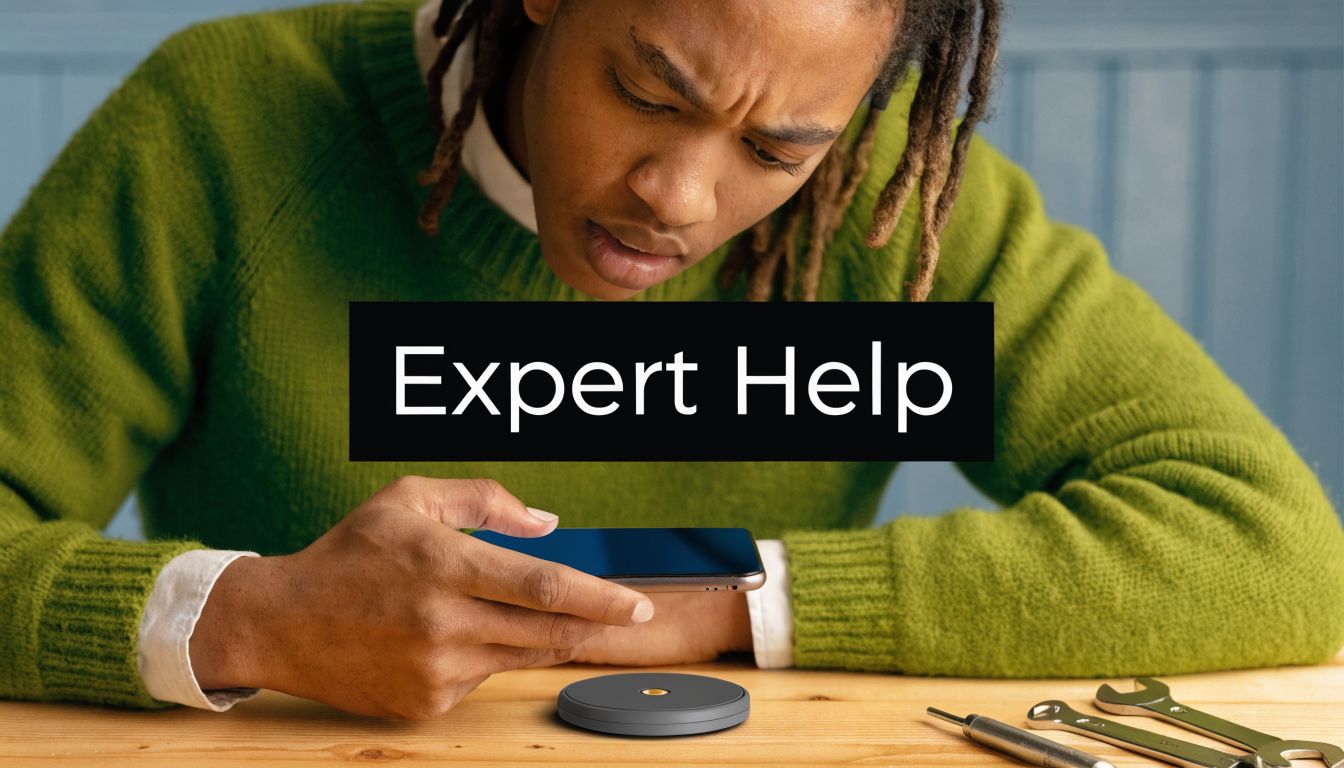
Signs you should stop guessing
A wireless charger system has a few parts working together: the pad, the power adaptor, the cable, and the phone’s own charging hardware. If one piece drops out, charging can become erratic. If several checks have already failed, guessing usually leads to buying the wrong replacement.
Book a proper assessment if you notice any of these:
- The same phone fails on multiple wireless chargers. That often points back to the phone.
- The pad does not charge any compatible device. The fault may sit with the pad, cable, adaptor, or power delivery.
- Charging keeps connecting and disconnecting. That can happen with heat, unstable power, or an internal charging fault.
- The phone gets hot every time it charges wirelessly. Warm is normal. Repeated overheating is not something to ignore.
- Cable charging is unreliable too. That suggests the issue may involve more than the pad alone.
A common Perth problem that online guides miss
Perth users often run into trouble with tidy desk setups, especially under-desk wireless chargers in home offices and shop counters. These setups can look neat but behave badly if the desk surface is too thick, the charger has shifted slightly, or the mounting position is off by a small amount. Wireless charging is a bit like trying to line up two magnets through a tabletop. Close enough is sometimes not close enough.
Heat can make this more frustrating. A charger stuck under a desk with poor airflow may work on some days and fail on others. In business settings, if the problem also involves desk power access, cable routing, or a broader fit-out issue, commercial electrical repair services may be relevant alongside device testing.
What a technician actually checks
A repair technician does more than place the phone on a different pad and hope for the best. The goal is to separate accessory failure from phone failure, because those two problems can look almost identical from the outside.
A proper check may include:
- Testing whether the pad is receiving stable power
- Checking whether the wall adaptor is suitable for the charger
- Trying another known compatible device on the same setup
- Testing whether your phone’s wireless charging receiver responds correctly
- Checking battery condition and whether the charging port has a separate fault
Some phones have two issues at once. For example, a weak battery may react badly to heat, while a worn charging port creates confusion during cable tests. That can send people in the wrong direction and waste money on accessories they did not need.
CTF Mobile Phones & Computer Repairs in Perth can assess whether the fault is in the pad, the battery, the charging port, or the phone’s internal charging hardware.
“If one charger fails, test the setup. If the same problem follows the phone, get the phone checked.”
That approach is usually faster, cheaper, and less frustrating than cycling through new pads and adaptors without knowing what has failed.
Embrace the Convenience with Confidence
It usually starts the same way. You set your phone on the pad before bed, expect to wake up to a full battery, and find it barely charged or warmer than it should be. That kind of failure makes wireless charging feel fussy, even though the idea is simple.
A wireless charging pad works best when the whole setup is working together. The pad, power adaptor, phone, case, and battery all have to cooperate. It is a bit like placing a kettle on its base. If it is sitting properly and the power is right, it works. If one part is off, charging becomes slow, patchy, or stops altogether.
That does not mean wireless charging is unreliable. It means it has less margin for error than plugging in a cable. Once you know what tends to go wrong, it becomes much easier to use with confidence at home, at work, or on a bedside table in Perth’s warmer conditions.
The goal is not to keep guessing.
Choose a pad that suits your phone and your routine. Keep it on a cool, flat surface. Check that the phone sits in the right spot. If trouble keeps coming back after the basic fixes, there is usually a real fault underneath, not bad luck.
Used properly, wireless charging is convenient and gentle on the charging port. When it stops behaving, the cause is often practical and fixable with the right testing.
If your phone will not charge properly on a wireless pad, gets hot while charging, or may have a battery, port, or internal charging fault, contact CTF Mobile Phones & Computer Repairs for a straightforward assessment. The shop is based in Balga and helps Perth customers work out whether the problem is the pad, the power setup, or the device itself: https://www.ctf.com.au