
When your computer decides to call it a day or your gaming console suddenly goes silent, the frantic search for "computer repairs near me" is on. For anyone living in Perth's northern suburbs, that search often ends with a fast, reliable fix from a local expert like CTF Mobile Phones & Computer Repairs. We handle everything from shattered screens and pesky software bugs to serious data recovery, often getting you back up and running the very same day.
Your Guide to Finding Reliable Local Computer Repairs
We’ve all been there. The blank screen, the laptop moving at a snail's pace, or the console that just refuses to power on. In an instant, your work, entertainment, and connection to the world come to a screeching halt. This guide is here to cut through that stress and give you a clear, simple plan for finding a trustworthy local repair shop in Perth, minus all the guesswork.
The tech scene here in Western Australia is booming. The PC market alone grew by an impressive 12% in 2023, driven by our strong mining, engineering, and education sectors where dependable computers are absolutely essential. Right here in Perth's northern suburbs, including our home base in Balga, we're at the centre of this trend.
What's Wrong With My Device?
Before you even pick up the phone, having a rough idea of the problem helps immensely. It lets you explain the issue clearly to a technician, which means a faster and more accurate diagnosis. For instance, if your machine is just painfully slow, knowing a few basics about how to speed up your computer can give you some useful context.
To help you out, we've put together a quick guide that matches common symptoms to the likely culprit.
Quick Guide to Common Computer Problems and Services
This table is a handy starting point to figure out what might be going on with your device and see the kinds of services a local expert like CTF Repairs can provide.
| Common Symptom | Potential Problem | Typical Service Offered |
|---|---|---|
| Device won't turn on or charge | Faulty battery, broken charging port, or motherboard issue | Battery replacement, port repair, power supply diagnostics |
| Extremely slow performance | Failing hard drive, malware, or insufficient RAM | SSD upgrade, virus removal, RAM installation |
| "Blue Screen of Death" (BSOD) | Corrupted software, driver conflicts, or hardware failure | Operating system reinstall, driver updates, hardware diagnostics |
| Cracked or black laptop screen | Damaged LCD panel or faulty connection cable | Screen replacement and component inspection |
| Console won't read game discs | Dirty or failing laser lens, or drive mechanism fault | Laser lens cleaning or replacement, drive repair |
Think of this table as your first step in troubleshooting. By identifying the symptom, you can get a better sense of what needs fixing.
Expert Tip: Don't ignore the early warning signs. Weird noises, frequent crashes, or a battery that dies way too fast are your device's way of asking for help. Catching these problems early is almost always easier and cheaper to fix.
When you're searching online, understanding a little about the importance of Local SEO can be handy, as it explains why reputable, genuine local businesses show up first in your search results.
Diagnosing Common Computer and Console Failures
It’s a feeling we all dread. One moment your computer is working perfectly, and the next, you're looking at the infamous “Blue Screen of Death” (BSOD). When your tech suddenly gives up on you, the symptoms can be incredibly frustrating. Knowing what these warning signs mean is the first step toward getting the right help from a local professional offering computer repairs near me.
Think of it like a car. A weird clunking noise from under the bonnet doesn't just mean "it's broken"; it helps a mechanic zero in on a specific part, like the fan belt or alternator. In the same way, tech symptoms are clues that tell a story about what’s going wrong with the hardware or software. This simple flowchart shows how you can go from a broken device to an expert fix.
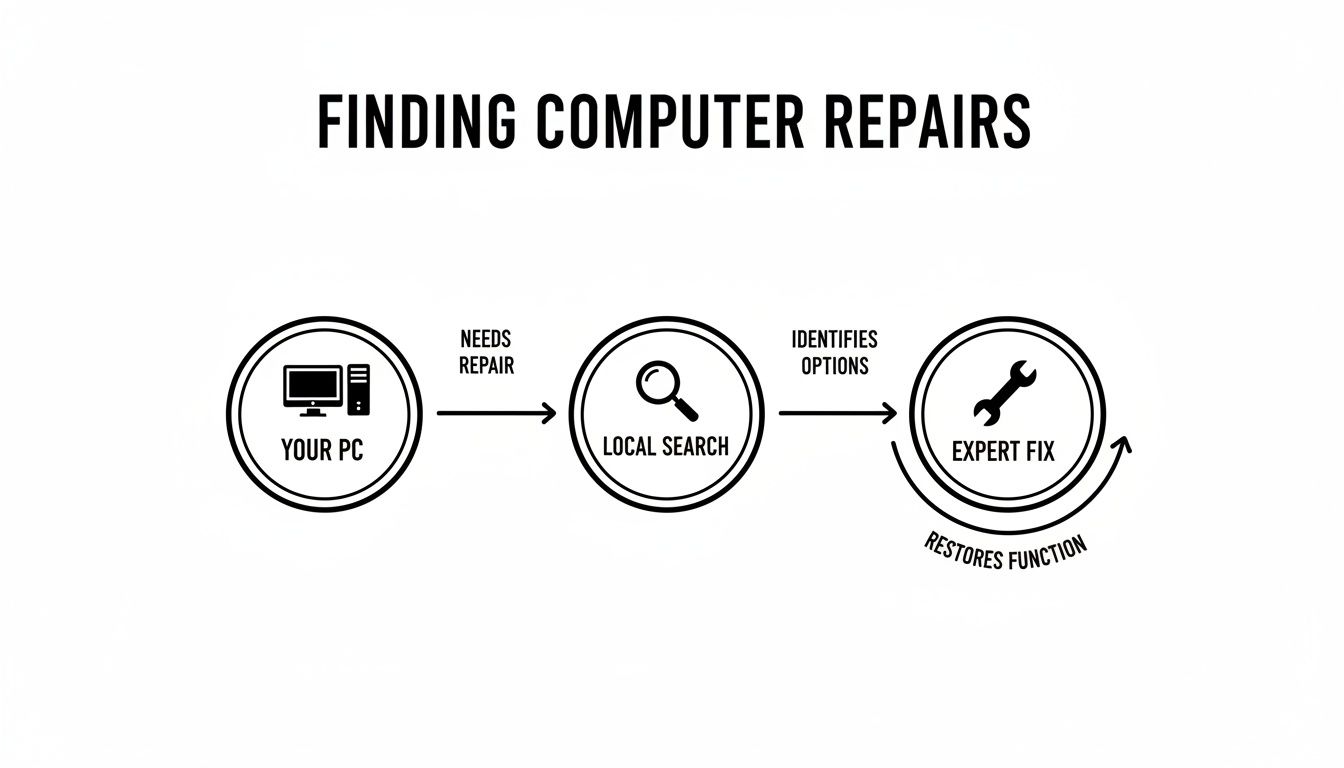
As you can see, a quick local search is all it takes to connect with the right person to get your device back up and running.
Common PC and Laptop Symptoms Explained
Most PC and laptop problems fall into a few familiar categories. Being able to spot them will help you explain the issue clearly to your technician.
- Failure to Power On: Is your device completely dead? The problem could be something simple like a faulty power supply unit (PSU). On laptops, it often points to a worn-out battery or a busted charging port. In a worst-case scenario, it could be a failed motherboard.
- Extreme Slowness: When every click feels like it takes an age, the usual suspect is a failing hard drive. Older mechanical drives wear out over time, but sluggish performance can also be caused by malware infections or not having enough RAM to handle your programs.
- The Blue Screen of Death (BSOD): This classic Windows error is your computer’s way of saying it has a serious problem. A BSOD is a clear sign of a critical system failure, often triggered by corrupted software, dodgy hardware drivers, or a failing component like your RAM or hard drive.
Unpacking Gaming Console Issues
Gaming consoles have their own special set of problems that can grind your fun to a halt. While some issues are similar to PCs, others are unique to their design.
For instance, if your PlayStation or Xbox suddenly won't read game discs, it’s probably a dirty or failing laser lens in the disc drive. This is a classic wear-and-tear issue we see all the time, and a professional clean or replacement will sort it out. Overheating and sudden shutdowns are also common, usually caused by dust and fluff clogging the internal cooling fans. You can learn more in our detailed guide to gaming console repairs.
A sudden drop in performance isn't just an annoyance; it’s a warning. Whether it's a slow PC or a stuttering console, addressing the root cause promptly can prevent a minor issue from escalating into complete hardware failure and potential data loss.
Our reliance on these devices means the need for trustworthy repairs is growing. In fact, Australia's broader repair market is projected to hit US$8.72 billion by 2025. Perth-based experts like us at CTF Mobile Phones & Computer Repairs in Balga are a key part of this, offering solutions for everything from a smashed screen to complex data recovery.
What to Expect: Repair Costs, Timelines, and Our Guarantee
When your tech decides to give up on you, two questions are probably front and centre in your mind: “How much is this going to set me back?” and “How long will I be without it?”
We get it. That’s why we’re completely upfront about costs and timeframes. A good local repair shop should never leave you guessing, and we make sure you have a clear quote in hand before we even pick up a screwdriver.
Think of it this way: a simple fix, like swapping out a dead battery, is a bit like changing a tyre. It’s a routine job with a predictable outcome. But a more complex issue, like figuring out why a gaming console is overheating or a PC is randomly shutting down, is more like engine diagnostics. It takes a bit more detective work and specialised tools.
This is why a straightforward laptop screen replacement can often be done and dusted in a day or two, while a mystery motherboard fault might need more time on the bench.
Estimated Repair Costs and Turnaround Times
To give you a ballpark idea of what to expect, we’ve put together this table covering some of our most common repairs. It's a handy guide to help you budget and plan, but keep in mind that these are just estimates. We'll always give you a firm, final quote after we’ve had a proper look at your device.
| Repair Service | Estimated Cost Range (AUD) | Typical Turnaround Time |
|---|---|---|
| Laptop Screen Replacement | $150 – $400+ | 1-3 business days |
| Battery Replacement | $90 – $250 | Same day to 2 business days |
| Virus & Malware Removal | $80 – $150 | Same day to 1 business day |
| Data Recovery (Basic) | $100 – $300 | 1-3 business days |
| Gaming Console Cleaning | $70 – $120 | Same day |
These timelines really hinge on parts availability. For popular laptop and console models, we usually have the necessary components right here in the workshop, which means we can get started straight away. If you have a less common device or need a very specific part, we might have to order it in. Don't worry, though – we'll let you know about any potential delays right from the get-go.
Why Quality Parts and a Solid Warranty Matter
It’s always tempting to hunt for the absolute cheapest quote, but when it comes to tech repairs, that often turns into a false economy. A rock-bottom price can be a red flag for subpar, third-party parts that just aren't built to last. A cheap replacement screen might look okay at first, but a few weeks later you could be dealing with dead pixels, poor colours, or a faulty touch response.
A quality repair isn't just about fixing the immediate problem; it's about ensuring the solution lasts. Opting for a slightly cheaper fix today with inferior parts can lead to bigger headaches and more expenses down the road.
Any repairer worth their salt will stand by their work with a proper warranty. This is your safety net, covering both the components they installed and the labour they performed. It’s peace of mind, plain and simple.
Here at CTF Repairs, we only use high-quality, reliable parts and back every single job with a comprehensive warranty. It’s our promise to you that your device has been fixed right, fixed to last, and is ready to get back to work (or play).
How to Protect Your Data During a Repair
Handing your computer over for a repair can feel a bit like giving a stranger the keys to your house. It’s packed with your photos, private documents, and years of personal history, so it's completely normal to feel a bit anxious about its security. The good news is, a few simple precautions can give you total peace of mind.
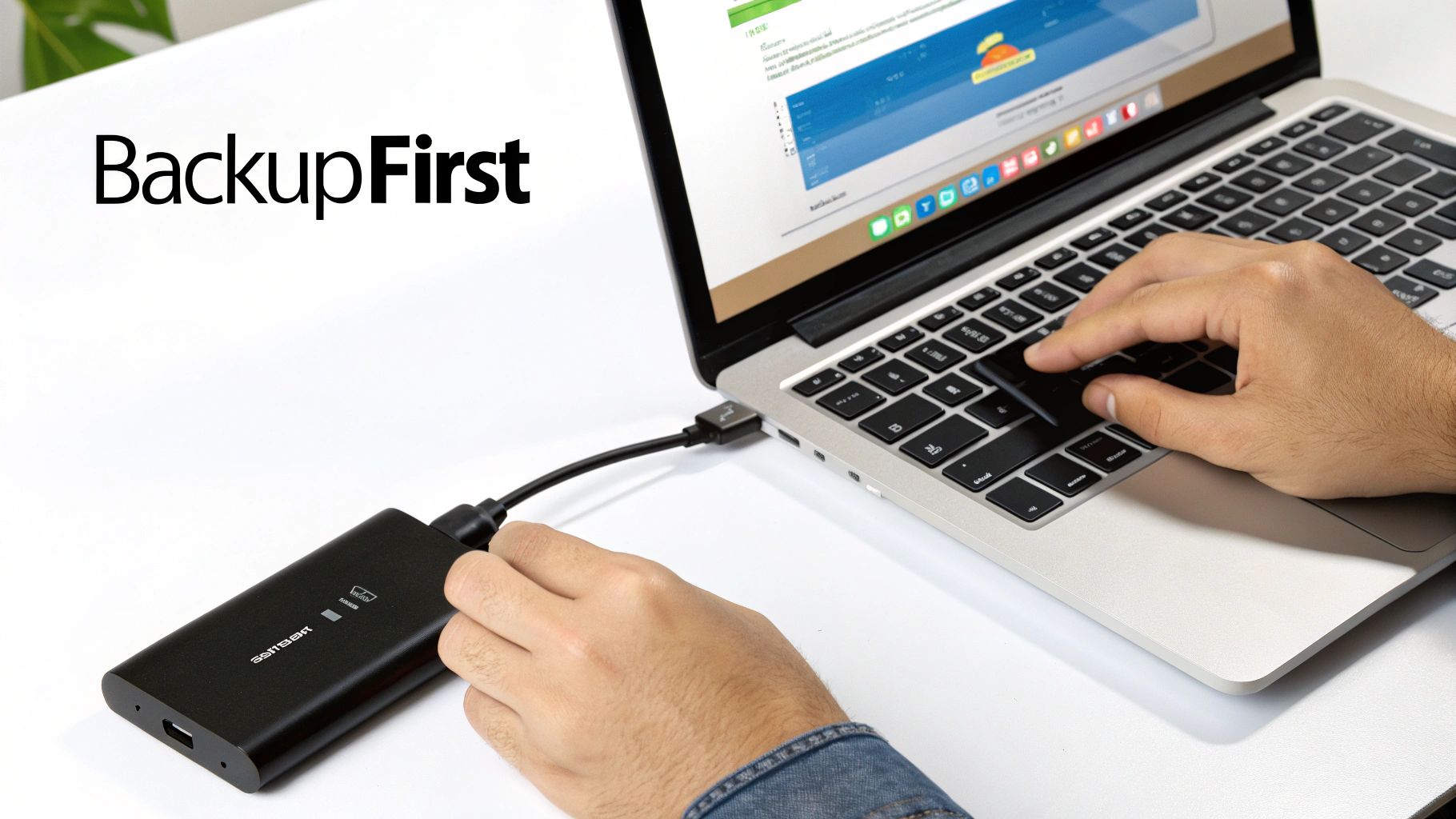
Honestly, the single most important thing you can do is back up your data before you bring your device in. Think of it as a safety copy of your digital life—it guarantees that no matter what the repair involves, your precious files are safe and sound.
Your Pre-Repair Data Safety Checklist
Before you head over to a repair shop, just run through this quick checklist. It’s a simple way to make sure your information stays yours.
- Do a Full Backup: Grab an external hard drive or use a cloud service you trust (like Google Drive or OneDrive) and copy everything important over. I’m talking documents, family photos, videos—anything you can't imagine losing.
- Log Out of Your Accounts: Take a moment to sign out of your email, online banking, and social media apps. It’s a small step that adds a massive layer of security, preventing anyone from accidentally accessing your accounts.
- Move Sensitive Files (If You Can): If you've got super-sensitive information like tax records or private business files on your machine, it might be worth temporarily moving them to your backup drive and off the computer that’s being repaired.
Taking these steps means that even in a worst-case scenario, you're completely covered. Your data is safe, secure, and ready to be restored.
What If You Can't Back Up Your Device?
Of course, sometimes the device is so broken it won't even turn on, making a backup impossible. This is exactly when you need to lean on a professional data recovery service you can trust. Any reputable technician operates under strict privacy protocols, handling your data with the confidentiality it deserves.
Your privacy is our priority. A professional repair shop has a strict code of conduct. Technicians only access what is absolutely necessary to diagnose the problem and fix it. Your personal files are always treated as confidential—never browsed or copied.
Here in Western Australia, where 6.5% of the workforce is in the tech industry, reliable data services are more important than ever, especially as the national PC market is projected to hit AUD 5.26 billion by 2025. For students and professionals locked out of their devices, expert data recovery isn't just a service; it's a lifeline.
In severe cases, like a dead hard drive or a water-damaged phone, we have specialised tools and techniques to help. You can learn more about our reliable data recovery solutions in Mirrabooka, where we often manage to retrieve files that most people would assume are gone for good. And if your repair requires a new drive, it’s also good to be aware of secure hard drive shredding techniques to ensure your old data is permanently and safely destroyed.
Choosing the Right Repair Shop in Perth
Googling "computer repairs near me" can feel like diving into the deep end. You’re hit with a wall of options, and when you’re stressed about a broken device, it’s tempting to just click the first one you see. But hold on. A little bit of homework now can save you a world of pain later.

Think of it like finding a good mechanic. You wouldn't just hand your car keys over to the first person with a spanner, would you? You want someone with a solid reputation, who charges fair prices and uses parts that won’t fail in a week. Your tech deserves that exact same level of care.
What to Look For in a Top-Tier Repair Service
So, how do you sort the experts from the cowboys? It comes down to a few key things. A truly reliable repair shop isn’t just about fixing the problem in front of them; they offer a transparent, trustworthy service from the moment you walk in.
Here’s what you should absolutely insist on:
- Proven Experience: Look for a workshop that’s seen it all. A technician who’s comfortable with everything from a high-end gaming rig to an old laptop or a tricky console repair has the experience to diagnose your problem properly, not just guess.
- Commitment to Quality Parts: This is a big one. Always ask what kind of parts they use. A reputable technician will use high-quality components designed to last, rather than the cheapest part they can find online.
- Transparent Pricing: There should be no mystery about the cost. A good shop will give you a clear, upfront quote before any work starts. If they’re vague about costs or pressure you to commit, walk away.
- Positive Customer Reviews: Have a quick look at their Google reviews. A long history of happy customers is one of the best signs that you’re dealing with professionals who stand by their work and look after their clients.
Choosing a truly local shop here in Perth’s northern suburbs is about more than just convenience. It means you’re dealing with people whose reputation is built right here in our community. That accountability, plus faster turnaround times, makes a huge difference.
Making Your Final Decision
Once you have a shortlist, a quick phone call can often seal the deal. Do they sound like they know what they’re talking about? Are they happy to answer your questions without making you feel silly? A technician who takes the time to explain the potential issue and their proposed fix is a technician you can trust.
At the end of the day, you’re looking for a repair partner who values your tech as much as you do. By keeping these points in mind, you can confidently choose a service like CTF Mobile Phones & Computer Repairs—a team that’s not just skilled, but genuinely focused on getting you back up and running, stress-free.
Why a Local Expert Matters for Your Tech Repairs
When your computer or console is on the fritz, typing “computer repairs near me” into a search bar can feel a bit like a lottery. But finding the right technician isn’t just about proximity; it’s about getting someone you can genuinely trust with your tech.
Throughout this guide, we’ve touched on what makes a dedicated local expert stand out from the crowd. It’s not one single thing. It’s the unique blend of quick, efficient service, real-world expertise, and a sense of personal accountability that you just don't get from a massive chain store.
A local technician sees you as a person, not a ticket number. You get straight, honest advice from a specialist who knows their way around everything from the latest gaming rigs to that old console gathering dust in the corner. That direct relationship is everything—it means you can feel confident in the decisions you’re making about your device.
Peace of Mind with Quality and Care
Choosing to go local comes with some very real advantages that safeguard both your data and your wallet.
- Quality Parts: We believe a repair is only as good as the parts used. That’s why we source reliable components to make sure the fix lasts, all backed by a proper warranty.
- Customer Focus: Your satisfaction is what keeps our doors open. That means clear communication from start to finish and fair, upfront pricing with no nasty surprises.
- Community Trust: A local business thrives on its reputation. We’re part of the Perth community, and that connection pushes us to deliver a higher standard of service every single time.
When your device is with us, we treat it like it’s our own. Our aim is simple: to provide a lasting solution that gets you back up and running, minus the stress.
Ready for a repair experience that’s straightforward and reliable? Here at CTF Mobile Phones & Computer Repairs, we’re ready to help. Get in touch for some expert advice or a no-obligation quote today.
Your Top Computer Repair Questions Answered
Even when you know you need a professional, it's natural to have a few questions swirling around. When you're searching for "computer repairs near me," you want to feel completely comfortable before handing over your machine. We get it. Here are the most common questions we hear from customers, with some straight-up, honest answers.
Is My Old Computer Worth Fixing?
This is the big one, and it really boils down to cost versus value. Our rule of thumb is pretty simple: if the repair cost is less than 50% of what you’d spend on a similar new computer, fixing it is usually the smart move.
Think about it this way: spending $200 on a new hard drive for a five-year-old laptop that does everything you need is a much better deal than shelling out $800 or more for a brand-new one. We'll always give you a frank assessment to help you decide what’s best for your situation, not just ours.
The choice to repair or replace goes beyond just the price tag. Don't forget to factor in things like sentimental value, the hassle of setting up a new device, and the environmental win of keeping electronics out of landfill for longer.
How Do I Know My Personal Data Is Safe?
Your privacy is our absolute priority. Any reputable technician works under a strict code of conduct. We only ever access the files and systems we need to diagnose and fix the problem—nothing more. Your personal photos, documents, and browsing history are your business, and we keep it that way.
That being said, the best way to get total peace of mind is to back up your important files before you bring your computer in. While we are incredibly careful, there's always a small risk of data loss when hardware is failing. A backup is your ultimate safety net.
What Sort of Warranty Do You Provide on Repairs?
A good repair shop will always stand by its work, and we're no different. At CTF Repairs, we offer a solid warranty that covers both the new parts we install and the labour we carry out.
The exact warranty period can vary depending on the part and the type of repair, but we make sure you know all the details before we start any work. This guarantee means that if the same problem pops up again during the warranty period, we’ll sort it out for you at no extra cost. It’s our promise that we’re here to provide a quality, long-lasting fix.
For a local, transparent, and expert solution to your tech troubles, trust the team at CTF Mobile Phones & Computer Repairs. Get a no-obligation quote or expert advice today!