

When your gaming console suddenly dies, the first step isn't to panic—it's to play detective. The problem could be anything from a simple software hiccup to a more serious hardware failure, but a few quick checks can often point you straight to the source of the trouble and get you on the path to a proper gaming console repair.
What to Do When Your Gaming Console Stops Working
We’ve all been there. That horrible moment when you hit the power button and… nothing. Before you assume your console has met its maker, take a deep breath and start observing. Randomly jiggling cables or mashing buttons won't help and could even make things worse. Instead, focus on gathering clues.
Look closely at how your console is behaving. Are there any signs of life at all? Maybe a faint LED flicker or a fan that spins for a second before giving up? Is your screen completely black, or is there an error code staring back at you? These are the breadcrumbs that will lead you to the real issue.
A console that’s completely lifeless, for instance, almost always points to a power problem. That could be as simple as a plug that’s come loose from the wall, or it might be a more serious internal failure. Understanding how these components function, like an Xbox 360 S power supply, gives you a better idea of what might be going on inside the machine. If the console powers on but you get no picture, the problem is more likely with the HDMI cable or the port itself.
Your First Diagnostic Steps
Before you even think about calling a professional, run through this basic checklist. Systematically ruling out the simple stuff first can save you a lot of time, hassle, and money.
- Check Every Connection: Make sure the power cord is pushed firmly into both the wall socket and the console. Give the HDMI cable the same treatment at both ends.
- Swap Things Around: Try a different power outlet or even a different power board. A faulty surge protector or a dodgy HDMI cable are surprisingly common culprits.
- Look at the Lights: Pay close attention to the power indicator light. Whether it's solid, flashing, a different colour, or completely off, each state is a distinct symptom that tells a story.
Below is a quick reference table to help you match common symptoms with their likely causes.
Quick Diagnostic Checklist for Common Console Faults
| Symptom | Potential Cause | First Action to Take |
|---|---|---|
| No Power (No Lights) | Power supply issue, faulty cable, or dead outlet. | Check the power cord at both ends and try a different wall socket. |
| Turns On, Then Off | Overheating, internal power supply failure, or mainboard fault. | Ensure the console has proper ventilation and isn't clogged with dust. |
| No Video (Black Screen) | Bad HDMI cable, faulty HDMI port, or TV input issue. | Try a different HDMI cable and a different port on your TV. |
| Error Message on Screen | Software corruption, hard drive failure, or a specific hardware fault. | Look up the exact error code online to see what it relates to. |
| Loud Fan or Overheating | Dust buildup, failing fan, or dried thermal paste. | Check for blocked vents. A professional clean may be needed. |
This checklist is your first line of defence, helping you narrow down the possibilities before deciding on your next move.
This flowchart visually lays out the troubleshooting path you should follow, from checking the power all the way to assessing the display.
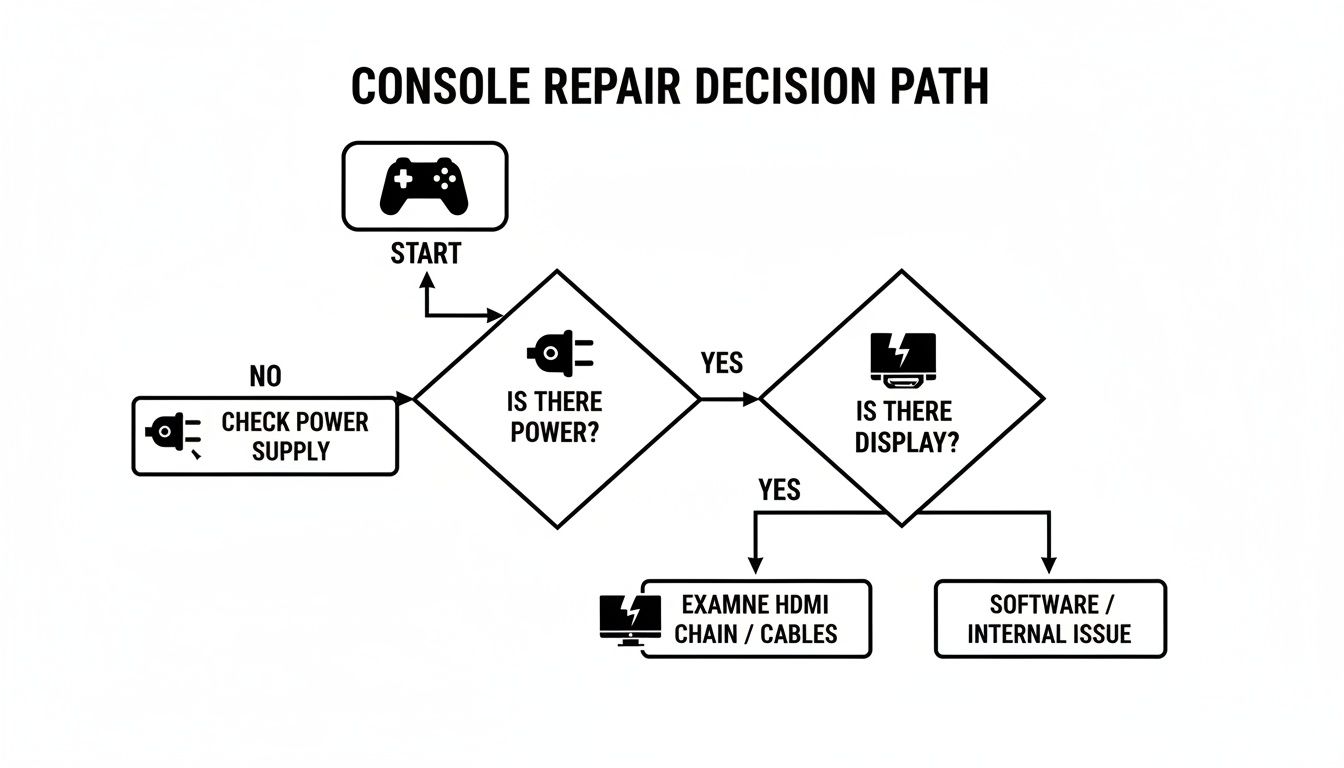
As you can see, isolating the core symptom—whether it's related to power, display, or something else—is always the most critical first step in figuring out what’s wrong with your console.
Common Console Problems You Can Fix at Home
Before you rush to Google "gaming console repair near me" and part with your hard-earned cash, hold on. A surprising number of common console faults don’t actually need a technician. Things like minor software glitches, annoying connectivity dropouts, and even some overheating warnings can often be sorted out with a few simple steps you can try right now.
Think of it as first-aid for your console. These DIY fixes are your first line of defence, empowering you to tackle the small stuff on your own. And if it turns out to be a bigger issue, you’ll have much clearer information to give the pros.
The Power Cycle: Your Console's Reset Button
The oldest trick in the IT book is also the most effective: a proper power cycle. I’m not just talking about turning it off and on again. This is a full, hard reboot that clears out all the temporary junk files and memory leaks that cause software to act up. It’s like giving your console a fresh cup of coffee and a clean slate.
Here’s how to do it properly:
- Shut Down Completely: Go to your console and press and hold the physical power button for about 10 seconds until it’s completely off. Don't just put it in rest mode.
- Unplug It: This is the crucial bit. Pull the power cord right out of the wall socket to make sure there's zero power getting to it.
- Wait a Minute: Let it sit unplugged for at least 60 seconds. This gives all the internal components, like the capacitors, time to fully discharge.
- Reconnect and Restart: Plug it all back in and fire it up. You’ll be amazed how often this simple trick fixes everything from unresponsive controllers to weird menu glitches.
Simple Maintenance Prevents Big Headaches
Your console is basically a specialised little computer, and just like a PC, it needs to breathe. Overheating is one of the biggest killers of performance, and if left unchecked, it can cause permanent damage. The number one enemy? Dust. It clogs up the air vents and suffocates the internal components.
Keeping your console’s ventilation clear is the most important preventative maintenance you can do. A machine that can't cool itself will slow to a crawl and eventually shut down to save itself from melting.
Make a habit of checking the vents for dust buildup. A can of compressed air is your best friend here – use short, sharp bursts to blow the dust out and away from the console. Whatever you do, never use a vacuum cleaner. The static electricity can easily fry the sensitive electronics inside. It’s also a good idea to make sure there’s plenty of clear space around the console for air to circulate freely.
With the Australian gaming market tipped to hit USD 4.9 billion by 2033, keeping your gear running smoothly is more important than ever. Proper maintenance means you stay in the game longer, without frustrating interruptions.
These basic steps can often save you a trip to a repair shop. But if your console is still acting up after trying these fixes, our guide on how to fix game consoles has more advanced tips to try before calling in professional help.
A Look Inside Professional Console Repair Services
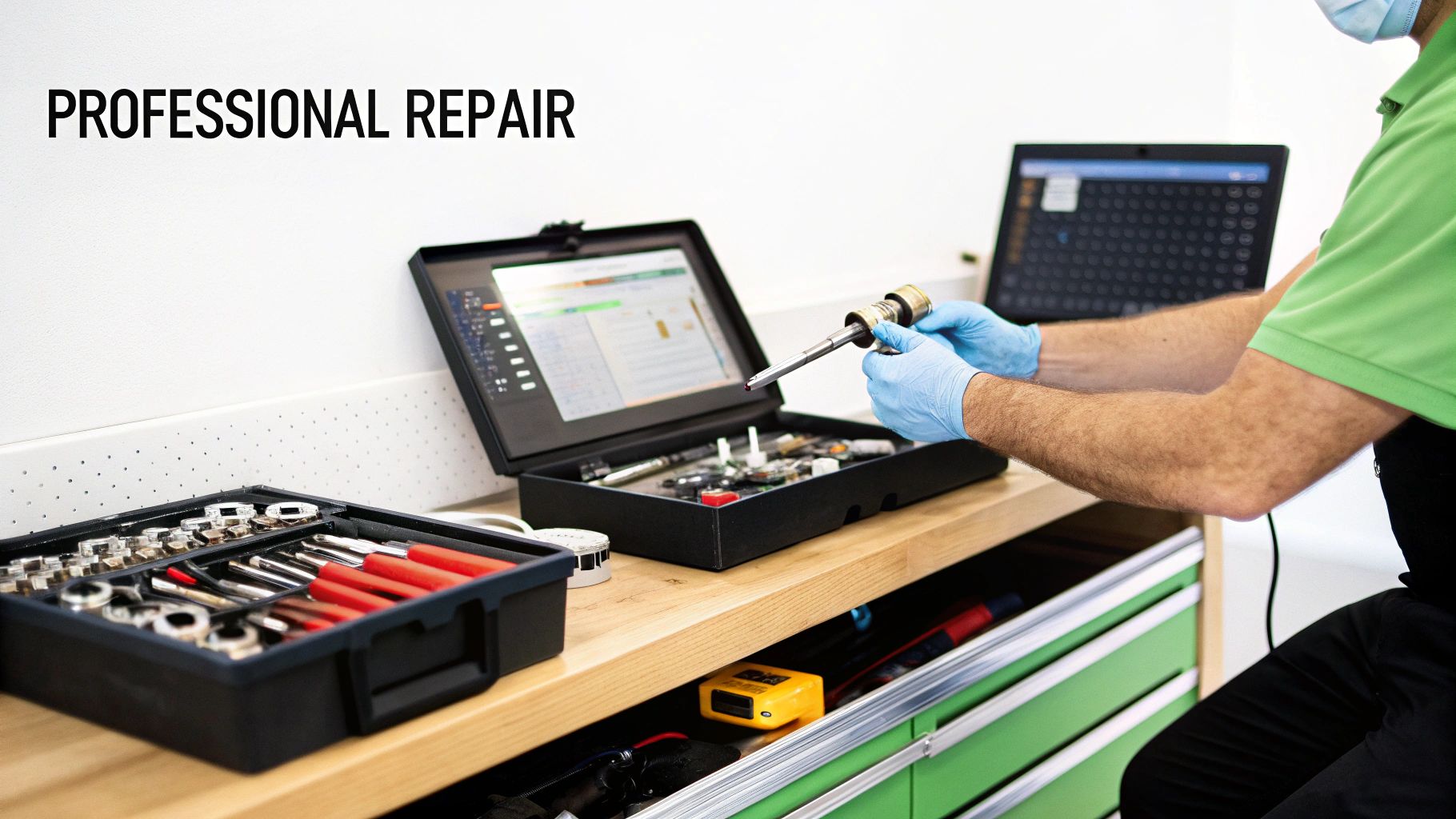
When you've tried all the troubleshooting tricks and your console is still acting up, it’s time to call in the professionals. But what actually happens behind the scenes when you hand over your pride and joy? Professional gaming console repair isn't just guesswork; it's a careful, methodical process that gets to the very heart of the problem.
It always starts with a proper diagnosis. A good technician will first listen to what you've experienced—is the console shutting down randomly? Are you seeing weird graphics on screen? Is the disc drive making a horrible grinding noise? Your story provides the first crucial clues, pointing them in the right direction.
Then, they get hands-on. Using specialised tools like multimeters, oscilloscopes, and sometimes even microscopes, they'll move from the symptoms you described to the internal reality of the machine. This is how they can test individual components and track down the exact point of failure, confirming whether you're dealing with a hardware or software issue.
Hardware vs Software Faults
Knowing the difference between hardware and software faults is crucial. Think of it like this: your console's hardware is its physical body (motherboard, power supply, disc drive), while its software is its brain (the operating system that tells the hardware what to do).
- Hardware Faults: These are physical breakages. A classic example is a busted HDMI port where you can literally see the bent pins inside. Another common one is a failing hard drive that can no longer read data properly. These problems almost always require a physical part to be replaced.
- Software Faults: These are glitches in the console’s code. The infamous "boot loop," where the console gets stuck restarting over and over, is a perfect example. It's often caused by a system update that went wrong, and the fix usually involves reinstalling the operating system from scratch.
The real skill in professional repair isn't just about swapping out a broken part. It's about accurately diagnosing why it failed in the first place. This ensures the repair actually lasts, rather than just being a temporary fix for a much bigger issue.
The Critical Role of Quality Parts
Once the fault is pinpointed, the quality of the replacement parts makes all the difference. Sure, a cheap, knock-off HDMI port might get a picture back on your screen, but it probably won't last and might not even handle the full 4K 120Hz signal your console is capable of.
This is why reputable shops insist on using high-quality parts that meet or exceed the original manufacturer's specifications. It guarantees the repair is solid and your console performs just like it did out of the box.
This dedication to quality is a cornerstone of the professional repair scene here in Australia, which has grown into a massive $3.1 billion industry. It shows just how much trust gamers put in local experts to get their systems back in action. In fact, many complex jobs, like repairing tiny broken connections on a motherboard, demand incredible precision and expertise. You can get a better sense of the skill involved in these reliable electronic board repairs in Balcatta.
Decoding Repair Costs, Turnaround Times, and Warranties
So, your console has given up the ghost. The first two thoughts that pop into anyone's head are always the same: "How much is this going to sting?" and "How long until I can get back to gaming?" Getting a handle on typical costs, repair times, and what a good warranty looks like will help you know exactly what to expect when you bring your console in.
There's no single price tag for a console repair. The final cost really depends on what machine you have—fixing a PlayStation 5 is a different beast to a Nintendo Switch—and, of course, what's actually gone wrong with it. A simple controller sync problem is going to be a lot cheaper than a delicate motherboard repair that needs microsoldering work.
The price of good quality parts also plays a big role. A new HDMI port is a fairly standard component, but a specific logic chip for an older retro console might be much harder to track down, which naturally affects the cost. Any decent repair shop will give you a clear, itemised quote before they even think about picking up a tool.
Typical Console Repair Costs and Times
To give you a clearer picture, here’s a quick rundown of what you might expect for common repairs across different consoles. Keep in mind these are just estimates—a full diagnosis will always give you the exact figures.
| Repair Type | Estimated Cost Range (AUD) | Typical Turnaround Time |
|---|---|---|
| HDMI Port Replacement | $120 – $180 | Same Day / 24 Hours |
| Disc Drive Repair/Replacement | $100 – $160 | 1 – 2 Days |
| Hard Drive Upgrade/Replacement | $150 – $250+ (incl. drive) | Same Day / 24 Hours |
| Overheating / Internal Clean | $80 – $120 | Same Day |
| Motherboard-Level Repair | $200 – $400+ | 3 – 7+ Days |
As you can see, the more complex the job, the longer it can take, especially if specific parts need to be ordered in.
What to Expect for Timelines
Just like the cost, the time it takes to get your console back varies. Our goal is always to get you back in the game as fast as humanly possible, but the timeline really comes down to the complexity of the job and whether we have the parts on hand.
Many common faults are surprisingly quick fixes.
- Same-Day Fixes: Things like HDMI port replacements, hard drive swaps, or a thorough internal clean to sort out overheating are often done the same day you drop the console off.
- 24-48 Hour Turnaround: Slightly more involved jobs, like fixing a busted disc drive or replacing a noisy power supply fan, might take a day or two.
- Longer Repairs: Anything involving complex motherboard work or waiting on a specific part to arrive from a supplier can push the timeline out to a few days.
A non-negotiable part of any professional repair is the warranty. Any reputable technician will guarantee both the parts they use and the work they do. This is your proof that the job was done properly and protects you if the same problem comes back.
The Power of a Good Warranty
Think of a repair warranty as your safety net. It’s the technician's promise that they stand by their work. If you find a cheap, unverified fix on Gumtree or Facebook Marketplace, you get absolutely no protection. When that "repair" fails a week later, you're right back where you started, only now you're also out of pocket.
A professional warranty, which should be for 90 days or more, means that if the new part is faulty or the original repair wasn't quite right, the shop will sort it out again at no extra charge. That peace of mind is one of the biggest reasons to go with a trusted local expert instead of a risky, unsupported alternative.
How to Choose the Right Console Repair Shop

It’s tempting to think any shop that fixes a cracked phone screen can handle your PlayStation, but that’s rarely the case. A gaming console repair is a whole different ball game. Picking the right technician is probably the most important decision you'll make—it's the difference between a durable, long-term fix and a quick patch-up that fails a month later.
Think of it this way: your console is a highly specialised piece of tech. It needs a specialist. A general electronics shop might figure it out, but a dedicated console repairer has likely seen your exact problem dozens, if not hundreds, of times. They know the common failure points on a PS5 motherboard or the specific cooling issues that plague an Xbox Series X. That experience is invaluable.
Look for Transparency and Trust Signals
A good repair shop has nothing to hide. You should expect clear, upfront communication from the get-go. Before any work starts, they should provide a detailed quote breaking down the costs for both parts and labour. If a shop is cagey about pricing or tries to push you into a repair without a proper diagnosis, walk away.
This is where online reviews become your best friend. Check out their recent feedback on Google. A couple of less-than-perfect reviews are normal for any business, but you want to see a clear pattern of happy customers. In fact, understanding the importance of online reputation for repair businesses is a great way to gauge who you can trust with your console.
A solid warranty isn’t just a nice-to-have; it's a must. It shows the shop stands behind its work and the quality of the parts they've used. A 90-day warranty is a good industry standard, giving you peace of mind that the repair is built to last.
Prioritise Data Security and Specialised Skills
Let's be honest, your saved games and personal data are priceless. You need to know they're safe. Always ask about their data security and preservation policies. A professional outfit will make protecting your data a priority and can explain what steps they take to keep your hard drive's contents intact during the repair.
The gaming scene here in Australia is massive. With the local Game Consoles market projected to reach US$635.70 million, the demand for skilled, reliable repairers is higher than ever. Choosing a true specialist ensures your console is in the right hands, getting you back in the game with confidence.
Your Gaming Console Repair Questions Answered
It makes sense to have a few questions before you hand your console over. It's a valuable piece of kit, and you want to make sure you're making the right call. We get it. Here are some straight answers to the most common questions we hear from gamers, so you can feel confident you're making the best decision.
Is It Worth Repairing an Old Gaming Console?
This is a big one, especially when you're talking about a trusty PlayStation 4 or Xbox One. The short answer? Almost always, yes. A professional gaming console repair is nearly always going to be cheaper than buying a new or even a refurbished console.
Let's break it down. A lot of the most common problems, like a busted HDMI port or a failing hard drive, are routine jobs for us. The cost to fix them is just a fraction of what a whole new system would set you back. Not only do you save a few hundred dollars, but you're also keeping your console running for years longer—a much better option for the environment than adding to e-waste.
And then there's the personal side of it. Your console is home to your gaming history. All your save files, your digital game library, your account—it's all on there. Fixing the machine you already own is the easiest way to keep all of that exactly where it is. For most gamers, that kind of continuity is priceless.
Will I Lose My Saved Games During a Repair?
The thought of losing years of progress is enough to give any gamer a cold sweat, and it's a concern we take very seriously. The good news is, for the vast majority of repairs, your data is completely safe and won't be touched.
If we're fixing something external to the main storage—like an HDMI port, a disc drive, or just doing a deep clean of the cooling system—we have no reason to access your hard drive. Your saved games, downloaded titles, and profiles will be right where you left them.
The only time your data is at risk is if the hard drive itself is the problem. If you're seeing storage errors or the operating system is corrupted, a new hard drive might be the only fix. In those specific cases, we always talk to you first about data recovery. We have specialised tools that can often clone your old drive or pull the data off, and we'll do everything we can to save your progress before we proceed.
Your saved game data is the most valuable part of your console. A reputable repair shop will always prioritise data preservation and will only access your hard drive when it is absolutely necessary for the repair, with your full consent.
How Can I Prevent My Console From Breaking Again?
Once your console is back in top shape, a few simple habits can go a long way in preventing future issues. A little bit of preventative care can dramatically reduce the risk of hardware failure and keep you from having to visit us again.
Here are the best things you can do to give your console a long and healthy life:
- Give It Room to Breathe: This is the golden rule. Your console needs space—at least 10-15 centimetres of clearance on all sides. Never, ever stick it in a closed cabinet or block the air vents. Overheating is the number one enemy of gaming hardware.
- Use a Surge Protector: Power surges from storms or even just dodgy wiring in the house can kill your console's delicate internals in an instant. Plugging it into a decent surge protector is a cheap and easy way to defend against electrical damage.
- Keep It Clean: Dust is a killer. Every few months, grab a can of compressed air and give the vents a gentle blast to clear them out. It’s a simple job that keeps air flowing and helps the cooling system do its job properly.
- Handle Discs with Care: Always hold your game discs by the edges. Fingerprints and scratches on the disc surface make the drive's laser work harder, which can cause it to wear out much faster.
What If My Console Is Still Under Warranty?
If your console is still pretty new, it's definitely worth checking if it's covered by the manufacturer's warranty. It can be a good option for certain problems, but you need to know what you're getting into.
First off, manufacturer warranties are for factory defects, not accidents. If you dropped your console, spilled a drink on it, or yanked the HDMI cable out and damaged the port, the warranty won't cover it.
The other thing to consider is time. The official warranty process usually means shipping your console off to a central service centre, and it can be weeks before you see it again. For most of us, going that long without our console just isn't an option. A local repair shop is a much faster alternative for out-of-warranty problems and accidental damage, with most fixes turned around in just a day or two.
Navigating the world of console repairs can seem difficult, but you don't have to do it alone. For expert advice and fast, reliable gaming console repair in Perth's northern suburbs, trust the team at CTF Mobile Phones & Computer Repairs. Get your free quote and get back in the game by visiting us at https://www.ctf.com.au.