
It’s that gut-wrenching moment. A loud crack, a sickening thud, and your once-perfect MacBook Air screen is now a chaotic web of shattered glass. It’s more than just an eyesore; it’s a full stop to your work, studies, and daily routine. But here's the good news: a broken screen is rarely a death sentence for your laptop. A professional mac air screen replacement is a surprisingly common and straightforward fix.
When Your MacBook Air Screen Gives Up
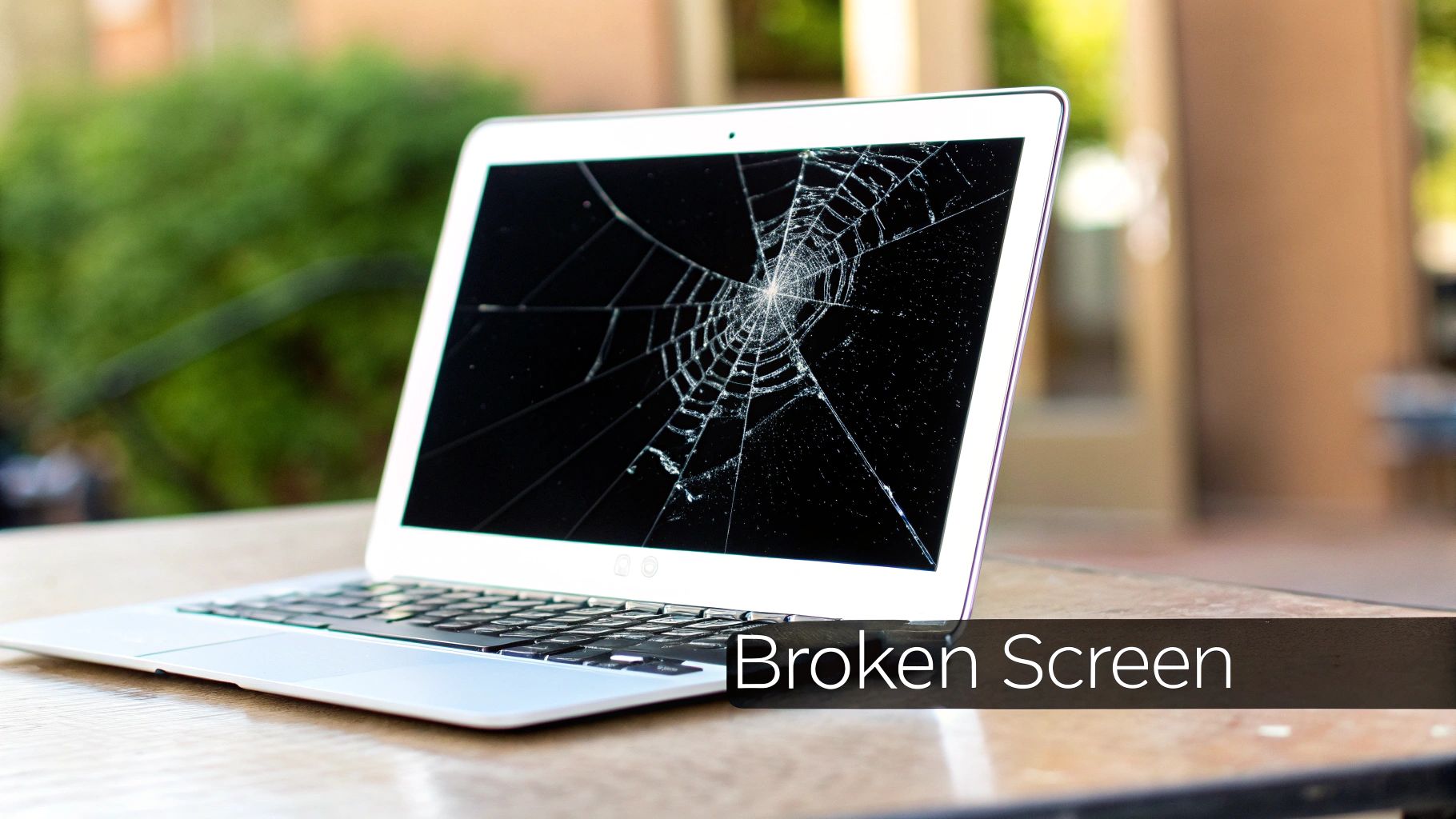
If you're staring at a broken screen, you’re in good company. That ultra-slim, lightweight design we all love makes the MacBook Air's display incredibly fragile. Whether it took a tumble off the kitchen counter or you accidentally closed the lid on your earbuds, screen damage is one of the most frequent repairs we see.
Here in Perth's northern suburbs, from Balga to Karrinyup, our workshops see a constant flow of MacBook Airs needing new screens. It’s a local reflection of a much bigger picture. A recent survey found that one in 10 Australians (10%) have broken a device beyond repair in the last five years. While that study was about phones, our own data shows that smashed laptop screens account for a massive 60-70% of our repairs each month. The problem is very real for MacBook owners.
Telltale Signs of Screen Failure
A dying screen doesn't always start with a dramatic shatter. The signs can be subtle at first, but they all point to the same problem. Keep an eye out for these telltale symptoms:
- Visible Cracks: This is the most obvious sign, from a tiny hairline fracture to a completely pulverised display.
- Flickering or Distorted Visuals: If your screen is flashing, showing bizarre colours, or warping images, the internal panel is damaged.
- Vertical or Horizontal Lines: Streaks of colour or black bars running across the screen are a dead giveaway of a faulty LCD.
- Black Screen or Dead Pixels: Your MacBook chimes to life, but the screen stays dark. Or maybe you have small black splotches that won't go away.
If any of this sounds familiar, you're at a crossroads: do you risk a DIY repair, or do you hand it over to a professional? The right choice comes down to your budget, how quickly you need it back, and how comfortable you are with delicate electronics.
To avoid this headache in the future, it’s worth grabbing some decent protection. Something as simple as quality Macbook Air 13-inch sleeves can make a huge difference against bumps and drops.
Choosing Your Repair Path: DIY vs. Professional Service
When your MacBook Air screen goes dark, you’re faced with a big decision. Do you roll up your sleeves and try a do-it-yourself repair, or hand it over to a professional? This isn't just about saving a bit of cash; it's a trade-off between cost, risk, time, and your own technical skill.
The DIY path can look mighty appealing at first. With countless YouTube tutorials just a click away, it might seem like a simple weekend project that could save you a bundle on labour. But this path is paved with potential pitfalls that can quickly turn a straightforward fix into a very expensive mistake.
The Hidden Dangers of DIY Repairs
Let's be clear: modern MacBooks are engineering marvels, and a MacBook Air screen replacement is not a simple plug-and-play operation. You'll need specialised tools like pentalobe screwdrivers and suction cups, a perfectly clean workspace, and nerves of steel.
One slip of a tool can scratch the logic board. A tiny ribbon cable, torn by accident, can kill your camera or Wi-Fi. A single mistake can cause irreversible damage, costing you far more to fix than the original screen replacement would have.
Why DIY Is Getting Harder
On top of the physical risks, Apple has added software roadblocks. Since the M1 chip arrived, they’ve introduced "parts pairing," where components like the screen are cryptographically locked to the logic board.
If you install a third-party screen without the right know-how and proprietary software tools, you could end up with a dead display, a completely locked-out MacBook, or lose essential features like True Tone. It’s a gamble, and the odds aren't in your favour.
This is where a professional's experience becomes invaluable. At CTF, our technicians have a 95% success rate with these intricate repairs, so you’re not just paying for a service—you’re buying peace of mind. A pro repair can also save you 30-50% of the cost of a new MacBook Air, giving your device a new lease on life.
DIY Vs Professional MacBook Air Screen Replacement
To help you weigh it all up, here’s a side-by-side look at your options. While DIY might seem cheaper upfront, the true cost can be much higher when you factor in the risks.
| Factor | DIY Repair | Professional Repair (e.g., CTF) | Apple Official Repair |
|---|---|---|---|
| Cost | Lowest initial outlay (parts only) | Moderate, but includes labour and warranty | Highest cost |
| Risk | Very High. Risk of further damage, data loss, bricking the device. | Very Low. Experienced techs, insured work. | None. Covered by Apple. |
| Time | Can take hours or days, plus time for parts to arrive. | Often same-day or next-day service. | Can take 5-7 business days or longer. |
| Warranty | None on your labour. Parts may have a limited warranty. | Yes. CTF offers a comprehensive warranty on parts and labour. | Yes. Typically 90 days. |
| Parts Quality | Varies wildly. Hard to verify quality of online parts. | High-quality, tested parts. Often OEM-grade. | Genuine Apple parts. |
| Success Guarantee | None. If it goes wrong, you bear the full cost. | Guaranteed. If the repair fails, it's on the technician. | Guaranteed. |
The repair process for other delicate Apple devices, like an iPad Pro, carries similar risks, highlighting the benefit of expertise you can explore in our guide on how to replace an iPad Pro screen.
The Bottom Line: Think of a professional repair as an insurance policy. You're not just buying a new screen; you're investing in expertise, quality parts, a solid warranty, and the certainty that your MacBook Air will come back to you working perfectly.
What a Professional Repair Process Actually Looks Like
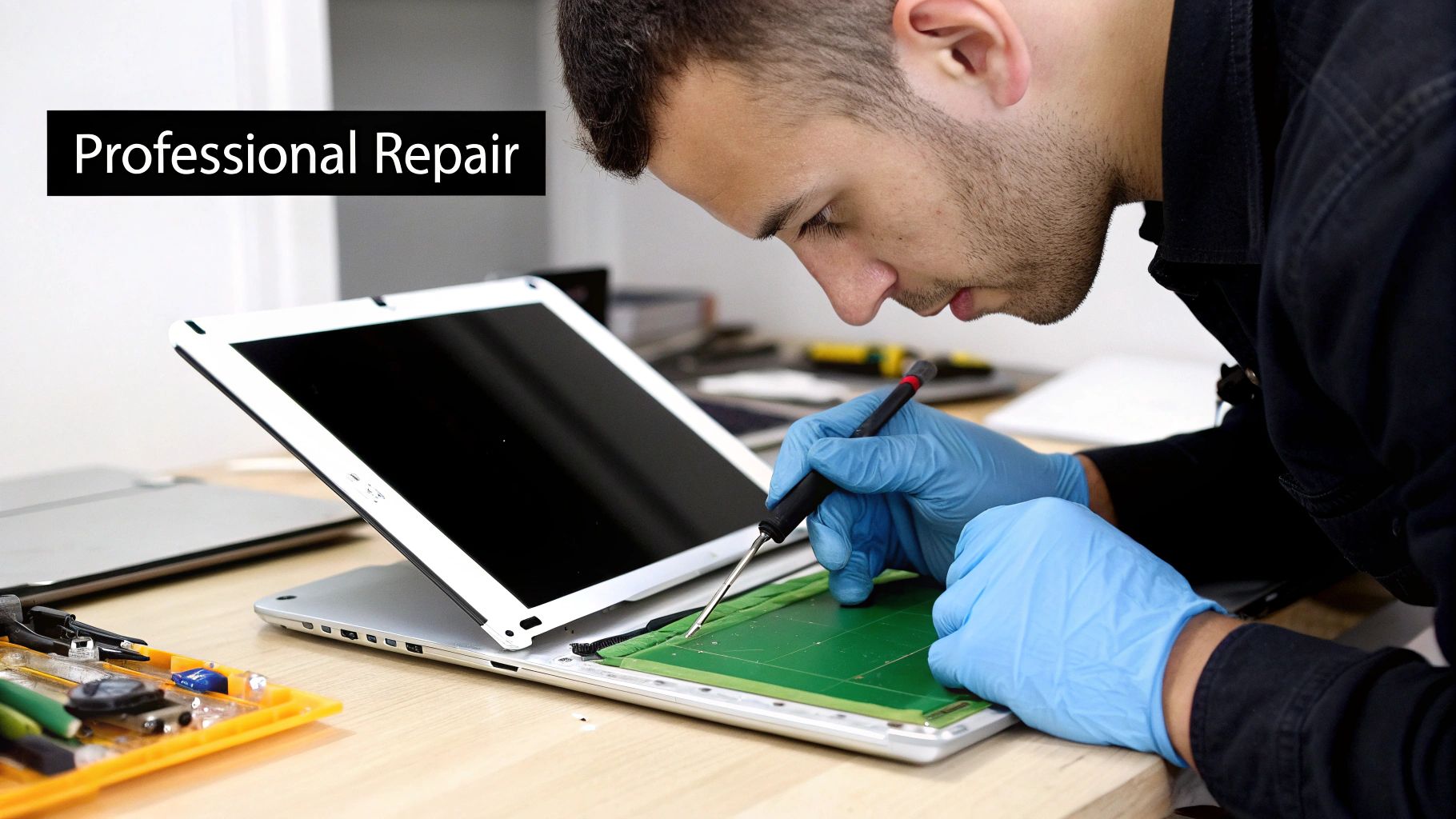
Handing over your MacBook can be a bit daunting. We get it. You're trusting a stranger with a device that's central to your work and personal life. So, let’s pull back the curtain on what a top-tier, professional mac air screen replacement really involves, from start to finish.
The first step is always a proper diagnostic. A good technician won't just look at the cracked glass and call it a day. They’ll run a full assessment of your MacBook Air to check for any other issues that might have been caused by whatever damaged the screen in the first place. Think of it as a quick health check-up for your laptop.
Once they know the full story, you’ll get a clear, detailed quote. Any reputable repair shop will give you this upfront, with no hidden costs or surprises down the track. It’s all about making sure you know exactly what you’re paying for before any work begins, so you can make a confident decision.
The Art of the Repair
With your go-ahead, the real magic happens. This is where a technician's skill and experience come into play. It’s a bit like micro-surgery. The first thing they'll do is carefully open up the device and disconnect the battery. This is a critical safety step to prevent any electrical shorts—something that’s easily missed in a rushed DIY job.
Next, they'll meticulously disconnect the tiny, delicate ribbon cables that link the display to the logic board. Every screw is kept in order, and every component is handled with anti-static tools to protect the sensitive electronics inside.
A professional repair is a methodical, precise process. It’s not just about swapping a part; it's about respecting the intricate engineering of the device and ensuring every single component is reassembled to factory standards.
After the damaged screen assembly is removed, the technician will install a high-quality replacement. These parts aren’t just any old screens; they’re tested to meet or even exceed the original specs for brightness, colour accuracy, and performance. The new display is then carefully secured, and all those tiny internal connections are re-established with absolute precision.
Final Checks and Quality Assurance
The job isn't done just because the new screen is in. The final step is arguably the most important: post-repair testing. The technician will power up your MacBook Air and run it through a whole battery of tests to make sure everything is working perfectly.
This quality assurance checklist covers all the bases:
- Display Functionality: Checking for dead pixels, backlight bleed, and consistent brightness across the whole screen.
- Camera and Sensors: Making sure the FaceTime camera, ambient light sensor, and True Tone feature (on newer models) are all working as they should.
- Wi-Fi and Bluetooth: Verifying the antennas—which are cleverly housed in the display assembly—are providing a strong, stable signal.
- Hinge Tension: Confirming the lid opens and closes smoothly with just the right amount of resistance, like it did straight out of the box.
Only when your MacBook Air has passed every single one of these checks with flying colours is the repair considered complete. This thorough approach is what gives you peace of mind, knowing your device is back in perfect working order.
Understanding Repair Costs And Timelines In Perth
When your MacBook screen cracks, two questions instantly pop into your head: "How much is this going to set me back?" and "How long will I be without my laptop?" In Perth, the answers really come down to where you take it for the Mac Air screen replacement. The path you choose—whether it's an official Apple Store or a trusted independent repairer—makes a huge difference to your wallet and your schedule.
Going through an authorised Apple channel usually means paying a premium. You’re guaranteed a genuine part, but the cost can be eye-watering, sometimes creeping close to what a new laptop would cost. On the flip side, professional independent shops in Perth offer a much more budget-friendly option without cutting corners on quality.
Breaking Down The Costs
The final bill for a screen replacement isn't a simple, flat fee. A few things influence the price, but the biggest factor is your specific MacBook Air model. A screen for an older MacBook with a standard Retina display will naturally cost less than one for a newer M1 or M2 model with its more advanced Liquid Retina display.
For those who might have insurance coverage, it's worth getting your head around the general insurance claims process to see if you can claim back the cost.
Thankfully, repair costs for MacBook Air screens in Perth have become quite reasonable, making independent services a really smart move. You can typically expect to pay somewhere between $400 to $650 for most models. That's a solid 20-30% saving compared to what you'd pay through official channels, where the prices can soar. Choosing a professional third-party repair not only saves you cash but can easily add another two to three years to your device's life.
If you want to get into the nitty-gritty of what affects these prices, take a look at our complete guide to laptop screen repair costs in Australia.
Turnaround Time: The Decisive Factor
For most of us, time is just as important as money. If you're a student with a deadline fast approaching or a professional who relies on your MacBook to get work done, you can't afford to be without it for a week. This is where local Perth repair shops really come into their own.
The biggest advantage a local expert offers is speed. While official service centres often quote a turnaround time of five to seven business days or even longer, a skilled independent technician can frequently complete a MacBook Air screen replacement on the very same day.
That kind of speed is a total game-changer. It means you can drop your laptop off in the morning and have it back in your hands, good as new, by the afternoon. This keeps the disruption to your work or studies to an absolute minimum, turning what could be a week-long headache into a small, manageable hiccup. It’s this blend of affordability and speed that makes local Perth specialists the go-to for so many MacBook Air owners.
Protecting Your Data and Ensuring a Quality Repair
A great MacBook Air screen replacement goes beyond just swapping out the broken glass. It’s also about making sure your personal data is safe and that the new screen is going to last. Honestly, these two things are just as important as the physical repair itself, giving you total peace of mind.
Before you hand your MacBook over to anyone, the single most important thing you can do is back everything up. Think of it as your digital safety net. While a good technician will always minimise the risk, it’s just smart practice to protect your files.
For anyone on a Mac, Time Machine is your best friend. It's the built-in tool that creates a full copy of your computer—photos, documents, apps, the lot—onto an external drive. If you're not sure how to get started, our guide on how to back up your computer files walks you through it.
Your Privacy Is a Priority
With your data safely tucked away, you can relax, knowing a reputable repair shop puts your privacy first. Technicians are professionals; they handle devices filled with sensitive information every day and their focus is purely on the hardware. They have absolutely no reason to go looking through your personal files.
Any trusted local service will have strict internal policies to make sure your data stays completely confidential from start to finish. It’s a core part of providing a professional, trustworthy service.
Not All Screens Are Created Equal
The quality of the replacement screen makes a huge difference to how happy you'll be with the repair long-term. There are a lot of subpar parts out there, and knowing what to look for is key to not being disappointed later on.
A quality repair should feel like it never happened. The goal is to get your MacBook Air back to its original factory condition, using a screen that perfectly matches the original's brightness, colour accuracy, and responsiveness.
Cheaper, lower-grade screens might seem like a bargain at first, but they often cut corners where it counts:
- Poor Colour Accuracy: Colours can look dull, washed out, or have a weird tint. This is a deal-breaker if you do any creative work.
- Reduced Brightness: The screen might not be bright enough to use comfortably outdoors or in a well-lit room.
- Durability Issues: Cheaper materials often mean the screen is more prone to cracking or failing again down the track.
A professional technician will only use high-quality parts that are rigorously tested to meet or even exceed the original factory standards. This focus on quality, backed by a solid warranty, ensures your new screen will look and perform brilliantly for years to come.
Why Perth Chooses a Trusted Local Repair Expert
When your MacBook Air screen is on the fritz, you’re faced with a choice. While the thought of a DIY fix or posting it off for repair might cross your mind, most people in Perth quickly realise that a trusted local expert is the only way to go. This isn't just about keeping things simple; it's about getting a fast, reliable, and affordable mac air screen replacement without the usual drama.
A local specialist brings a level of hands-on experience that you just can't beat. They've seen it all, from the super-delicate Retina displays to the intricate wiring of the newer M1 and M2 models. This kind of focused knowledge means they can pinpoint the problem straight away and get the job done right, avoiding the kind of costly blunders that can happen in less experienced hands.
The Power of Same-Day Service
Let's be honest, for students and professionals, being without your laptop for days is a complete non-starter. This is where a local Perth repair service really proves its worth. Instead of the long wait for your device to be shipped, fixed, and sent back, you can often get your screen replaced on the very same day.
Choosing a local expert means turning what could be a week-long disaster into a minor hiccup. You can drop off your MacBook in the morning and have it back, good as new, by the afternoon.
This incredible speed doesn't come with a crazy price tag, either. Local services often provide a much more budget-friendly option than official channels, with clear, upfront quotes. You'll know exactly what the repair will cost before they even pick up a tool—no nasty surprises or hidden fees.
Ultimately, going with a local professional is about more than just a new screen. It’s the peace of mind you get from a solid warranty, the confidence that comes with expert workmanship, and the convenience of having a reliable technician right in your neighbourhood. It’s simply the safest, fastest, and most practical way to get your MacBook Air back to its best.
Got Questions About Your Mac Screen Repair? We've Got Answers
If you're staring at a cracked MacBook Air screen, you probably have a lot of questions running through your mind. We get it. Over the years, we've heard them all. Here are straightforward answers to the most common concerns we hear from our customers.
Will a Third-Party Repair Void My Apple Warranty?
This is a big one. For a MacBook Air that's still under Apple's original warranty, getting a Mac Air screen replacement from an independent shop could void the warranty on that specific part.
But here’s the reality: most screen accidents happen well after the standard one-year warranty has expired anyway. For most people, this isn't even a factor. It's also worth remembering that Australian Consumer Law often provides protections that exist outside of a manufacturer's warranty.
Can't You Just Replace the Glass?
It's a logical question, but unfortunately, the answer is no. If you’re seeing spiderweb cracks, weird lines running down the display, black splotches, or just a completely dead screen, you'll need the whole assembly replaced.
In modern MacBook Airs, Apple fuses the glass, the LCD panel, and the backlight into one single, sealed unit. This integrated design means it's physically impossible to separate and replace just one part of it.
Think of it like a sealed car headlight. You can't just pop it open to replace the bulb inside anymore; you have to replace the entire headlight unit. The same principle applies to your MacBook Air's display.
Do You Use Genuine Apple Parts?
Apple doesn’t make its new, genuine screen parts available for sale to independent repair shops like ours. It's a closed system.
So, what we do is source the absolute best OEM-equivalent displays on the market. These are parts made to the exact same specifications as the originals, ensuring a perfect match in performance, colour vibrancy, and longevity. We’re so confident in their quality that we back every single screen replacement with our own comprehensive warranty. Your repair is built to last.
Ready to get your MacBook Air screen fixed by Perth's trusted experts? Contact CTF Mobile Phones & Computer Repairs for a fast, reliable, and affordable repair. Get your free quote today!