

Your Switch was fine yesterday. Today it won’t charge, the left Joy-Con keeps walking your character off a cliff, or the screen lights up and then drops straight into a boot loop. That’s usually the moment people search nintendo switch repairs near me. They’re not browsing. They want the thing working again without losing save data, waiting weeks, or gambling on a repair that makes it worse.
That frustration is fair. A Switch isn’t just a gadget. It holds downloaded games, save progress, screenshots, and in plenty of homes around Perth, it’s the console everyone shares. When it fails, it cuts right through a routine. One person loses their Zelda run, another loses the family Mario Kart machine.
Perth gamers also deal with some local realities that generic repair advice ignores. Heat stresses batteries. Dust gets into moving parts. A shop that’s convenient from Balga, Mirrabooka, Kingsley or Greenwood matters more than a broad national promise. If you’ve ever wondered why some businesses show up first when people make urgent searches, this breakdown of how local service businesses prepare for urgent searches gives useful context on why local intent matters.
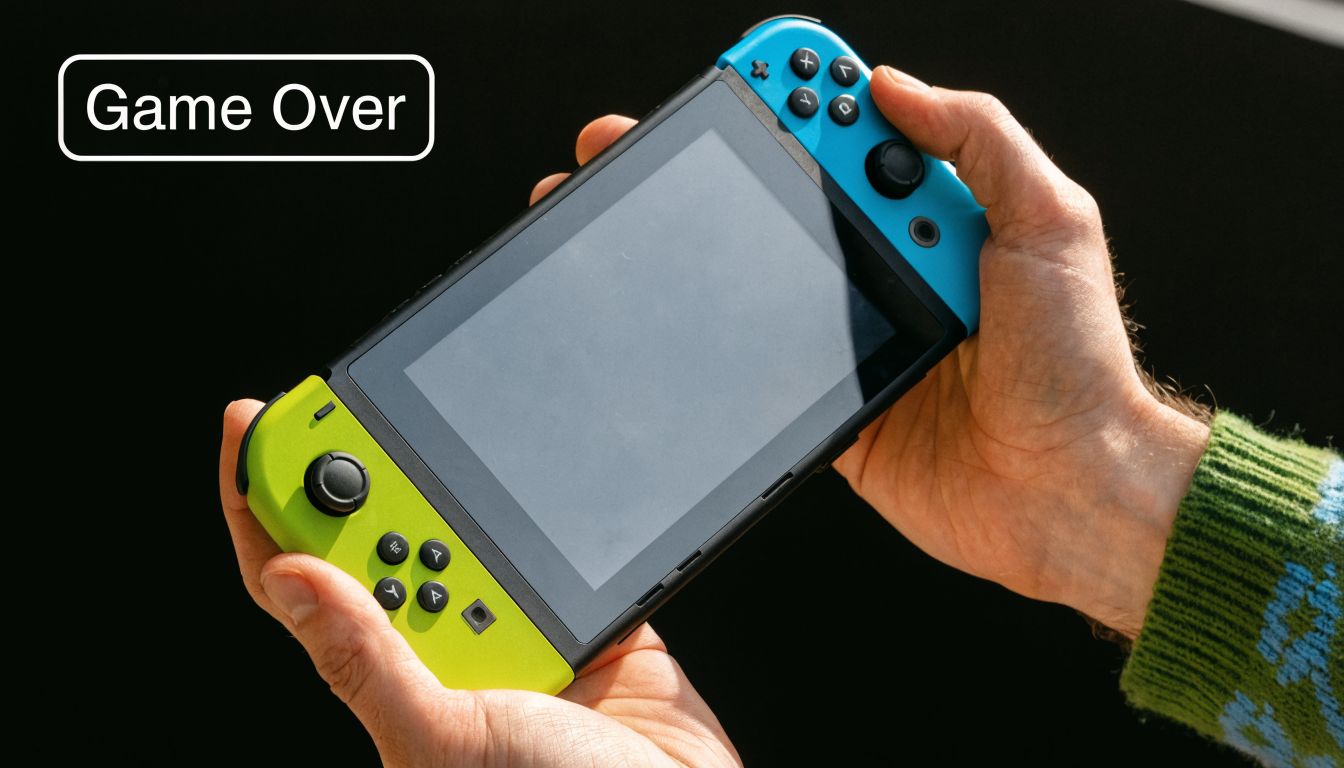
Your Nintendo Switch Is Broken Now What
The first job is simple. Don’t keep forcing it.
If the console only charges at an angle, don’t keep jamming the USB-C cable in. If a Joy-Con is drifting, don’t assume another calibration pass will solve worn hardware. If the unit got wet, don’t put it on charge and hope for the best. Those are the moments that turn a manageable repair into a board-level problem.
Start with a calm check
Before you decide whether to repair, replace, or book it in, do these basics:
- Remove accessories: Take it out of the dock, remove game cards, disconnect aftermarket chargers, and detach the Joy-Cons.
- Try known-good power: Use an official or known-good charger and cable. A bad cable can mimic a bad port.
- Check for obvious impact: Look for frame separation, a lifted screen edge, cracks, or bent rails.
- Listen and feel: Does it get warm but not boot? Does it click into the dock properly? Does the fan sound rough?
Practical rule: If a fault appears suddenly after a drop, spill, or charging issue, treat it like hardware until proven otherwise.
Know what usually happens next
Most Switch faults fall into a few buckets. Controller drift. Battery wear. Charging port damage. Screen damage. Software corruption. Water exposure. The good news is that these are familiar problems in repair shops, and they each leave their own clues.
A good local technician should be able to narrow the issue down quickly, explain what failed in plain English, and tell you whether the fix is straightforward, delicate, or not worth doing. That’s the standard you should expect before anyone touches the screws.
Diagnosing Common Nintendo Switch Faults at Home
A lot of stress disappears once you can name the fault. You don’t need lab gear to do the first round of diagnosis. You just need to know what each symptom usually points to.

Joy-Con drift
This is the big one. In Perth metro, Nintendo Switch Joy-Con drift manifests in approximately 40% of units after 18-24 months of regular use, based on regional repair data cited in this Nintendo Switch repair reference.
What it feels like is familiar. You let go of the stick and your character keeps moving. Menu selections slide on their own. Fine aiming becomes annoying, then unplayable.
The cause is usually wear in the analog stick assembly, plus contamination from dust, skin oils, and constant micro-movements. Calibration can confirm the symptom, but it won’t reverse worn internal parts.
Test it properly
Use the built-in controller calibration menu and watch the movement trace.
- If the cursor won’t centre: that points to drift.
- If movement jumps or sticks: the stick mechanism is likely worn or dirty.
- If one Joy-Con disconnects as well: you may have a separate rail or connection issue.
If your dock is also acting strangely, this guide on a Nintendo Switch dock not working issue can help you separate dock symptoms from console faults.
Battery trouble in Perth heat
Battery faults don’t always look dramatic. Sometimes the console still powers on, but the charge drops too fast, shuts off early, or behaves unpredictably near low battery.
Perth’s hot summers matter here. Heat is hard on lithium-polymer cells, and that often shows up as reduced runtime, swelling, or unstable charging behaviour. A healthy battery should feel boring. It charges normally, discharges steadily, and doesn’t make the back cover lift.
Watch for these signs:
- Dies suddenly: especially when the battery indicator still shows charge.
- Only works on charger: common when the battery is heavily degraded.
- Gets hot while charging: could be battery strain, port trouble, or both.
- Back cover separating: stop using it and get it checked.
If the shell starts lifting, treat it as urgent. A swollen battery is no longer a routine “I’ll deal with it later” problem.
Charging port faults
Charging ports fail in a very predictable way. The cable feels loose, charging cuts in and out, or the unit only powers when the plug sits at one awkward angle.
That usually means wear, bent internal contacts, debris packed into the port, or damage caused by repeated strain while docked or charged by hand. Don’t do the “wiggle test” over and over. If movement changes charging behaviour, the port already needs attention.
Screen and software faults
A cracked glass panel is obvious. A damaged LCD is less so. You might see lines, black patches, odd touch response, or a backlight with no proper image. If the touchscreen misses taps or registers the wrong area, there may be damage beneath the surface glass.
Software faults look different. Boot loops, update failures, freezing on the logo, and random restart behaviour can come from corrupted system data or from hardware that makes software look guilty. That’s why experienced diagnosis matters.
A useful visual walkthrough sits below if you want to compare symptoms before booking a repair.
DIY vs Professional Repair The Real Trade-Offs
DIY Switch repair is tempting for one reason. The internet makes it look easy.
A replacement joystick, a budget tool kit, a video guide, and suddenly it seems like an evening job. Sometimes that works. Sometimes the screw strips, a ribbon cable tears, the housing clips crack, or the original fault turns out not to be the fault at all.
In Australia, Nintendo Switch hardware failure rates stand at 12.5% within the first two years, and 67% of Perth gamers prefer local fixes over shipping to Nintendo AU, saving an average of $150 per repair while getting much faster service, according to this game system repair reference. That preference makes sense once you’ve seen the trade-offs.
DIY vs Professional Nintendo Switch Repair
| Factor | DIY Repair | Professional Repair (e.g., CTF) |
|---|---|---|
| Upfront cost | Can look cheaper if you only price the part | Usually higher than a single part, but includes labour and testing |
| Hidden costs | Tools, extra parts, shipping delays, and mistakes add up fast | Quote is usually clearer before work starts |
| Time | Research, ordering, disassembly, reassembly, retesting | Usually much faster for common faults |
| Risk | Easy to damage ribbon cables, connectors, screws, or shell clips | Lower risk when handled by a technician with the right tools |
| Part quality | Varies heavily between sellers | Shops should tell you what grade of part they use |
| Warranty | Usually none beyond the seller’s part policy | Repair warranty gives you a comeback path |
| Diagnosis accuracy | You may replace the wrong part | A proper bench diagnosis narrows the root cause first |
| Data safety | Easy to create extra problems during battery or board work | Better odds of preserving saves and settings |
When DIY is reasonable
There are cases where a careful owner can take a shot.
- Basic cleaning: Dust in rails, grime around buttons, or a blocked vent can sometimes be cleaned safely.
- Simple external checks: Testing another charger, another dock, or another Joy-Con is sensible.
- Low-stakes accessory replacement: Detachable, non-board-level parts are less risky than battery or port work.
That’s about where I’d draw the line for many.
Where DIY usually goes wrong
Internal Switch work is small, layered, and easy to misread. Battery swaps sound simple until adhesive, delicate connectors, and power safety enter the picture. Charging port repair is not a beginner task. Joy-Con internals are tiny enough that one rushed step can create a second fault.
A modern console is closer to a tightly packed laptop than an old cartridge system. You can change your own oil on an older car. That doesn’t mean you should rebuild a transmission on the driveway.
If drift is your main issue, it helps to see what a dedicated Nintendo Switch Joy-Con repair service involves before buying the cheapest kit online.
The cheapest repair is the one you only have to do once.
How to Choose the Right Perth Repair Shop
A local shop can be a quick solution or an expensive detour. The difference usually shows up in the questions they answer well, and the ones they dodge.
Many customers don’t know what rights or protections apply once a repair is involved. Australian Consumer Law mandates a minimum 1-year warranty on new goods, but for repairs many consumers are unclear on the details. At the same time, 62% of Switch owners seek third-party fixes due to OEM delays averaging 4-6 weeks, based on this electronics servicing reference. That’s why it’s worth checking the repairer as carefully as the device.
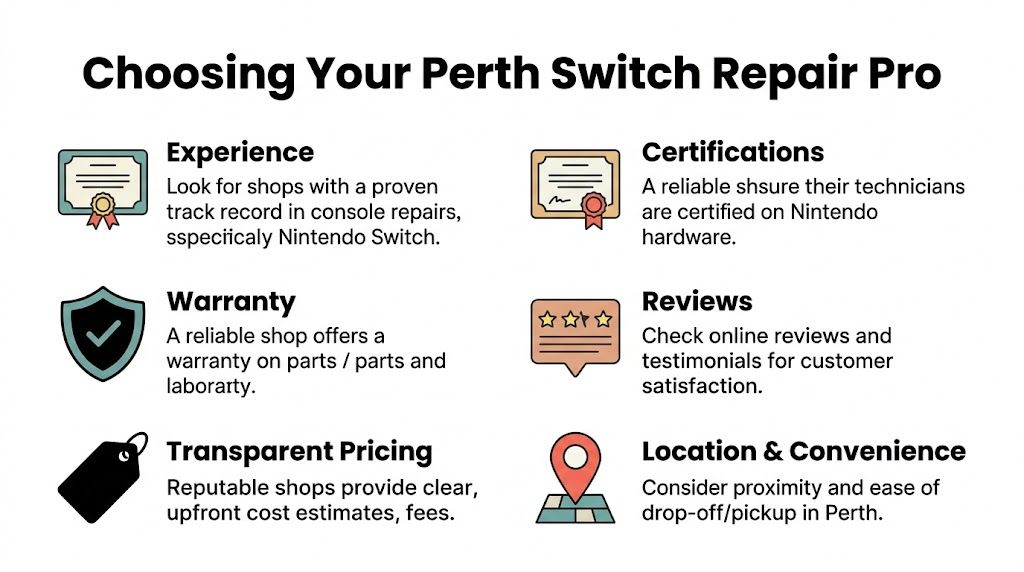
The questions worth asking
Don’t ask only “How much?” Ask these instead.
- What warranty do you give on the repair? You want the terms clear before work starts.
- What parts are you using? “Compatible” can mean a lot of things. Ask whether the part is genuine, equivalent grade, or aftermarket.
- What’s the expected turnaround? A shop should be able to tell you whether your fault is usually same-day, next-day, or longer.
- Will you quote before repair? You should never be surprised after diagnosis.
- How do you handle save data? If they answer vaguely, that’s a warning sign.
What a good answer sounds like
A solid technician explains the likely fault plainly. They don’t hide behind jargon. They tell you what they’ll test, what could change the quote, and what risks exist if the problem is deeper than first expected.
They should also have a real business address, visible contact methods, and a local footprint that matches the area they serve. If you’ve ever looked into how repair businesses improve their visibility in local searches, these local SEO strategies help explain why established local signals matter.
Quick checklist before you hand it over
- Physical location: A real Perth workshop matters more than a vague service page.
- Console-specific experience: Phones and laptops don’t automatically equal Switch skill.
- Transparent process: Diagnosis first, approval second, repair third.
- Written warranty: Not verbal. Written.
- Communication: You should know who to call if the issue returns.
If your main fault is poor battery life, it’s reasonable to compare how different shops describe a Nintendo Switch battery replacement service, especially around parts, testing, and turnaround.
Why CTF is Your Go-To for Switch Repairs in Perth
Perth customers usually want three things from a console repair. A shop nearby, a realistic turnaround, and a technician who won’t treat a game console like a random generic device.
That’s why local bench experience matters more than broad marketing. In the northern suburbs, people often don’t want to ship a Switch away and wait without updates. They want a direct answer, a proper diagnosis, and a repair path that fits school, work, and family schedules.
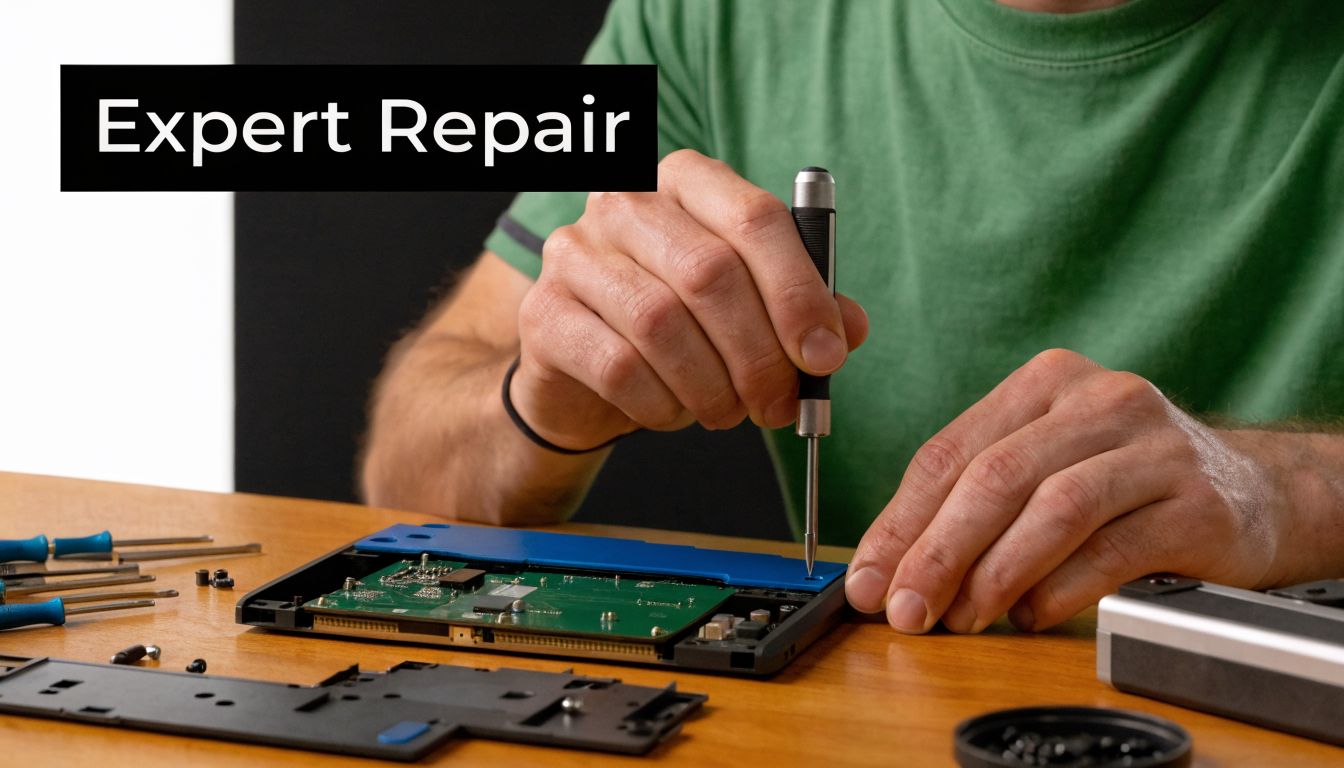
What local service gets right
A nearby repairer can inspect the console in person, test the charger and dock, check for port looseness, and look for impact or liquid signs on the spot. That’s hard to beat when your problem isn’t neatly labelled.
CTF Mobile Phones & Computer Repairs operates from Balga and handles common Switch faults such as Joy-Con issues, battery failures, charging problems, software errors, and water-damaged devices for customers across northern Perth suburbs including Mirrabooka, Westminster, Balcatta, Girrawheen, Greenwood, Kingsley, and Marangaroo. That kind of local coverage matters when your search is “near me”, not “anywhere in Australia”.
The practical advantage of not shipping it away
Mail-in service has a place. In fact, post-2024 saw a rise in remote service adoption, and a local provider could differentiate with mail-in repair plus online job tracking for outer suburbs and customers with mobility constraints, as noted in this Nintendo Switch repair service reference.
That said, in-store assessment still wins for a lot of faults because the technician can verify symptoms immediately. A “dead battery” can turn out to be a failing port. “Joy-Con drift” can include rail issues. “Not turning on” can come from liquid exposure the owner didn’t notice.
What to expect from a serious console bench
Not every repair bench is set up the same way. For Switch work, the useful signs are boring but important:
- Proper screw management: because stripped or mixed screws create avoidable damage
- ESD-safe handling: to reduce risk while working around boards and connectors
- Post-repair testing: charging, dock output, touch input, controller pairing, and game card reading
- Clear handover notes: so you know what was done and what to watch next
A good repair doesn’t end when the console powers on. It ends when the fault is confirmed gone under normal use.
For local gamers, that’s usually the reason to choose nearby bench work over a vague national process. It’s less about slogans and more about accountability.
Protecting Your Game Saves and Manufacturer Warranty
This part matters more than is often acknowledged. A repair isn’t only about restoring power or replacing a part. It’s also about what you might lose along the way.
If your Switch is still under Nintendo’s manufacturer coverage, a third-party repair can affect that. That doesn’t automatically mean you shouldn’t choose a local repair. It means you should make the trade-off consciously. Speed, convenience, and repair scope often matter more once the original coverage has expired or the official path is too slow for your situation.
Save data needs careful handling
Some Switch data lives on the console itself, not in a way that’s easily protected by casual handling. That’s why rough DIY battery work and random parts swapping can be riskier than people expect.
Nintendo Switch battery degradation in Perth’s hot climate accelerates capacity loss, and technicians using precision diagnostics and iFixit-grade replacement cells can restore full specs with 99% success in a data-safe process that avoids the risks of DIY battery swaps, according to this game console repair reference.
What you should do before any repair
- Ask about data handling: Don’t assume every shop treats save preservation as standard.
- Describe the fault history clearly: Mention drops, spills, charging issues, and failed DIY attempts.
- Remove accessories and game cards: Keep anything not needed for diagnosis with you.
- Ask whether software work is likely: Some faults need more than part replacement.
If your console still boots intermittently, stop experimenting once you’ve confirmed the symptom. Repeated failed starts, charging attempts, or forced resets can make a recoverable device less recoverable.
Get Your Switch Fixed and Get Back in the Game
A broken Switch feels urgent because it usually is. The good news is that most common faults are diagnosable. Drift has distinct symptoms. Battery trouble leaves clues. Charging ports fail in recognisable ways. Screen and software faults each have their own pattern.
The bigger decision is rarely “repair or not”. It’s whether you’ll trust the problem to a local specialist, attempt a DIY fix with real risks, or send it away and wait. For most Perth gamers searching nintendo switch repairs near me, the sensible move is to get a proper diagnosis from a nearby workshop that can explain the issue clearly and handle the repair without putting your save data at unnecessary risk.
If your Switch won’t charge, drifts, overheats, boot loops, or has taken a hit from heat, dust, or moisture, don’t keep forcing it to work. Get it assessed while the fault is still contained.
If you want a clear next step, contact CTF Mobile Phones & Computer Repairs to book a Nintendo Switch assessment. You can use their website to get in touch, check service details, and arrange a repair through their Balga workshop for Perth’s northern suburbs.