

It’s a gut-wrenching moment: your Pixel 7 Pro slips, and you hear that dreaded crunch. Staring at a spiderweb of cracked glass is frustrating, and the big question always pops into your head: is this thing even worth fixing?
For a Pixel 7 Pro, a screen replacement is almost always the smartest move, especially if the phone is otherwise in good shape and only a year or two old. Let's be honest, repairing is nearly always cheaper than forking out over a thousand dollars for a brand-new flagship.
Is a Screen Replacement Your Smartest Move?
When your screen shatters, it feels like your digital life grinds to a halt. Your first instinct might be to jump online and start shopping for a new phone, but hold on a minute. It’s worth thinking of a screen replacement as an investment—you're extending the life of a premium device you already own.
The real decision comes down to weighing the repair bill against the hefty price tag of a new phone.
It all boils down to a few key things: how old your phone is, what the repair will set you back, and whether you’re actually happy with your current device. If your Pixel 7 Pro is still running smoothly and doing everything you need it to, a new screen can give it a whole new lease on life for a fraction of the cost of upgrading.
Key Factors in Your Decision
To make a smart choice, you need to look at the numbers and how you use your phone day-to-day. Here’s what to mull over:
- Cost vs. Upgrade: A proper screen repair gets your phone back to 100% working order. Upgrading, on the other hand, often means a new contract or a massive upfront payment.
- Device Age: If your phone is under two years old, a repair is a no-brainer. The tech inside is still perfectly capable of handling the latest apps and updates.
- The Hassle Factor: Sticking with your current phone means you get to skip the tedious process of transferring photos, reinstalling apps, and logging back into everything on a new device.
This handy decision tree can help you visualise the process and figure out the best path forward for your Pixel 7 Pro.
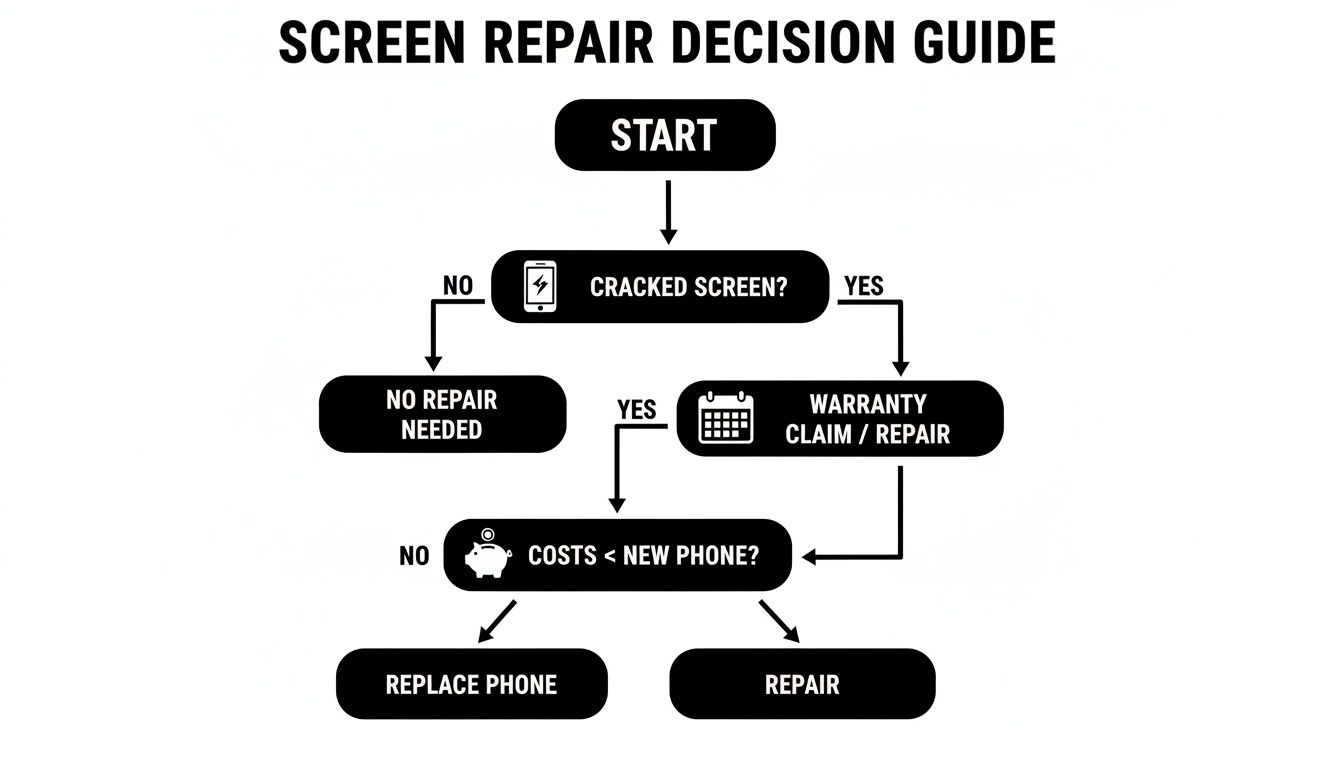
As the flowchart shows, if your phone is still relatively new and the repair cost is a small fraction of a new model's price, fixing it just makes sense. The Australian smartphone repair industry has grown a lot, particularly for high-end models like the Pixel 7 Pro.
Here in major Australian cities like Perth, you can expect screen replacement costs to fall somewhere between $300 and $550, and plenty of repairers can get it done the same day. You can always explore more about repair pricing trends to get a better feel for the local market.
Quick Decision Guide: Repair vs. Replace
Sometimes you just need a quick answer. This table breaks down the most common scenarios to help you decide at a glance.
| Scenario | Recommended Action | Key Consideration |
|---|---|---|
| Cracked screen, phone is < 2 years old | Repair | The phone's internal components are still modern. Repairing is a great value. |
| Screen and other parts are broken (e.g., camera, charging port) | Get a Quote | If the total repair cost approaches 50-60% of a new phone's price, it might be time to upgrade. |
| Phone is over 3 years old & sluggish | Consider Replacing | The device may soon stop receiving security updates, and a repair might not be the best long-term investment. |
| You want the latest features and tech | Replace | A repair won't give you a better camera or faster processor. If you're craving an upgrade, go for it. |
Ultimately, this guide helps you weigh the financial and practical sides of the decision. For most Pixel 7 Pro owners with just a broken screen, a quality repair is the clear winner.
Decoding the Signs of a Failing Screen
A shattered screen is the most obvious cry for help from your Pixel 7 Pro, but sometimes the display sends out more subtle distress signals. Learning to spot these clues means you can catch a problem before it escalates into something much worse, and far more expensive.
Think of it like being a screen detective—understanding the symptoms helps you know exactly what’s wrong.
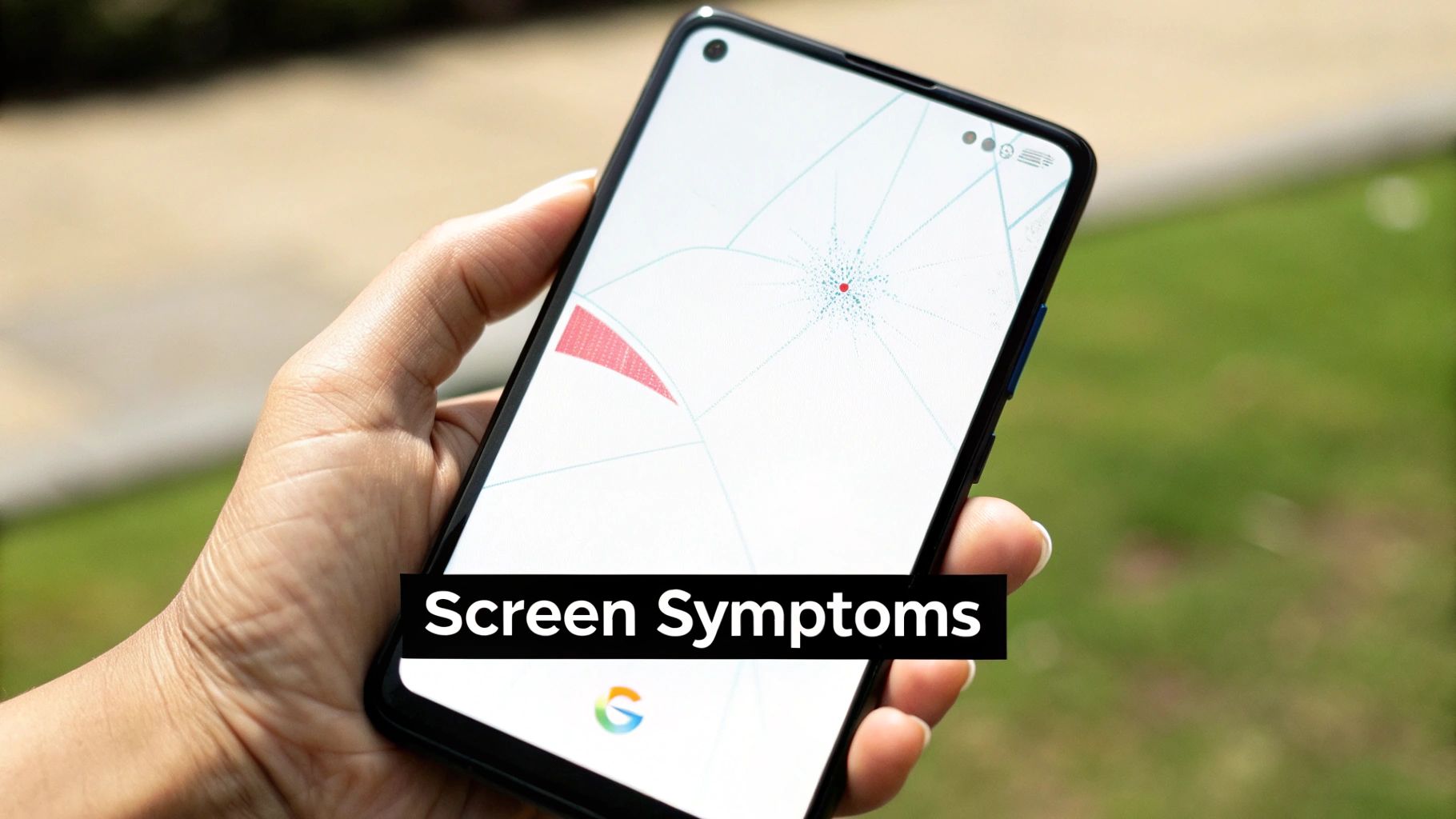
While a spiderweb of cracks is impossible to miss, other issues can be more confusing. You might see what looks like a dark ink blot spreading beneath the glass. This is commonly known as "screen bleed," and it's a dead giveaway that the sensitive OLED panel under the surface has been damaged.
Then there's the incredibly frustrating "ghost touch." This is when your phone starts acting on its own, opening apps or typing messages without you even touching it. It’s not a software bug; it’s a hardware failure in the digitiser—the layer that registers your touch—and it definitely won't fix itself.
Common Symptoms That Demand Attention
Beyond the obvious smash, there are a few key signs that your Pixel 7 Pro's screen is on its way out. Catching them early means you can get a professional diagnosis before the damage spreads to other internal parts of your phone.
Keep an eye out for these tell-tale signs:
- Unresponsive Patches: You tap an app or a key, and nothing happens. These "dead spots" mean parts of the screen's touch-sensitive layer have failed.
- Distracting Flicker: If your screen flashes, strobes, or randomly shifts brightness, it could be a loose internal connection or a sign the display panel itself is failing.
- Persistent Coloured Lines: Those bright green, pink, or white vertical lines that just won't go away are a classic symptom of a damaged display driver or a poor connection to the phone's main logic board.
These aren't just minor quirks; they're clear evidence of hardware failure. Putting off a repair gives dust and moisture a direct path through any cracks, risking permanent damage to the phone’s mainboard.
Knowing these signs helps you explain the problem clearly to a technician. A professional diagnosis is vital, as a simple screen issue can sometimes be a symptom of a deeper problem. A good technician will find the root cause, ensuring the right fix is done and giving you peace of mind that your phone is in good hands.
Navigating Your Repair Options in Perth
So, you’ve realised your Pixel 7 Pro screen needs replacing. Now comes the next big question: how do you actually get it done? This decision is a big one, as it will directly affect the cost, quality, and future lifespan of your phone. Think of it like deciding whether to service your car at home or take it to a specialist mechanic—you can do it yourself, but the risks are a lot higher.
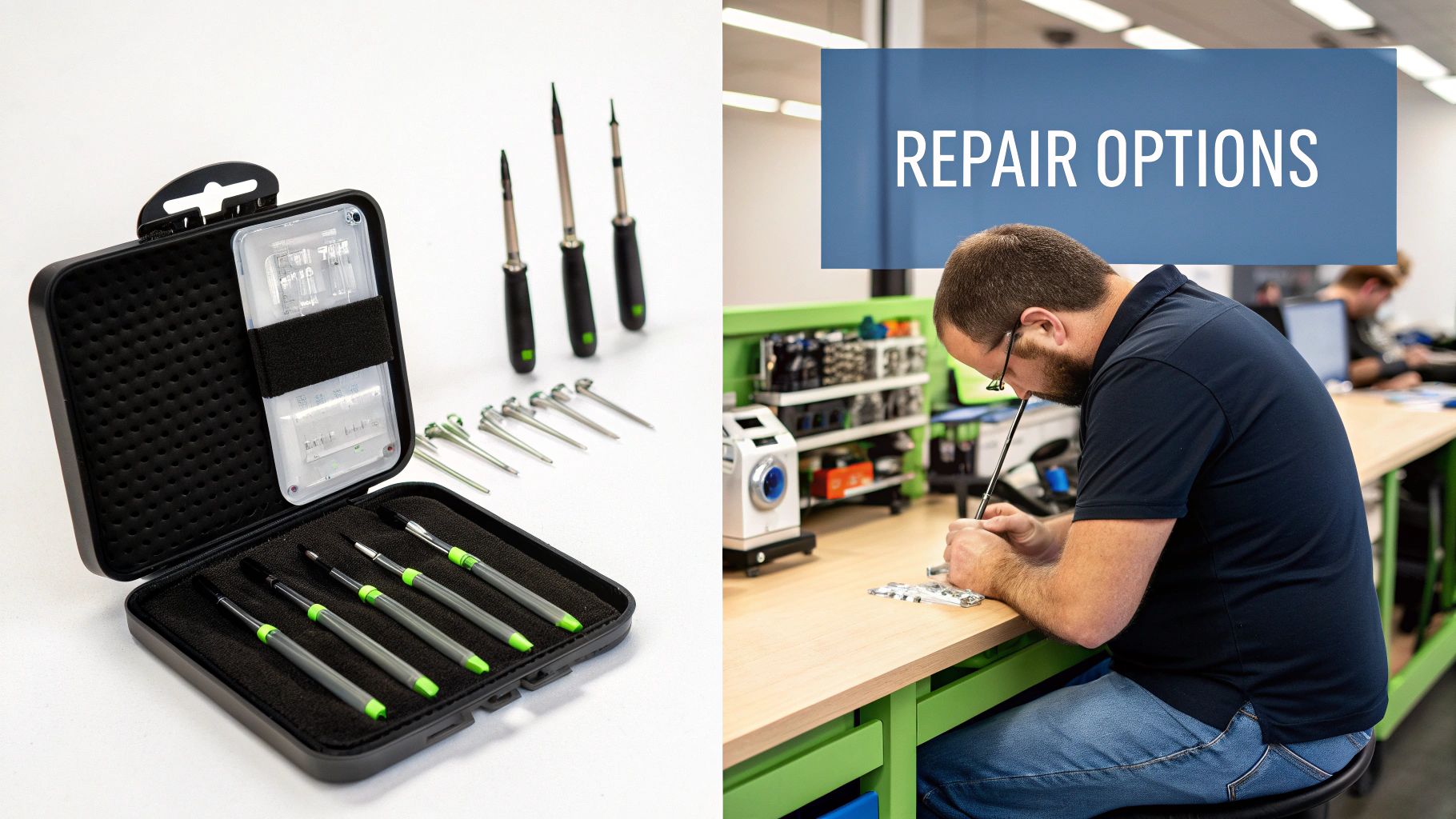
You've probably seen those DIY repair kits online, promising a quick and cheap fix. And while saving a bit of cash is always tempting, the reality is often a lot messier. A high-end phone like the Pixel 7 Pro is an incredibly complex piece of engineering, packed with tiny, fragile components. One slip of a pry tool could easily tear a ribbon cable, turning a simple screen replacement into a much more serious—and expensive—headache.
DIY Dangers vs. Professional Peace of Mind
When you try a DIY repair, you’re not just swapping a screen. You're taking on all the risk of what could go wrong, with no warranty to back you up. A professional repair shop, on the other hand, shoulders that risk for you. Their technicians have the proper tools and, more importantly, the hands-on experience to navigate the delicate internals of your phone without causing further damage.
It really boils down to a few key differences:
- Specialised Gear: Professionals use equipment like heat plates, precision screwdrivers, and anti-static mats to do the job safely. A typical DIY kit just gives you the cheap, basic tools.
- Experience Matters: A good technician has probably done this exact repair hundreds of times. They know all the tricky spots, like where the hidden clips are and exactly how much force to use.
- Warranty Protection: If a pro makes a mistake, the shop is on the hook to fix it. If you make a mistake, you're stuck with a broken phone and you're out the cost of the repair kit.
OEM vs. Aftermarket Parts: A Clear Choice
The next fork in the road is the screen itself. You'll hear the terms "OEM" and "aftermarket" thrown around, and it's vital to know what they mean for your phone's future.
Choosing the right part isn't just about the upfront cost; it's an investment in your phone's performance and longevity. A cheap screen can ruin the entire experience of using your device.
An Original Equipment Manufacturer (OEM) screen is the real deal—identical to the one that came with your Pixel 7 Pro straight out of the box. It guarantees you get the same brilliant colours, flawless touch response, and durability you're used to. They do cost more, but the quality is second to none.
High-quality aftermarket screens are the more budget-conscious option. These are parts produced by third-party companies, and while some are excellent, the quality can be all over the place. A cheap aftermarket screen might look washed out, feel sluggish to the touch, or crack much more easily. You can learn more about the importance of professional mobile phone screen repair and see just how much part quality matters.
In the end, it’s a trade-off between cost, risk, and quality. For a premium device like the Pixel 7 Pro, investing in a professional repair using a high-quality or OEM screen is the smartest way to get your phone back to feeling brand new.
What to Expect: Repair Costs and Turnaround Times
When your Pixel 7 Pro screen shatters, two questions probably pop into your head straight away: "How much is this going to set me back?" and "How long will I be without my phone?" Getting clear answers is key to making a smart decision that doesn't break the bank. The final bill for a Pixel 7 Pro screen replacement isn't just a random number; it's a combination of a few different things.
The biggest chunk of the cost comes down to the replacement screen itself. As we touched on earlier, an Original Equipment Manufacturer (OEM) part will cost more, but it’s the only way to guarantee the exact same look and feel you had out of the box. On the other hand, a good-quality aftermarket screen can definitely save you some money, but you'll want to be sure it's coming from a reputable repairer to avoid dodgy performance down the line.
Then you have the labour costs. This isn't just about paying for someone's time; it's for their expertise and the specialised tools needed to perform what's essentially microsurgery on your device. A good repair shop will also back their work with a warranty on both the part and their service, which is where the real value and peace of mind come in.
Is It Worth Fixing? The Financial Tipping Point
So, do you repair or replace? It really boils down to a simple cost-benefit analysis. A repair is the clear winner when the cost is way less than buying a new phone or what you'd lose on a trade-in with a busted screen. This is what we call the financial tipping point.
A big piece of this puzzle is how a repair impacts your phone's trade-in value. Here in Australia, it’s a bit of a tricky situation. A screen replacement might cost you anywhere from $300 to $550, but phones fitted with non-original screens often get a lower trade-in offer. It means that what you spend on the repair might not directly add the same amount back to its trade-in value. This makes your decision a really important financial one. You can see real-world examples of this discussed on Australian forums like the Ozbargain community.
In most cases, if your phone is less than two or three years old, repairing it is the smartest financial move. You extend its life for a fraction of what a new flagship would cost, saving you hundreds of dollars in the long run.
Typical Turnaround Times in Perth
Let's be honest, being without your phone for days just isn't practical for most of us. The good news is that a Pixel 7 Pro screen replacement is a pretty standard job for any experienced technician.
Here’s a rough idea of what to expect:
- Same-Day Service: Most good local repair shops, especially around Perth's northern suburbs, can get the job done in just a few hours. This is usually only the case if they have the specific screen for your model in stock.
- Mail-In Services: If you're posting your phone for repair, you’ll need to account for shipping time both ways. This can easily stretch the whole process out to several business days.
Your best bet is to always call ahead. Check if they have the part and book a time slot. This way, the technician is ready for you, which means less waiting around and getting your Pixel 7 Pro back where it belongs—in your hands.
Choosing the Right Perth Repair Service
Finding someone you trust to fix your Pixel 7 Pro screen here in Perth can feel like a bit of a lottery. There are so many options out there, but how can you tell the real experts from the backyard operators? The choice you make isn't just about getting a new screen; it affects how well your phone works afterwards and gives you peace of mind.
Let's be honest, not all repair shops are on the same level. There are a few non-negotiables you should always insist on: clear, upfront pricing, a solid warranty, and genuine experience with Google Pixel phones. A good technician will never be shy about costs. They’ll tell you exactly what you're paying for—no hidden fees, no nasty surprises on the final bill. They should be able to walk you through your options and give you a firm quote before they even pick up a tool.
The warranty is just as critical. Any reputable repairer will stand by their work, offering a guarantee on both the new screen and their labour. Think of it as your safety net. It shows they're confident in the parts they use and the skills of their technicians. If there’s no warranty, you’re flying blind and taking a huge risk.
What to Ask Before You Commit
Before you hand over your expensive smartphone, it pays to ask a few simple questions. A true professional will be happy to answer them clearly and confidently. Taking a couple of minutes to do this can save you a world of frustration down the track.
Here’s a quick checklist of what to ask:
- What kind of replacement parts do you use? Find out if they use genuine Google parts or high-quality aftermarket screens, and what the real-world difference is.
- What does your warranty cover? Get the details. How long does it last, and what exactly is included? Parts? Labour? Both?
- Have your technicians worked on Google Pixel phones before? The Pixel 7 Pro isn't just any phone; its under-display fingerprint sensor needs a technician who knows what they're doing.
- Can I get an all-inclusive quote? Make sure the price you're given is the final price, including the screen, the work, and GST.
A great repair experience boils down to trust and transparency. If a shop gets cagey about pricing, vague about their warranty, or can’t tell you if they’ve ever seen a Pixel 7 Pro before, that’s a massive red flag.
Here at CTF Mobile Repairs, we’ve built our service for Perth's northern suburbs around these very principles. We believe in being completely open about our pricing, so you'll always get a clear, upfront quote for your Pixel 7 Pro screen replacement. Plus, all our work is backed by a comprehensive warranty, so you can be confident your repair is built to last.
We also add a few things to make your life easier. You can follow your repair’s journey from start to finish with our online job tracking system, so you’re never left in the dark. Our whole aim is to make the process straightforward, professional, and totally stress-free, getting your Pixel back into your hands working perfectly.
How to Prepare Your Phone for Repair
Let's be honest, handing over your phone for repair can feel a bit strange. Your Pixel 7 Pro isn't just a device; it’s a hub for your personal life, holding everything from private photos to banking apps. Taking a few minutes to prep your phone before dropping it off is the best way to keep your data secure and make the whole repair process completely seamless.
Think of it as a quick security check-up. The absolute most important step? A full backup. A screen can always be replaced, but your photos, contacts, and messages are one-of-a-kind.
Your Pre-Repair Checklist
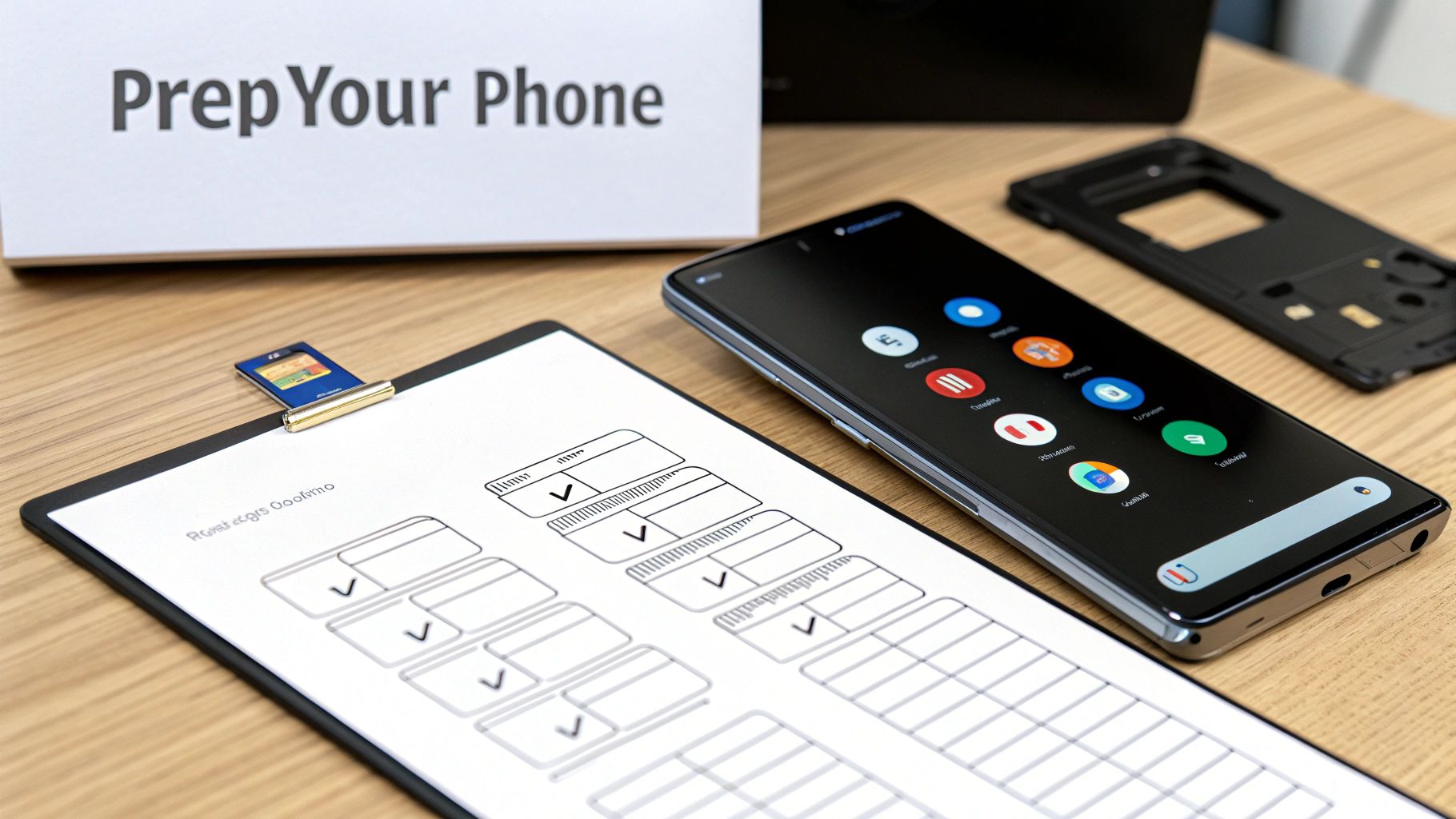
Running through these steps will protect your privacy and help the technician get straight to work. It’s a simple checklist, but it’s your best defence for safeguarding your information, no matter where you get your phone fixed.
- Back Up Everything: The easiest way is to use Google One, which saves your photos, apps, contacts, and settings directly to the cloud. You can also plug your Pixel 7 Pro into a computer and drag and drop your important files over manually.
- Log Out of Your Google Account: This is a huge one for privacy. Logging out ensures no one can access your personal data while your phone is out of your hands.
- Remove Your SIM Card: Your SIM is your connection to your mobile plan and phone number. Pop it out and keep it somewhere safe until you get your phone back.
- Take Out Any Memory Cards: If you use a microSD card for extra photos or files, make sure you remove that as well.
These steps are non-negotiable for protecting your privacy. Any professional repair shop will respect your data, but taking these precautions gives you total control and peace of mind.
When you prepare your device properly, you’re not just protecting yourself. You’re also helping the repair technician focus entirely on the Pixel 7 Pro screen replacement without any hold-ups. It helps speed things up and avoids any potential hiccups. For a deeper dive into handling phone damage, check out our guide on what to do when you have a cracked phone screen. A few minutes of prep work can guarantee a smooth and worry-free repair from start to finish.
Your Pixel Repair Questions Answered
Even when you've decided to get your screen fixed, a few questions might still be nagging you. Getting straight answers is the best way to feel confident about the repair. Let’s tackle some of the most common things people ask about getting a Pixel 7 Pro screen replaced.
Will My Data Be Safe During the Repair?
This is the big one for most people, and for good reason. Your phone holds a lot of personal information.
A reputable repair shop puts your privacy first. A screen replacement is purely a hardware job—the technician isn't touching your software or files. That said, it's always smart to back up your device and sign out of your Google account beforehand, just in case. For more on this, you can learn about best practices for mobile phone data recovery, which gives extra peace of mind.
Is My Pixel 7 Pro Still Water Resistant After a Screen Replacement?
This is a really important question. The Pixel 7 Pro comes from the factory with an IP68 water resistance rating, which relies on very specific, machine-applied seals. When the screen is removed, those original seals are broken.
A professional technician will apply new adhesive to seal the phone back up, restoring a high level of protection against dust and splashes. However, it's incredibly difficult to replicate that perfect factory seal outside of Google's own facilities.
Key Takeaway: After a screen repair, your phone should be fine with everyday splashes and dust. But to be safe, I'd strongly advise against taking it for a swim.
How Can I Tell if a Quality Part Was Used?
You shouldn't be able to tell! A top-quality replacement screen should look and feel identical to the original.
Here's what to look for:
- Vibrant Colours: The display should have the same punchy colours and deep, true blacks you expect from an OLED screen.
- Flawless Touch Response: Your taps and swipes should be instant and accurate. There should be no lag or weird "ghost touches" where the screen reacts on its own.
- Perfect Fit: Check the edges. There shouldn't be any gaps, light bleed, or unevenness where the new screen meets the phone’s frame.
A good technician will be upfront about the parts they use and will always stand behind their work with a solid warranty.
Ready to get your Pixel 7 Pro looking brand new again? The team at CTF Mobile Phones & Computer Repairs offers expert, same-day screen replacements with a focus on quality and transparency. Get a free quote and book your repair today!