

That gut-wrenching moment you realise your phone's data is gone is a feeling most of us know all too well. But what you do in the next few minutes is absolutely critical. The single most important action? Immediately stop using the device.
Every new message that comes in, every photo you take, every background app refresh—it's all writing new data, and it could be writing it directly over the precious files you're hoping to get back.

Think of your phone’s storage like wet cement. The data you've lost is still imprinted there, but it's fragile. Any new activity will smooth over those imprints, making them permanent and impossible to recover. Your best bet is to stay calm, act deliberately, and follow a clear plan.
To keep things simple, here's a quick checklist of what to do the moment you suspect data loss. Following these steps can make a huge difference in whether your data is recoverable or gone for good.
Your Immediate Data Loss Action Plan
| Action To Take | Why This Is Crucial |
|---|---|
| Stop Using the Phone | Prevents new data (texts, updates, etc.) from overwriting the files you need to recover. |
| Enable Aeroplane Mode | Instantly cuts off all Wi-Fi, cellular, and Bluetooth connections, stopping automatic updates and cloud syncs. |
| Do Not Charge the Phone | Plugging it in can trigger automatic backups or system processes that write new data. |
| Power Down Completely | A running phone performs background tasks. Turning it off stops these 'read/write' cycles, preserving the data's state. |
This immediate isolation freezes your phone in its current state, giving you (or a professional like us) the cleanest possible environment to start the recovery process.
Isolate Your Device to Prevent New Data
Your first priority is to sever all connections. Disconnecting from Wi-Fi and mobile data is non-negotiable, as this stops sneaky background processes from writing new information onto the phone's storage.
- Flick on Aeroplane Mode: This is the fastest way to kill all wireless signals. It's the digital 'off' switch for any data coming in or out.
- Resist the Urge to Charge: I know it's tempting, especially if the battery is low, but plugging in your phone can trigger automatic backups or software updates you desperately want to avoid right now.
This is especially true for physical damage. For instance, if you've dropped your phone in the pool, the last thing you want to do is introduce electricity. We've got a detailed guide on what to do with a water-damaged phone that you can read here: https://ctf.com.au/how-to-fix-water-damaged-phone/
Safely Power It Down
Once your phone is offline, the next step is to shut it down completely. Even with the screen off, a running phone is never truly idle. It’s constantly performing small background tasks that write tiny bits of data, which can slowly but surely erode the files you hope to retrieve.
A powered-off device is a stable device. Turning it off is the digital equivalent of applying a tourniquet—it stops the 'bleeding' of data loss by halting the operating system's routine read/write cycles.
If you suspect the data loss was caused by something more sinister, like malware, you need to think about wider security. Understanding the immediate steps to take after a cyberattack can help you protect your other accounts from being compromised.
Whatever you do, fight the temptation to "just quickly check one thing." The less you interact with the phone, the higher your chances of getting your data back.
Safe DIY Data Recovery Methods To Try First
Before you hit the panic button, take a breath. The fix for your lost data might be simpler than you think. More often than not, the files you're convinced are gone for good are just sitting safely in a cloud backup. It's always smart to start with these simple, no-risk methods before diving into anything more technical.
The very first place to look is your phone's default cloud storage. For most of us, this is a "set it and forget it" feature that quietly saves our precious memories in the background without us even realising it.
- iPhone users, listen up: Open your Photos app and head straight for the ‘Recently Deleted’ album. If your photos are in there, a single tap is all it takes to bring them back. You should also log into iCloud.com on a computer to see if your photos, contacts, and notes are synced and waiting for you.
- For the Android crowd: Google Photos is your best friend here. Just like iCloud, it has a ‘Bin’ (or ‘Trash’) folder where deleted items hang out for a while before they're gone forever. While you're at it, check your main Google account to see if your contacts and other data have been synced.
Using Desktop Recovery Software
If the cloud backup plan doesn't pan out, the next logical step is to try a reputable piece of desktop software. These programs are designed to connect your phone to a computer and run a deep scan of its internal storage, hunting for the remnants of deleted files.
Here’s how it works: when you delete something, your phone doesn't actually wipe it from existence straight away. Instead, it just marks the space that file was using as 'available' for new data. The original data hangs around until something new, like a text message or an app update, comes along and writes over it. Recovery software is designed to find and reassemble these marked files before that happens.
This is critical: Whatever you do, do not download a data recovery app directly onto your phone from the app store. Installing a new app writes new data to your device, which could be the very thing that permanently overwrites the files you're desperately trying to save. Stick to desktop-based software connected with a USB cable.
Navigating Your Options Safely
We pour so much of our lives onto our phones, making them intensely personal. In Australia, where a massive 92.2% of people use their smartphones daily, the chances of losing data from a simple glitch or an accidental tap are surprisingly high. With an average monthly data consumption of 14.5 GB per user, that’s a whole lot of information at risk. You can read more about Australian mobile usage statistics to get a sense of the scale.
Be really careful when picking recovery software. Look for well-known brands that have plenty of positive reviews and are upfront about their pricing. If you see a program promising a 100% success rate, run a mile. That’s an impossible claim and a huge red flag. Dodgy software can do more than just fail; it can infect your computer with malware or even cause more damage to your phone's file system.
Sometimes, the problem isn't just lost files but a complete inability to get into the device. If you're locked out of your phone, you might find our guide on how to unlock a phone without the password helpful, as it tackles some of these access issues. A successful DIY recovery really comes down to acting cautiously and making sure you’re using the right tool for the job.
Knowing When to Call a Professional
There's a fine line between a smart DIY data recovery attempt and making a bad situation much, much worse. Pushing a failing phone too far with recovery software can be the final nail in the coffin, turning a recoverable issue into a permanent loss.
Recognising the red flags that demand a professional isn't about giving up; it's about making the strategic choice to save your data.
The Clear Red Flags: When to Stop Immediately
Sometimes, the signs are glaringly obvious. If your phone has taken a hit – we're talking a shattered screen that stops you from tapping in your passcode, or a body that’s bent out of shape – it’s time to stop what you're doing. These aren't just cosmetic issues; they point to damaged internal connections that are critical for getting your data off the device.
This flowchart gives you a good starting point for that initial "what do I do?" moment.
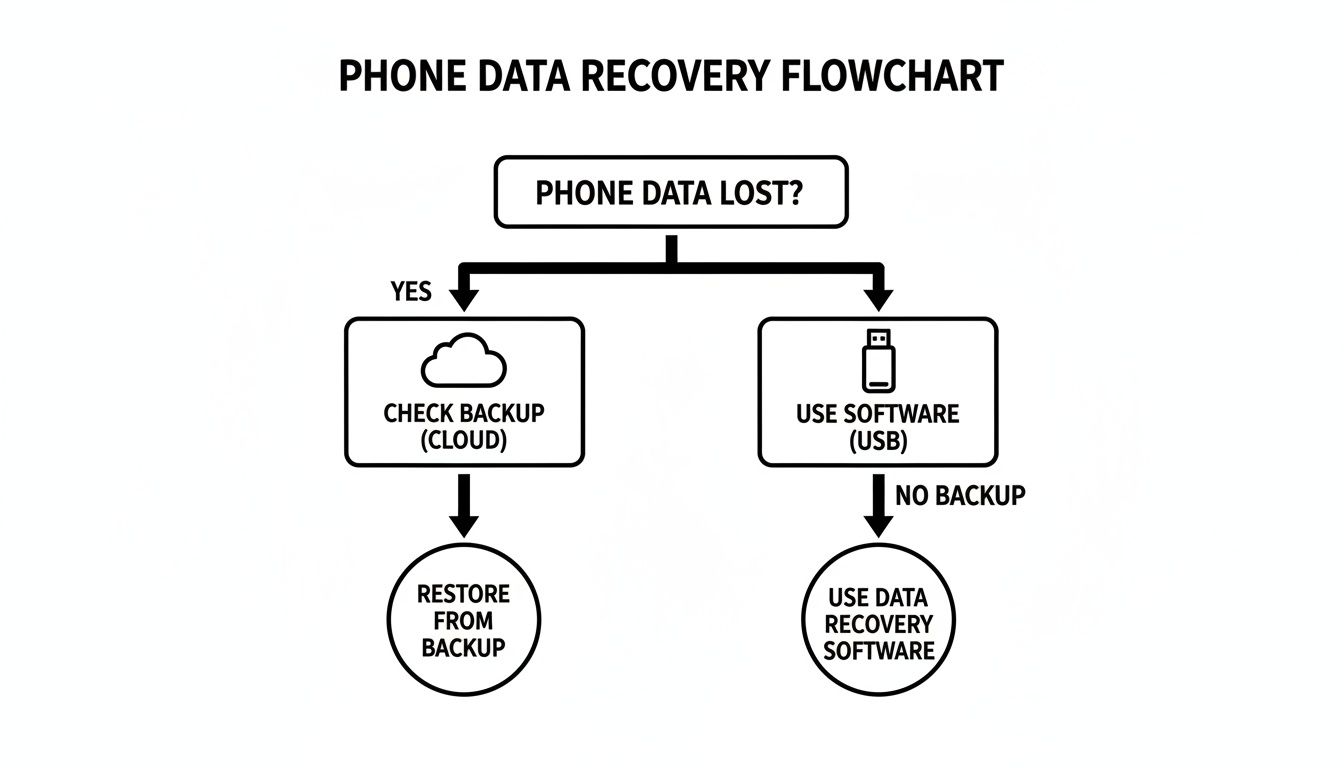
As you can see, checking your cloud backups or trying a software tool are valid first steps, but they both rely on one crucial thing: the phone itself is still working properly.
DIY vs Professional Recovery: When to Choose
Use this quick comparison to figure out whether you can cautiously try a home recovery or if you need to bring in an expert right away. Your phone's symptoms will tell you what to do.
| Symptom or Issue | DIY Attempt (Proceed with Caution) | Call a Professional (Recommended) |
|---|---|---|
| Accidentally Deleted Files | Yes. As long as the phone is fully functional, this is the prime scenario for recovery software. | No. Unnecessary unless the DIY software fails. |
| Phone Won't Turn On | No. This is a hardware failure. You can't fix it with software. | Immediately. The issue could be the battery, charging port, or the motherboard itself. |
| Water or Liquid Damage | Absolutely not. Do not plug it in or try to turn it on. This is critical. | Immediately. Corrosion starts fast. The longer you wait, the lower the chance of recovery. |
| Stuck in a 'Boot Loop' | No. Continuously forcing reboots can corrupt the storage even more. | Yes. This points to a severe software or hardware conflict that needs expert diagnosis. |
| Cracked Screen (Phone still works) | Maybe. If you can still operate it via an external mouse (with an adapter), you might be able to back it up. | Yes. If the screen is unresponsive, a technician can often temporarily connect a new screen to access data. |
| Physical Damage (Bent, crushed) | No. The internal components, especially the logic board, are likely compromised. | Immediately. This requires specialised hardware intervention to even attempt data extraction. |
Ultimately, if your phone is physically broken or won't power on, the problem has moved beyond software. It's now a hardware issue, and that's a different game entirely.
Unmistakable Signs You Need an Expert
Some situations are just non-negotiable. Trying to fix these at home is a near-guarantee you’ll make things worse, potentially destroying the data for good.
- Any Water Damage: This is the big one. Even if your phone seems to dry out and work for a bit, moisture is a silent killer inside, causing corrosion on the motherboard. Powering it on can create a short circuit that fries the very memory chip holding your photos and contacts.
- The Phone is Completely Dead: A device that’s a total brick and won't respond to charging points to a major hardware failure. It could be a dead battery, a fried motherboard, or a busted charging port. Software can't fix broken hardware.
- Stuck in a Boot Loop: When your phone just endlessly restarts without ever reaching the home screen, it's usually a sign of corrupted system files or a failing component. Each failed boot attempt puts more stress on the storage, making a professional's job that much harder.
When a phone is physically damaged or won't power on, the problem is no longer about finding deleted files. It's about performing delicate microsurgery on the hardware to create a temporary, stable connection just long enough to extract the data.
Continuing to plug in a water-damaged phone or running software on a boot-looping device is like trying to force a key into a broken lock—you’ll just wreck both. In these cases, your data's survival depends on not trying to be the hero. A professional service, like ours here in Perth, has the specialised tools to safely access the storage chip without causing any more harm.
How the Pros Get Data Off a Physically Damaged Phone
When your phone has taken a serious hit—dropped, drowned, or just completely dead—data recovery software is off the table. At this point, getting your photos and files back becomes a physical, surgical-like procedure performed by a specialist. It’s less about software and more about microscopes, micro-soldering, and highly specialised tools built to talk directly to your phone's memory.
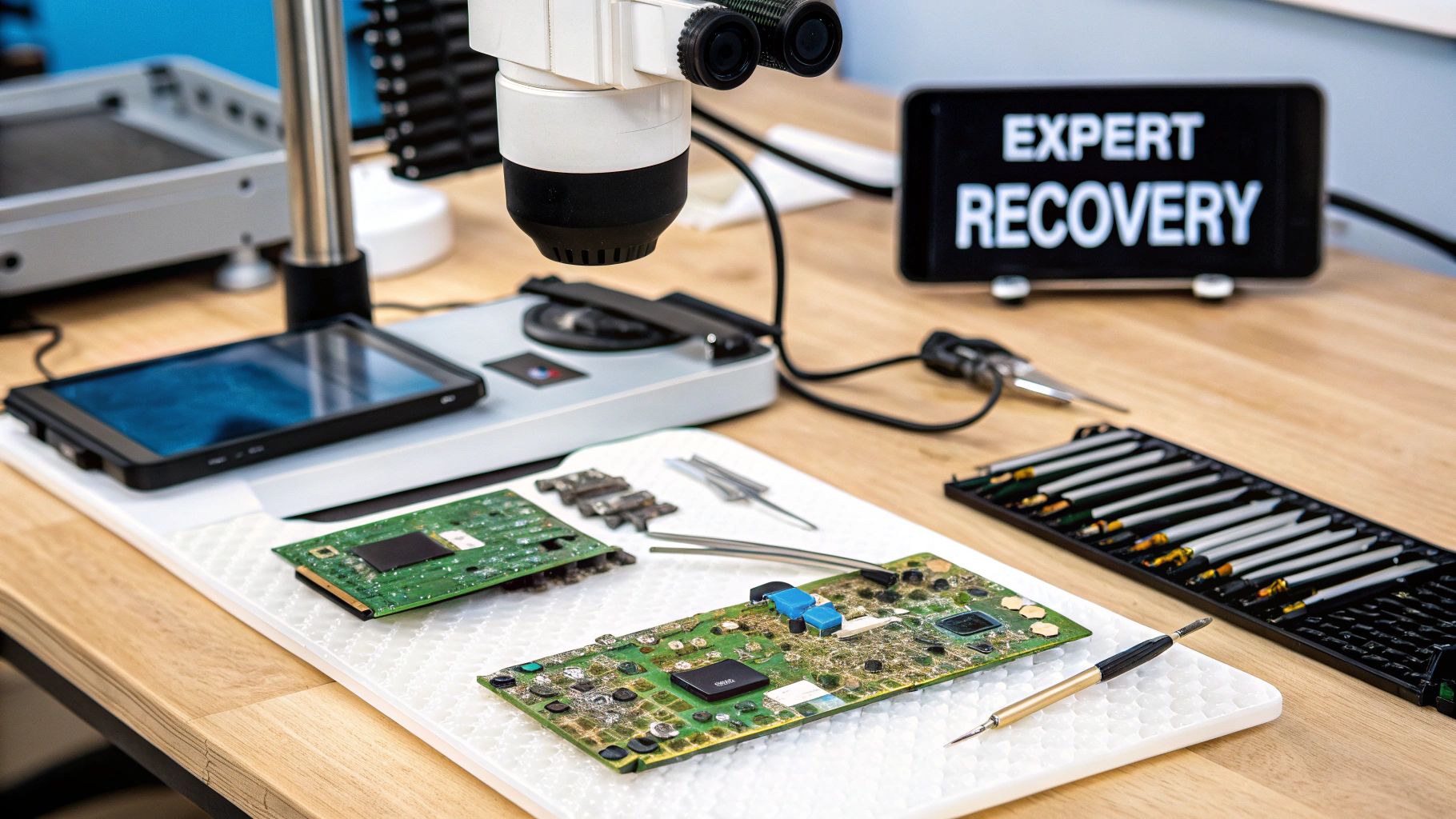
Unlike recovering a deleted file from a working phone, physical damage breaks the very pathways needed to access your data. The good news? Your information is almost always safe and sound on the NAND memory chip. The bad news is that the phone's main circuit board (the logic board) is too damaged to let you get to it.
The primary goal here isn't to make your phone work like new again. It's to create a temporary, stable bridge to pull your precious data to safety.
Component-Level Logic Board Repair
For phones suffering from water damage or a sudden refusal to power on, the first step is usually a component-level repair. This is a world away from swapping a screen or a battery. We're talking about intricate work on the logic board itself, performed under a powerful microscope.
A technician will meticulously hunt for the source of the failure, which could be anything from corroded resistors to a fried power management chip. The process typically involves a few key steps:
- Ultrasonic Cleaning: A specialised bath that gently removes the corrosion and residue left behind by liquid damage.
- Micro-soldering: Using a hair-thin soldering iron to replace or repair tiny components on the board that are stopping the phone from booting.
- Circuit Tracing: Following the electrical "road map" of the board to find and fix any broken connections between the memory and the processor.
The only objective is to get the logic board stable enough to power on just once. That's all we need to securely back up everything you need.
A word of warning: This is incredibly delicate work. One slip of the soldering iron can obliterate a critical component, permanently destroying any chance of data recovery. It’s also why trying to power on a water-damaged phone after letting it "dry" in rice is so dangerous—you can cause short circuits that fry the board beyond repair.
The Last Resort: Advanced Chip-Off Data Recovery
But what if the logic board is a complete write-off? Maybe it's snapped in half or completely shattered. In these dire situations, we turn to a technique called chip-off recovery. This is the final frontier of mobile data recovery and demands absolute precision.
The process involves physically desoldering and removing the memory chip from the destroyed logic board. We carefully heat the board until the solder melts, allowing us to lift the chip away. Once it’s free, the chip is cleaned and placed into a special reader that connects it directly to a computer, completely bypassing the broken phone.
It's a bit like taking the hard drive out of a wrecked car's computer and plugging it into another machine to read the data. While this approach is a lifesaver, modern encryption makes it incredibly complex. Most smartphones encrypt their data, and the key is tied directly to the phone's original processor. A successful chip-off recovery often means we also have to remove the processor and other paired chips to rebuild the digital "handshake" required to decrypt your files. It's this level of detail that shows just how far an expert can go to save your data.
The Big Question: What Will Data Recovery Cost and How Long Will It Take?
When you’ve lost precious data, the last thing you need is more uncertainty. Let’s be frank: there’s no one-size-fits-all price tag for mobile phone data recovery. The final cost really comes down to what’s gone wrong with your phone and how much work it’ll take to get it back.
Think of it like this. If you’ve accidentally deleted a folder of photos, that’s what we call a logical recovery. The phone itself is perfectly fine; the data is just hidden from view. We use specialised software to dive deep and pull it back. This is usually the quickest and most affordable kind of job.
But what if your phone took a swim in the ocean or got run over? Now we're in the realm of physical recovery. This is far more complex. It often involves delicate, micro-level repairs on the phone's internal components just to get it stable enough to talk to our equipment. As you can imagine, these intensive jobs require more time, skill, and therefore, cost more.
What Goes into the Final Price?
The quote for a successful recovery depends on a few critical factors. Knowing what they are will help you manage your expectations right from the start.
- The Type of Damage: Is it a simple software bug, a forgotten password, or catastrophic physical damage? The more hands-on work needed, the higher the cost.
- Your Phone's Model and Age: Newer flagship phones often have more sophisticated encryption and hardware, which can add layers of complexity to the recovery process.
- Sourcing Parts: Sometimes, a physically damaged phone needs a "donor" part from an identical model to create a temporary fix just for data extraction. The cost and rarity of these parts can influence the final price.
This is also where the true cost of data loss really hits home. It’s not just about losing photos. Malware, for example, can have a direct financial impact. Data from the Australian Institute of Criminology revealed that even after recovery efforts, malware victims in Australia lost a median of $250 in 2023. You can read more about the tangible costs of cybercrime in Australia on aic.gov.au.
How Long You Can Expect to Wait
Just like the cost, the timeline can vary wildly. A straightforward logical recovery could be turned around in as little as 24-48 hours.
On the other hand, a severe physical recovery is a different story. If we need to track down rare components to get a phone working temporarily, the process could easily take a week or even longer.
Our Promise: No Data, No Fee
Any reputable data recovery service should stand by this policy. It's your guarantee that you won't pay a cent if we can't successfully recover your data. This takes the financial risk off your shoulders.
Here at CTF Mobile Phones & Computer Repairs, we believe in complete transparency. That’s why we offer every Perth customer a free, no-obligation assessment of their device. We’ll figure out what’s wrong, walk you through the recovery plan, and give you a firm quote upfront. No pressure, no hidden fees—just a clear path to getting your data back.
Choosing A Secure And Trusted Data Recovery Service
Let's be honest, handing over your phone for data recovery requires a huge amount of trust. It’s not just a device; it’s a window into your private messages, your banking details, your family photos, and so much more. Choosing the right service is every bit as important as the recovery process itself.
One of the first things you'll weigh up is whether to go with a local workshop or a mail-in service. While posting your phone away might seem convenient, there’s a real peace of mind that comes from using a local Perth expert with a physical shop. You can actually meet the technicians, see where your phone will be worked on, and get straight answers to your questions.

That local connection provides a level of accountability you just don't get through the mail, which is vital when you need to know your data is being handled securely and ethically.
Questions To Ask Before You Commit
Before you agree to anything, a truly professional service should be able to answer a few key questions without hesitation. How they respond tells you everything you need to know about their standards.
- What is your data privacy policy? They need to have a clear, documented process for how they protect your information while they have your phone and after the job is done.
- What's your success rate for this kind of damage? No one can guarantee 100% success, but a seasoned technician will give you a realistic outlook based on their experience with similar cases.
- Do you have a "no data, no fee" policy? This is a hallmark of a reputable provider. It means you only pay if they get your files back. Simple as that.
- Where is the work actually done? You want to hear that all the work happens right there in their secure workshop, not outsourced to some unknown third party.
Transparency is absolutely key. A good service will offer a free initial check-up and give you a firm quote before they start any work. This isn't just good customer service; it shows they're confident in their skills and prevents any nasty surprises on the final bill. Our guide on reliable data recovery in Mirrabooka dives deeper into what you should expect.
The need for this kind of care is more pressing than ever. Data breaches in Australia jumped by 19% in late 2023, and a staggering 67% of those were from malicious attacks—many of which target mobile devices. For those of us in Perth, choosing a trusted local repairer is one of the best ways to protect ourselves from the smaller-scale breaches that can hit individuals the hardest. You can find the full breakdown in the Notifiable Data Breaches Report on oaic.gov.au.
Ultimately, a trustworthy data recovery partner doesn't just fix hardware—they protect your privacy. They understand the sensitivity of your data and have robust security protocols in place to ensure it remains confidential from the moment it enters their workshop to the moment it’s returned to you.
It's also worth remembering that secure data handling extends to the end of a device's life. Proper secure corporate phone disposal is crucial to prevent old information from falling into the wrong hands, which just reinforces why security should always be top of mind.
When you need a secure, local expert in Perth you can trust with your most sensitive information, CTF Mobile Phones & Computer Repairs is here to help. Contact us for a free, no-obligation assessment and let us get your data back safely. Learn more at https://www.ctf.com.au.