

When your MacBook Pro screen cracks, starts flickering, or just gives up and goes black, you need a solution, and you need it fast. A MacBook Pro laptop screen replacement is usually the only way forward, but figuring out your options is the first step to getting your digital life back on track here in Perth. This guide will walk you through everything you need to know.
Why Has My MacBook Pro Screen Stopped Working?
We’ve all felt that heart-sinking moment when a MacBook Pro display fails. For students and professionals across Perth, a broken screen isn't a small problem—it's a full stop to productivity, creativity, and connection. It’s the digital version of a flat tyre on the way to a critical meeting; frustrating, disruptive, and demanding immediate attention.
Before you assume the worst, it helps to understand what might be going on behind the glass. A MacBook Pro screen isn't just one piece; it's a complex assembly of delicate parts. A single point of failure is all it takes to render the whole display useless, and the issue could be obvious physical damage or something much more subtle happening inside.
Common Reasons for Screen Failure
Several culprits could be behind your screen troubles. Pinpointing the likely cause is the best way to understand the type of repair needed.
- Physical Impact: This is the most frequent offender. An accidental drop or even just too much pressure on the lid can cause visible cracks or hairline fractures deep within the LCD panel itself.
- Backlight Malfunction: Is your screen incredibly dim, almost impossible to see, even though you know the computer is running? That’s likely a backlight failure. It's like the lights going out in a cinema while the film is still playing.
- Flex Cable Damage (Flexgate): A notorious design flaw in some older models. The thin display cable wears out from the simple act of opening and closing the lid, eventually causing a "stage light" effect at the bottom of the screen or complete failure.
- Dead Pixels or Lines: These annoying defects can show up as small black dots or persistent vertical/horizontal lines of colour. They're often caused by manufacturing imperfections or minor internal damage.
A dead screen brings your work and personal life to a grinding halt. Recognising the symptoms is the first step, but choosing the right repair path is what determines how quickly—and reliably—you get back online.
This guide is designed to give you a clear path forward. We’ll explore the symptoms to help you diagnose the issue and then lay out the crucial decisions you'll need to make. We'll break down the real costs of a MacBook Pro laptop screen replacement, weigh the serious risks of a DIY attempt against the peace of mind of a professional service, and show you the value a trusted local expert like CTF Mobile Phones & Computer Repairs offers. By the end, you’ll be equipped to make the best choice for your Mac and your budget.
How to Diagnose Your Screen Damage
So, your MacBook Pro screen is on the fritz. Before you start looking at replacement options, it pays to play detective for a moment. Figuring out exactly what’s wrong with your screen is the first step, because not all screen problems are the same. It’s a bit like going to the doctor; you get a much better diagnosis if you can describe the specific symptoms.
Different visual glitches point to very different root causes. Being able to spot the signs helps you have a more productive chat with a repair technician, so you know what needs fixing and why. This guide will help you decode what your screen is trying to tell you.
Physical Cracks and Impact Damage
This one is usually the most obvious. If you can see or feel cracks in the glass, your MacBook has taken a hit. You might see a classic spiderweb pattern spreading from a single point, or maybe just a few faint hairline fractures that are easier to spot when the screen is off.
Even if the display behind the crack seems to work fine, the screen’s structural integrity is gone. In nearly every case, this means a full screen assembly replacement is on the cards. On modern MacBooks, the glass, digitiser, and LCD are all fused together into one sealed unit.
LCD Panel Failure
Sometimes the glass on top is perfectly fine, but the damage is deeper, within the Liquid Crystal Display (LCD) panel itself. This is the part that actually creates the images you see.
Signs of a failing LCD include:
- Black Blobs or "Ink" Splotches: These look like dark, inky pools spreading across your display, and they often get bigger over time. It’s a dead giveaway that the liquid crystal inside has been compromised.
- Brightly Coloured Vertical or Horizontal Lines: Seeing persistent, sharp lines running from one edge of the screen to the other? This usually points to a faulty connection within the LCD panel or the board that controls it.
- Dead Pixels: These are tiny black, white, or coloured dots that are just… stuck. Think of them as tiny burnt-out bulbs on a giant billboard. A single one might be easy to ignore, but a cluster of them means the panel is on its way out.
Backlight and Flexgate Issues
Is your screen incredibly dim or completely black, but you can just about make out an image if you shine a torch on it? That’s a classic symptom of backlight failure. The LCD panel is still working, but the light that illuminates it from behind has died.
A notorious related problem, nicknamed "Flexgate," affects certain MacBook Pro models (mostly from 2016-2018). This is caused by a thin, fragile display cable that gets worn down from the simple act of opening and closing the lid over and over again.
The tell-tale sign of Flexgate is a "stage light" effect at the bottom of the screen—you'll see uneven patches of bright light. As it gets worse, the screen might only work when the lid is slightly ajar, then go completely black as you open it further.
Once you have a good idea of the problem, you'll need to weigh up your options. The infographic below highlights the main things to consider: the cost, the risks involved, and the value of an expert's opinion.
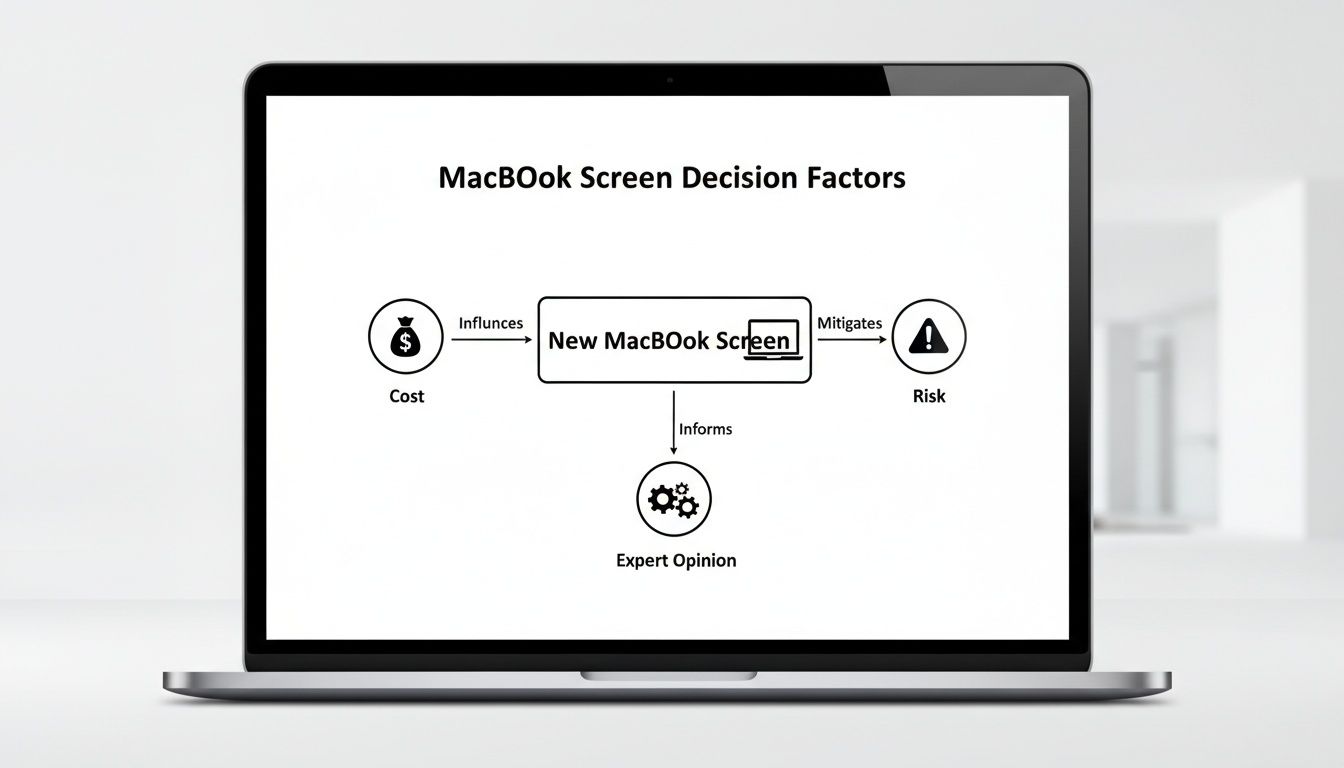
Balancing these factors is the key to making the right call for your MacBook. For more general advice, you can check out our broader guide on how to fix a laptop screen.
It's also a smart idea to document the screen's condition before you take it in for repair; some of the best free screen capture software options can help if the display is still partially usable. By knowing the symptoms, you can walk into a repair shop and describe the issue with confidence.
How Much Does a MacBook Pro Screen Replacement Actually Cost?
Let's cut to the chase. When your MacBook Pro screen is shattered, the first question on your mind is usually, "How much is this going to set me back?" The final bill for a MacBook Pro laptop screen replacement can swing wildly, and it all boils down to one big decision: do you take it to an official Apple Authorised Service Provider or a trusted local independent repair shop?
It’s a bit like getting your car serviced. You can go to the dealership and pay top dollar for the brand name and the fancy waiting room. Or, you can find a reputable local mechanic who knows their stuff, uses quality parts, and gets the job done for a much more reasonable price. The logic is exactly the same for tech repairs.
Authorised centres have massive brand overheads to cover, and they're locked into Apple's strict pricing. This often means you're paying a premium that doesn't just cover the part and the labour, but the brand name itself. The result? A repair bill that can feel eye-wateringly high, sometimes getting uncomfortably close to the price of a second-hand machine.
Comparing Authorised vs. Independent Repair Costs
We're not talking about a small difference here. The savings can be significant, especially with newer MacBook Pro models. Independent shops like us here at CTF Mobile Phones & Computer Repairs operate on a leaner model. We can source top-tier parts without the hefty "brand tax," and we pass those savings straight on to you.
You can see this play out clearly in the Australian market. For instance, fixing a pre-2017 13-inch MacBook Pro (like the A1465) at an authorised centre can cost anywhere from $700 to $900 AUD. An independent specialist can do the exact same job for $450 to $650 AUD, saving you up to 35%.
The price gap gets even wider for more recent 13-inch models (from 2017-2022). Authorised costs can soar to between $950 and $1,200 AUD, while a local expert can get you sorted for $650 to $850 AUD.
To put it all into perspective, here’s a quick breakdown of what you can generally expect to pay for an out-of-warranty screen replacement.
MacBook Pro Screen Replacement Cost Comparison (Authorised vs. Independent)
The table below gives you a solid idea of the cost disparity for common MacBook Pro models.
| MacBook Pro Model | Estimated Authorised Apple Cost (AUD) | Estimated Independent Repair Cost (AUD) | Potential Savings |
|---|---|---|---|
| 13-inch (Pre-2017) | $700 – $900 | $450 – $650 | $250+ |
| 13-inch (2017-2022) | $950 – $1,200 | $650 – $850 | $300+ |
| 15-inch Retina | $1,000 – $1,400 | $750 – $950 | $250+ |
| 16-inch Touch Bar | $1,300 – $1,600 | $900 – $1,100 | $400+ |
Disclaimer: These are general estimates. The final price can vary depending on your specific model number and the full extent of the damage.
As you can see, the savings are substantial across the board, making a local repair a far more economical choice.
What Else Affects the Final Price?
While the service provider you choose is the biggest variable, a few other things can influence the final quote.
- Model and Year: It's no surprise that newer, more advanced screens—like the stunning Liquid Retina XDR displays—cost more to replace than older, simpler ones.
- Part Quality: Opting for a premium aftermarket screen from an independent shop often gets you performance that’s identical to the original, but at a much friendlier price point.
- Associated Damage: Sometimes the impact does more than just break the screen. If the aluminium lid, hinges, or camera assembly were also damaged, that will add to the repair cost.
The most important thing to remember is this: an affordable repair doesn’t mean a low-quality one. By choosing a reputable local expert, you're making a smart financial move without compromising on the quality of the repair or the skill of the technician.
At the end of the day, getting a clear, upfront quote is non-negotiable. For a deeper dive into how these repairs are priced, our guide on laptop screen repair cost offers even more insight. An informed decision always starts with transparent pricing, so you know exactly what you’re paying for—no nasty surprises.
The Hidden Dangers of DIY Screen Repair
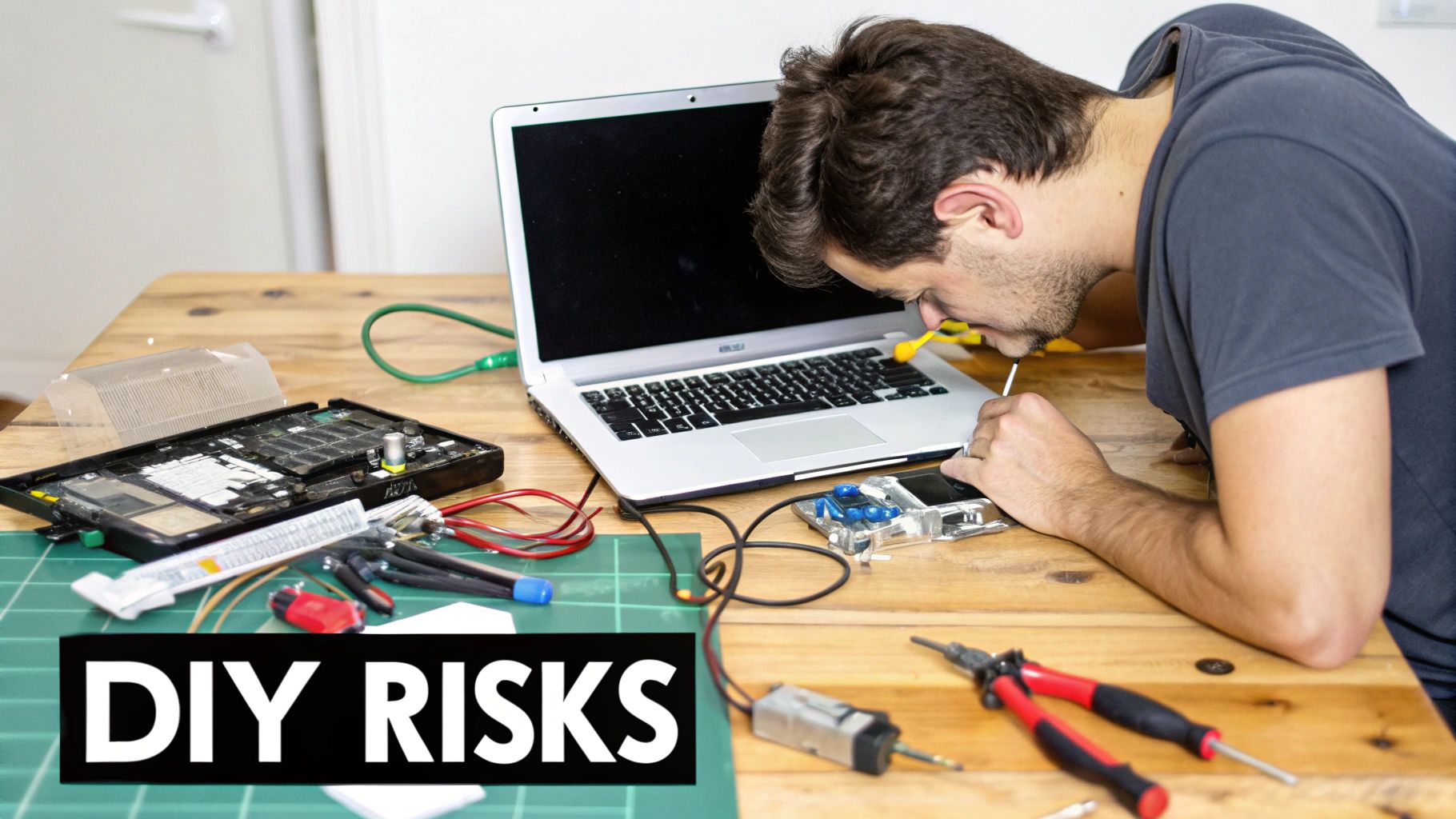
When your MacBook screen goes dark, it's easy to fall down the rabbit hole of online tutorials and cheap replacement parts. The promise of saving a few hundred dollars is a powerful motivator, and those YouTube videos make it look almost effortless. But let’s be honest: attempting a MacBook Pro laptop screen replacement yourself is a massive gamble on a very expensive machine.
Think of it like trying to perform delicate surgery after watching a 10-minute video. Without the proper tools, an anti-static workspace, and years of hands-on experience, the risk of turning a single problem into a catastrophe is incredibly high. What started as a cost-saving measure can quickly become a much more expensive disaster.
The Problem with Sourcing Your Own Parts
The first challenge you'll face is finding a decent screen. The internet is flooded with third-party displays that claim to be "original quality" at a fraction of the cost. The reality? It’s a total lucky dip. You often won't know you've got a dud until after you've spent hours on the painstaking installation.
Here are some of the common flaws we see in low-quality aftermarket screens:
- Poor Colour Accuracy: Colours might look washed out, oversaturated, or just… wrong.
- Uneven Brightness: You could end up with annoying dim patches or hotspots across the display.
- Dead Pixels on Arrival: Nothing’s more frustrating than a "new" screen that's already faulty.
- Incorrect Fit: Tiny manufacturing imperfections can make the screen impossible to install flush.
These aren't just minor annoyances; they completely undermine the premium experience you paid for. Even worse, good luck returning a faulty part after you’ve already tried to install it. You’re often left out of pocket with a laptop that’s still broken.
The High Risk of Catastrophic Damage
Beyond the parts, the repair process itself is a minefield. A modern MacBook Pro is a tightly packed marvel of engineering, full of microscopic components and paper-thin ribbon cables. One wrong move, one slip of the screwdriver, and it can be game over.
Some of the most common DIY disasters we have to fix include:
- Torn Ribbon Cables: The tiny, fragile cables connecting the screen, camera, and sensors are ridiculously easy to tear. A damaged logic board cable instantly turns a screen repair into a much more serious problem.
- Logic Board Damage: Accidentally dropping a screw or touching the wrong spot with a metal tool can short-circuit the logic board—your MacBook's brain. This is often an unfixable, terminal failure.
- Stripped Screws and Damaged Housing: MacBooks use tiny, proprietary screws. Using the wrong size screwdriver will strip them in a heartbeat, making them impossible to remove without drilling.
A botched DIY job leaves you with no warranty and only two bad options: paying a professional a lot more to fix the original problem plus the new damage you caused, or writing off the entire device as a loss.
This isn't just a hypothetical risk. A recent Finder survey of over 2,000 Australians revealed that one in 10 have broken a device beyond repair while trying to fix it themselves. This figure really highlights how easy it is to cause permanent damage. You can read more about the survey’s findings on how easily devices are damaged in the full survey results.
Choosing a professional service like CTF Mobile Phones & Computer Repairs takes all that risk off your shoulders. Our technicians have the specialised tools, the right training, and access to high-quality, tested parts. We back our work with a solid warranty, giving you peace of mind that a DIY attempt simply can't match.
What to Expect From a Professional Repair

Handing your MacBook Pro over the counter can be a bit nerve-wracking. We get it. You want to know what actually happens once it's out of your sight. To put your mind at ease, let’s pull back the curtain on what a truly professional repair process involves, showing you how your device is handled with the care it deserves.
A good repair shop makes the whole experience feel less like a clinical transaction and more like a partnership. It all starts the moment you get in touch, whether you walk in or call us. This first chat is simply about us understanding the problem, with no pressure or commitment on your part.
Step 1: Honest Diagnosis and Upfront Quoting
First things first, we’ll run a thorough, no-obligation diagnostic on your MacBook Pro. A skilled technician needs to confirm the full extent of the damage, which often goes beyond a simple crack. We'll check for related issues like a bent hinge or a faulty camera that might have been caused by the same incident.
Once we know exactly what’s needed, we'll give you a clear, itemised quote. It’ll break down the cost of parts and labour for the macbook pro laptop screen replacement, so you know precisely what you're paying for. No hidden fees, no last-minute surprises. You’ll have all the info you need to make a decision you're comfortable with.
Step 2: The Meticulous Repair Itself
When you give us the green light, the real work begins in our specialised, anti-static workshop—a space designed to protect the sensitive electronics inside your Mac. This is where expertise makes all the difference. Our technicians carefully disassemble your laptop with the right tools, keeping track of every tiny screw and delicate cable.
Your data privacy is a top priority. Your hard drive is never accessed, and your personal information remains completely secure. We’re here to fix the hardware, and that’s our sole focus. The damaged screen is carefully removed and replaced with a top-quality, fully tested part that meets or exceeds Apple’s original specifications.
A professional repair is about much more than just swapping a broken part for a new one. It’s about precision, skill, and a deep understanding of the machine’s complex design. This ensures every single function—from the webcam to the ambient light sensor—works perfectly once the new screen is in place.
This methodical approach is also what allows us to get things done so quickly. In many cases, we can complete screen replacements on the same day, so you’re not without your Mac for long.
Step 3: Final Checks and Handover
With the new screen fitted, we're still not finished. The final step is a rigorous quality assurance check. We fully reassemble your MacBook Pro and then put it through its paces with a whole battery of tests to make sure the repair is absolutely flawless.
Our final inspection covers:
- Display Functionality: We check for dead pixels, ensure colour accuracy is spot-on, and confirm the backlight is perfectly even.
- Component Checks: We verify that the webcam, microphones, and all related sensors are working just as they should.
- System Integrity: We make sure every internal connection is secure and that the laptop performs beautifully under normal use.
Only when your MacBook Pro passes every single test is the job officially done. When you come to pick it up, it will be clean, fully functional, and ready to go. You'll also walk away with a warranty covering the new screen and our workmanship, giving you complete peace of mind. This transparent, step-by-step process is our promise that your device is in the safest hands.
Making the Right Repair Choice in Perth
So, you've diagnosed the screen problems, stared at the potential costs, and hopefully decided against the nail-biting risk of a DIY repair. With all that in mind, the decision on how to get your MacBook Pro laptop screen replacement done here in Perth starts to look a lot simpler. It’s all about finding that sweet spot between genuine expertise, a fair price, and getting your Mac back quickly.
Most people find themselves at a crossroads with three main options. You can head to an authorised dealer and brace for the premium price tag. You could try the DIY route, which we know is a gamble that can easily go wrong. Or, you can work with a local, professional repair shop. For most MacBook users, this third path hits all the right notes, giving you a top-quality repair without the eye-watering cost.
Your Best Local Solution
Going with a trusted local expert really is the best of both worlds. You're handing your machine over to technicians who do these complex screen swaps every day, using high-quality parts that bring back that stunning Retina display. It's the assurance of a professional job, but with the speed and reasonable pricing that independent shops are known for.
Choosing a local specialist isn't just about fixing a screen. It's an investment in a fast, dependable, and warrantied solution that gets you back to your work or studies without emptying your wallet.
For anyone in Perth’s northern suburbs, the clear next step is to get in touch with us here at CTF Mobile Phones & Computer Repairs. We take the stress out of the process by starting with a free, no-nonsense diagnosis and quote, so you know exactly what’s involved from the get-go. As you look at different repair services, you'll see a range of businesses, from small shops to larger IT Service Providers and MSPs that often include computer repairs in their offerings.
We'd love to show you how straightforward and customer-friendly our repair process is. Don't let a cracked screen sideline you any longer. Find out more about our dedicated MacBook screen replacement services and request your free, no-obligation quote today. A perfectly restored MacBook Pro is just a visit or a phone call away.
A Few Common Questions About Screen Repairs
Even with all the details, you probably have a few more questions floating around. That’s perfectly normal. We’ve put together answers to the most common things we get asked by customers, hoping to clear up any lingering concerns you might have.
This is all about the practical side of things—from how long you'll be without your MacBook to what happens to your precious data.
How Long Will the Screen Replacement Take?
We get it—nobody wants to be separated from their laptop for long. This is probably the number one question we hear, and the good news is that for most standard MacBook Pro screen replacements, we offer same-day service. In many cases, you can drop it off in the morning and have it back in your hands that same afternoon.
The exact timing really boils down to two things: your specific MacBook Pro model and whether we have the part on hand. We keep a healthy stock of screens for the most common models to make the process as quick as possible. If you have a less common model and we need to order the screen in, it might take a day or two longer, but we'll always give you a clear and honest time estimate right from the start.
Is My Personal Data Safe During the Repair?
Absolutely. We take your privacy and data security very seriously. Our repair process is purely focused on the hardware—the screen itself. Our technicians have no reason to access your operating system or personal files to get the job done. Your hard drive and everything on it remains untouched.
Think of it like a mechanic fixing a dent in your car door; they don't need to look through your glovebox to do their job. We operate under a strict code of conduct, ensuring your photos, documents, and accounts stay completely private while your MacBook is with us.
This commitment to your privacy is a cornerstone of our service, giving you total peace of mind.
What Kind of Warranty Comes with the New Screen?
A repair is only as good as the guarantee behind it. Every MacBook Pro laptop screen replacement we complete is backed by a comprehensive warranty. This covers both the new screen against any manufacturing defects and the labour we put into installing it.
If you run into any screen-related issues during the warranty period, just bring it back. We’ll diagnose the problem and sort it out at no extra cost to you. It's our way of showing that we stand by the quality of our work and the parts we use.
Can You Fix Other MacBook Issues at the Same Time?
Yes, absolutely. It's not unusual for the drop or impact that cracked the screen to cause other issues. Maybe the battery isn't holding a charge like it used to, some keys are sticky from a spill, or the charging port feels a bit loose. Having everything fixed at once is a great idea.
Just let us know about any other quirks or problems you've noticed. We can run a full diagnostic, give you a combined quote for all the repairs, and get your MacBook back into top shape all in one go. It’s more convenient and often more cost-effective than booking separate repairs down the line.
Ready to get that screen fixed by a team you can trust? At CTF Mobile Phones & Computer Repairs, we make the process simple, secure, and fast. Get your free, no-obligation quote by visiting our website or dropping by our Perth shop today.