

Your iPhone still charges, but only if you hold the cable at an angle. The lead on your bedside table has split near the connector. In the car, the phone disconnects every time you hit a bump. That’s usually the point where people start looking for a charging pad for iPhone and asking whether wireless charging is better, or just tidier.
It is tidier. What's more, it can also reduce the daily wear that destroys charging ports over time. That matters if you charge more than once a day, use your phone while plugged in, or keep swapping between home, car, desk, and power bank cables.
A lot of buyers get stuck on the jargon. MagSafe, Qi, Qi2, magnetic pads, stands, puck chargers, 3-in-1 docks. The labels look similar, but they don’t all perform the same way. Some are quick and reliable. Some are fussy about placement. Some work well until you add the wrong case.
Tired of Frayed Cables? Your Introduction to Wireless Charging
Wired charging fails in two places first. The cable sheath splits, or the port starts to loosen from constant use. Once that wobble starts, people often force the plug, keep using a damaged lead, or try a cheaper cable that fits poorly. That usually makes the problem worse.
A charging pad for iPhone avoids that repeated plug-in cycle. You put the phone down, it charges, and the port gets a break. For people who top up at a desk, bedside table, or reception counter, that’s a practical change rather than a gimmick.
Wireless charging isn’t magic. It still depends on good contact between the charging coil in the pad and the coil inside the phone. If you want a simple technical breakdown, this guide on how wireless charging works gives a useful plain-English explanation of the basics.
Why this matters more than most buyers realise
If your charging habit is rough on cables, wireless charging can be preventative. It won’t repair an already damaged port, and it won’t fix every battery complaint, but it can reduce one of the most common causes of repeat charging issues, which is constant mechanical stress on the connector.
Practical rule: If you mainly charge in fixed places like your desk or bedside table, wireless usually makes more sense than replacing cheap cables every few months.
The bigger question isn’t whether wireless charging works. It does. The real question is which standard your iPhone supports, and whether the pad you buy will give you proper speed and alignment rather than a slower, hotter version of the same job.
MagSafe vs Qi The Two Worlds of iPhone Wireless Charging
The easiest way to think about it is this. MagSafe is a pad that helps the phone find the correct spot by itself. Qi is a pad that works, but only if you place the phone in the right area.
MagSafe arrived with the iPhone 12 series in October 2020 and brought magnetic alignment to iPhone charging. That change allowed up to 15W wireless charging on compatible iPhones, while standard Qi remains limited to 7.5W on iPhones, as outlined in Apple-focused coverage of iPhone wireless charging standards at Anker’s guide to iPhone wireless charging models. The same guide notes that Qi2, introduced in 2024, builds on the MagSafe-style magnetic approach and supports 15W across more accessories and brands.

What MagSafe does better
With MagSafe, the magnets pull the phone into the correct charging position. That matters because wireless charging performance drops quickly when the coils don’t line up properly.
For daily use, MagSafe usually gives you:
- Better placement: You don’t need to shuffle the phone around the pad to find the sweet spot.
- More consistent speed: Once it snaps into place, charging tends to stay stable.
- A better accessory fit: Magnetic mounts, stands, battery packs, and desk chargers generally work more predictably.
It also feels more finished. If you’ve ever placed a phone on a standard pad at night and woken up to find it never charged, that’s the exact problem magnets solve.
Where standard Qi still makes sense
Standard Qi isn’t bad. It’s just less precise. If you have an older iPhone with wireless charging support, or you only need a casual overnight charger, a basic Qi pad can still do the job.
It suits people who:
- charge slowly overnight
- don’t care about the fastest top-up
- already own a compatible pad
- use multiple devices from different brands
The trade-off is placement. You need to set the phone down correctly, and thicker cases or raised camera housings can make that more annoying.
Why Qi2 matters now
Qi2 is the bridge between the two worlds. It takes the magnetic alignment idea that made MagSafe useful and applies it more broadly.
If you’re buying a new pad today, Qi2 is usually the smarter long-term pick because it brings the magnetic alignment advantage without locking you into older non-magnetic pads.
For iPhone owners, the practical takeaway is simple. If your phone supports magnetic wireless charging, a magnetic pad is usually worth paying for. It reduces failed placement, cuts fuss, and gives you the sort of charging experience people expect when they hear “wireless”.
iPhone Compatibility and Charging Speeds Unlocked
Not every iPhone gets the same result from the same pad, which often causes confusion. People see “15W wireless charger” on the box and assume every iPhone will charge at that speed. That isn’t how it works.
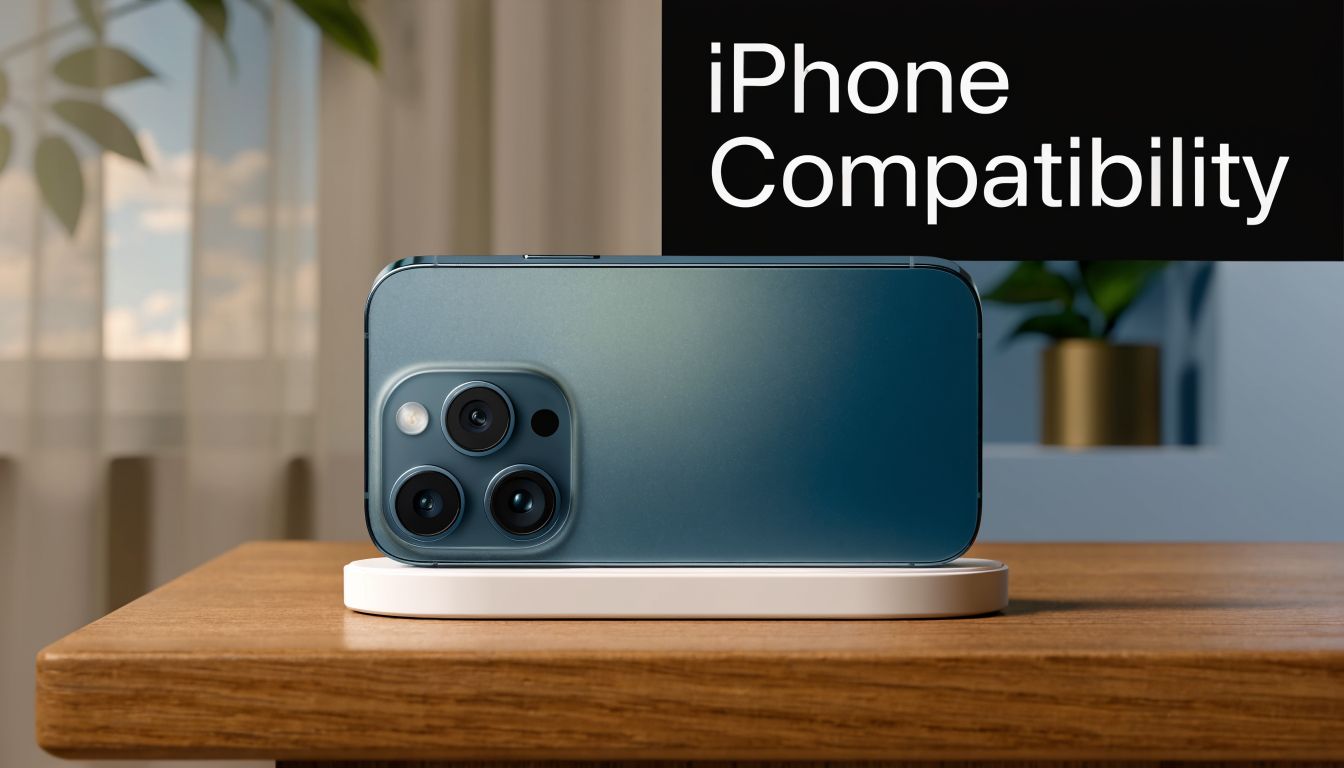
As a general rule, iPhone 8 and later support wireless charging, but MagSafe-compatible iPhones from the 12 series onward are the models that can take proper advantage of magnetic 15W charging on suitable pads. On Qi2-enabled pads, MagSafe-compatible iPhones can charge at up to 15W, with 90-95% charging efficiency compared with 70-80% for non-magnetic Qi chargers. That improved alignment also reduces heat build-up by 20-30%, and benchmarks showed an iPhone 15 Pro reaching 50% in 28 minutes on a 15W pad versus 40 minutes on a 7.5W Qi pad, according to Apple retail product information for the Belkin BoostCharge Dual Magnetic Charging Pad.
A practical compatibility breakdown
| iPhone group | Wireless charging support | What to expect |
|---|---|---|
| iPhone 8 to iPhone 11 series | Standard Qi wireless charging | Works on wireless pads, but doesn’t get the magnetic 15W MagSafe-style benefit |
| iPhone 12 series and later | Qi, MagSafe, and compatible Qi2 pads | Best results on magnetic pads with proper alignment |
| Models used with older basic pads | Depends on pad quality and placement | More chance of slow charging or failed placement |
The simplest example is the iPhone 11. It can charge wirelessly, but it can’t suddenly become a full MagSafe 15W phone just because you bought a MagSafe-looking pad. The phone hardware has to support that charging profile.
Why speed varies in real life
There are three usual reasons:
Phone support
The iPhone itself decides what wireless charging level it will accept.Pad quality and alignment
A well-designed magnetic pad keeps the coils lined up properly. A basic pad relies on you placing the phone correctly every time.Heat control
Wireless charging systems throttle when temperatures rise. That’s why the same charger can feel quick in the morning and slower on a warm desk in the afternoon.
If you’re comparing options and want a closer look at magnetic fast charging setups, this overview of wireless charger fast charging for iPhone is useful for understanding what a proper high-speed setup looks like in practice.
A wireless charger can only perform at the level your iPhone supports. The pad can’t unlock speed your phone was never designed to take.
How to Choose the Right Charging Pad and Power Adapter
The pad is only half the setup. A lot of poor wireless charging experiences come from using a decent pad with an underpowered or low-quality wall adapter. The result is predictable. Slow charging, random disconnects, or a pad that never reaches its advertised performance.
In Australia, iPhone users make up 52-57% of the premium smartphone segment, and sales of multi-device pads are growing 35% year-on-year. Testing also shows that quality 3-in-1 MagSafe pads can sustain 15W charging, taking an iPhone 15 Pro to full in 116-128 minutes, which matters given that 41% of WA iPhone owners report charging issues often linked to wired port wear, according to Tom’s Guide coverage of the best wireless chargers.
Start with the adapter, not the pad
If you want proper magnetic charging speed, use a 20W or higher USB-C power adapter. A weak adapter bottlenecks the entire setup. Buyers often blame the pad when the plug pack is the issue.
Look for these basics:
- USB-C power input: This is the standard on better modern pads.
- Reputable power supply: Cheap adapters cause more trouble than anticipated.
- One-brand simplicity: If you want fewer variables, buying pad and adapter from the same known brand usually reduces compatibility issues.
Match the pad to how you actually charge
A flat puck-style pad suits people who want a simple drop-and-charge option. A stand is better if you glance at notifications, use StandBy features, or keep the phone visible on a desk. A 3-in-1 station suits anyone charging an iPhone, Apple Watch, and AirPods in one place.
Here’s the practical split:
- Flat pad: Best for bedside tables and minimal setups.
- Stand charger: Better for desks, counters, and visible screen use.
- 3-in-1 station: Good for families, shared rooms, and reducing cable clutter.
Don’t pay for the wrong features
Not everyone needs a premium dock. If you only charge one iPhone overnight, a good magnetic single-device pad is often the sensible buy. If you travel often, foldable pads and magnetic battery packs are more useful than a bulky desktop stand.
If you’re shopping locally and trying to trim the cost of accessories from major retailers, it can be worth checking offers that let you get cashback on your purchase from major electronics retailers before you buy.
The best charger isn’t the one with the longest feature list. It’s the one that fits your routine, gets proper power, and doesn’t make you fight your case, desk space, or adapter every day.
Best Practices for Safe and Efficient Wireless Charging
A good wireless setup is mostly about avoiding the small mistakes that ruin efficiency. The biggest one is the case. If the phone doesn’t sit properly against the pad, charging slows down, heat rises, and people assume the charger is faulty.
The performance hit can be significant. The efficiency of a 15W wireless charge can drop by 15-25% with phone cases thicker than 3mm due to magnetic interference. That misalignment can increase device temperature by 5-10°C and slow charge rates to 7.5W, and it helps explain 25% of intermittent charging complaints, according to Apple support material on using MagSafe Battery Pack and related charging accessories.

Cases that help and cases that hurt
MagSafe-compatible cases are designed to work with the magnetic ring. They’re usually the safest choice if you want reliable alignment.
Cases that commonly cause trouble include:
- Extra-thick rugged cases: These increase the gap between phone and pad.
- Wallet cases: Cards and folded covers often interfere with alignment.
- Cases with metal plates or attachments: These can disrupt charging or stop it entirely.
If your phone charges better without the case, that’s your answer. Don’t keep troubleshooting the charger when the case is the actual fault.
Heat management matters
Wireless charging always creates some warmth. Excess heat is where trouble starts. Keep the pad on a hard, open surface with airflow around it. Don’t bury it in bedding, leave it on a hot dashboard, or charge in direct sunlight.
A few habits help:
- Charge on a stable surface: Timber, glass, or a clear desk is better than a doona or couch arm.
- Stop gaming while charging wirelessly: Heavy use adds heat on top of charging heat.
- Keep the pad clean: Dust on the pad surface can affect contact and alignment.
Keep wireless charging boring. Cool surface, correct case, proper adapter, and no junk between the phone and pad.
Cards, fobs, and wallet accessories
This gets ignored far too often. If you use a wallet attachment or case, remove bank cards, access cards, and building fobs from the charging area. Magnetic accessories and overnight charging setups don’t mix well with items you rely on for work or uni access.
Even if the phone still charges, the accessory side of the setup may not be safe for what’s stored in that wallet flap or magnetic sleeve. The safest habit is simple. Keep cards and fobs separate from the pad and from the back of the phone during charging.
Troubleshooting Common iPhone Charging Pad Problems
When wireless charging fails, the phone usually gives you one of three clues. It doesn’t charge at all. It charges very slowly. Or it gets too warm and pauses. Most of the time, the fix is basic and doesn’t involve replacing the phone.
Start with the simple checks before assuming the pad, battery, or charging coil is dead.

If the iPhone isn’t charging at all
Run through this checklist in order:
Check the power source
Make sure the wall adapter is connected properly and the pad is receiving power.Remove the case
Thick or poorly fitted cases often stop charging completely.Reposition the phone
On non-magnetic pads especially, even a slight offset can break the connection.Restart the iPhone
Software hiccups do happen. A reboot is quick and worth doing.Test another device if possible
If a second phone also fails, the pad or adapter is the likely issue.
If it’s charging slowly
Slow wireless charging usually means one of four things: poor alignment, weak adapter, excess heat, or a dirty pad surface.
Try this:
- Use a stronger compatible USB-C adapter
- Clean the pad and the back of the phone
- Move the charger away from direct sun or hot rooms
- Stop using the phone while it charges
If you want a broader overview of common setup faults and device behaviour, this guide to wireless charging on phones covers the basics clearly.
If the phone gets hot or charging cuts in and out
Perth conditions can be rough on accessories. Dust, warm rooms, and summer heat all make borderline charging setups worse. A pad that works fine in a cooler room may become unreliable once the temperature climbs or the charging surface gets dusty.
Watch for these local trouble points:
- Dust on the pad surface or around the phone case lip
- Heat trapped by thick cases
- Charging near windows or in parked cars
- Cheap adapters that run warm under load
If wireless charging works in the morning but struggles later in the day, heat is usually involved somewhere in the setup.
Intermittent charging often looks more dramatic than it is. In many cases, a clean pad, better placement, or removing the case solves it.
Charging Pad Workaround or Port Repair Which is Right for You
A charging pad can be a smart workaround. It can also be a way of putting off the actual repair. Which one makes sense depends on what’s wrong with the phone and how you use it.
If your charging port is worn but the phone still powers on and the battery is otherwise healthy, wireless charging can buy you time. It’s useful if you mainly need desk or bedside charging and don’t care about plugging into a computer often. For some people, that’s enough.
It stops being enough when the damaged port affects more than charging. A failing port can also cause connection drops with a computer, unreliable CarPlay, accessory issues, and trouble during backups or data transfer. Wireless charging doesn’t restore any of that.
When a charging pad is a reasonable short-term fix
A pad makes sense if:
- You need a quick workaround: The phone still works and you need power tonight, not after a booking delay.
- Your use is mostly stationary: Home and office charging suit pads much better than travel-heavy use.
- The port damage is mild: The phone charges poorly by cable, but other functions are still mostly intact.
That’s a practical band-aid. It isn’t a full fix.
When repair is the better decision
In Perth, dust and heat have contributed to a 28% rise in wireless charger complaints, with 42% linked to environmental wear. Local repair experience also shows 65% of iPhone wireless charging faults stem from dust-clogged coils or heat-warped pads, and for a damaged Lightning or USB-C port, a professional repair at around $80-$120 is often a more definitive answer than buying a new $150+ pad, based on the figures cited in Apple support guidance for Qi-certified wireless chargers on iPhone.
That trade-off matters. If the port itself is the fault, buying an expensive pad may only sidestep one symptom while leaving the underlying hardware issue untouched.
Here’s the plain decision framework:
| Your situation | Better option |
|---|---|
| You need charging without using the port right away | Wireless pad |
| You rely on cables for data transfer, car connection, or accessories | Port repair |
| You suspect both the pad and phone are acting up | Proper diagnosis first |
| You want the phone fully functional again | Port repair |
If your issue points to hardware rather than just convenience, a proper iPhone charger port repair is usually the cleaner long-term move.
A charging pad is best seen as part convenience, part prevention. It reduces port wear going forward. It doesn’t reverse damage that’s already there. If your iPhone only charges when the cable is wiggled, stops connecting to a computer, or fails on multiple leads, repair is usually the more sensible investment.
If your iPhone has a loose charging port, unreliable wireless charging, or you’re not sure whether the fault is the pad, battery, or connector, CTF Mobile Phones & Computer Repairs can help. The team in Balga handles fast, practical diagnostics and repairs for Perth customers who want the problem fixed properly, without guesswork.